For reading a draft report and adding brief comments, a compact tablet with a suitable stylus is a good choice. If you’ll be rewriting a lot of text, a keyboard — and possibly a Windows 2-in-1 — may be a better fit. Before you buy, check that your app and file format are compatible, test the document offline and see whether the stylus or keyboard is included with the configuration you’ve chosen.
Who is this guide for?
Reader who annotates on site
You read a draft report on site and mainly add brief comments alongside specific passages. A manageable screen, a suitable stylus and a reliable way to save your notes are important. For example, Apple Support explains how to annotate PDFs on iPad using Markup.
Fieldworker without a reliable connection
You want to be able to open the report without an internet connection and sync your changes later. Microsoft Support recommends opening a cloud file in the mobile Office app while online first.
Editor making extensive changes
You rewrite longer sections or rely on Windows software. Check that the apps and accessories you need are compatible, and that a keyboard will work well in your setting. The Consumentenbond points out that a tablet without an external keyboard is less suitable for entering lots of text.
What should you look for when buying?
Android tablet with stylus
A good fit if: you mainly highlight passages and make brief notes, and the report app you need works on Android.
Bear in mind: check whether the stylus is included with the specific configuration and whether notes are saved in the right file format. Samsung lists S Pen support and IP68 for the Galaxy Tab S10 FE; this doesn’t guarantee trouble-free use in all weather conditions.
iPad
A good fit if: you use the iPad apps you need or want to annotate PDFs with Markup. According to Apple Support, the 11-inch iPad Air (M4) supports Apple Pencil Pro and Apple Pencil (USB-C).
Bear in mind: check that your app saves comments back to the file you share, and whether the compatible Pencil is included with your chosen configuration.
Windows 2-in-1
A good fit if: you revise a lot of text or need a specific Windows workflow, and using a keyboard on site is practical.
Bear in mind: Microsoft sells the keyboard and Slim Pen for the Surface Pro 12-inch (2nd Edition) separately. Also check that your specific apps and accessories work with Windows on Arm.
| What to consider |
What should you check? |
Who should pay particular attention? |
| Readability and portability |
View a representative report page on the screen size you’re considering, and hold the tablet as you would when using it on the move. The Consumentenbond notes that a larger model may be less practical if you carry your tablet around often. |
If I want to read passages on site without holding a large device for a long time, I look for a balance between screen space and ease of handling. This is a top priority for around 26% of consumers. |
| Comments on specific passages |
Use a sample file to check that the app saves comments in the right place and lets you share them in the format you need. Apple Support explains how to annotate PDFs with Markup; also check stylus compatibility and what’s included in the box. |
If I want to add feedback directly alongside a paragraph and find it again later, the stylus and how comments are saved are crucial. Around 26% of consumers prioritise this kind of passage-based annotation. |
| Opening the report offline |
Open the actual document online first in the app you plan to use, test it without a connection and check where your changes appear after reconnecting. Microsoft Support says a cloud file must first be opened online in the mobile Office app. |
If my field visit goes ahead without a reliable connection, I want to be able to open the report and keep my changes. Offline access is the top priority for around 21% of consumers. |
| Editing lots of text |
Try your own document with the keyboard you plan to use. For a Snapdragon configuration, check that the apps and accessories you need work with Windows on Arm, as Microsoft Support advises. |
Anyone rewriting longer sections or relying on specific software needs to be able to type using their usual workflow. Around 16% of consumers prioritise extensive text editing and software compatibility. |
| Complete set-up |
Check what’s included with the exact configuration and which accessories are sold separately. Apple lists Pencil support for the 11-inch iPad Air (M4); Microsoft says the keyboard and Slim Pen for the Surface Pro 12-inch (2nd Edition) are sold separately. |
If I need a stylus, keyboard or mobile data, I want to know in advance what’s actually included with my chosen configuration. Around 11% of consumers place the greatest importance on having a complete set-up. |
Common pitfalls
-
Assuming a bigger screen is always best for fieldwork
More screen space can make reading easier, but a very large model may be less convenient to carry if you take your tablet with you often. The Consumentenbond highlights this trade-off.
Compare a representative page on a compact and a larger screen, and try holding both as you would during a field visit.
A larger device needs more room in your bag and may add extra weight.
-
Assuming stylus support means one is included
A tablet may support a stylus even if one isn’t included with a particular configuration. Bundles can vary within the same product range.
Check what’s included with the exact configuration and whether the stylus works with your app and file format.
A compatible stylus or keyboard may be sold separately.
-
Relying on cloud access alone
A cloud file may not be available if you leave without a connection and haven’t opened it in the app beforehand. Microsoft Support says you need to open it first to work offline in the mobile Office app.
Open the report online in advance, test it without a connection and check that your changes have synced afterwards.
-
Assuming every Windows app will work
Microsoft describes broad support for Windows on Arm, but not every app or accessory will necessarily work with every Snapdragon configuration.
Check the exact apps and accessories you need against the model you’re considering.
Brands to compare
Samsung
The Galaxy Tab S10 FE is an Android option for anyone who wants to comment on a draft using a stylus. Wi-Fi and 5G configurations are available.
- Samsung lists S Pen support and IP68 for the tablet and stylus.
- Check the exact configuration and the limits of its water resistance; this isn’t an independent test for outdoor use.
Apple
The 11-inch iPad Air (M4) is an option if you use the iPad apps you need and want to mark up reports, including PDFs.
- Apple Support lists support for Apple Pencil Pro and Apple Pencil (USB-C), an anti-reflective coating and a weight of 464 grams for the Wi-Fi configuration.
- The Pencil isn’t listed among the items included in the box. Suitability also depends on your app and file workflow.
Lenovo
An Idea Tab configuration could suit you if an 11-inch Android tablet with a stylus fits the way you take notes.
- Lenovo lists an 11-inch Idea Tab with 8 GB of memory and 128 GB of storage in a configuration with a stylus.
- Bundles vary: Lenovo notes that the stylus is optional with another configuration. Check what’s included with the model you choose.
Microsoft
The Surface Pro 12-inch (2nd Edition) is a Windows 2-in-1 for anyone who needs to do a lot of text editing as well as reading.
- Microsoft describes using it as both a tablet and with a keyboard.
- The keyboard and Slim Pen are sold separately. For the Snapdragon configuration, check that the apps and accessories you need work with Windows on Arm.
Tablets at Joybuy
This selection focuses on tablets for reviewing draft reports on site, with an emphasis on reading and annotation. Some models also list mobile connectivity.
 No image available
Apple 11-inch iPad Air (M4), Wi-Fi, 256 GB, Space Grey
An 11-inch iPad for reading and annotating reports with a compatible app.
Wi-Fi, 256 GB of storage. According to the product information, Apple Pencil is an optional accessory.
View at Joybuy
 No image available
TECLAST P50 11-inch Android 16 tablet
An Android tablet for viewing reports; mobile connectivity depends on network coverage being available.
11-inch IPS, 90 Hz, 32 GB RAM (6 GB + 26 GB virtual), 128 GB storage, 4G LTE and dual SIM.
View at Joybuy
 No image available
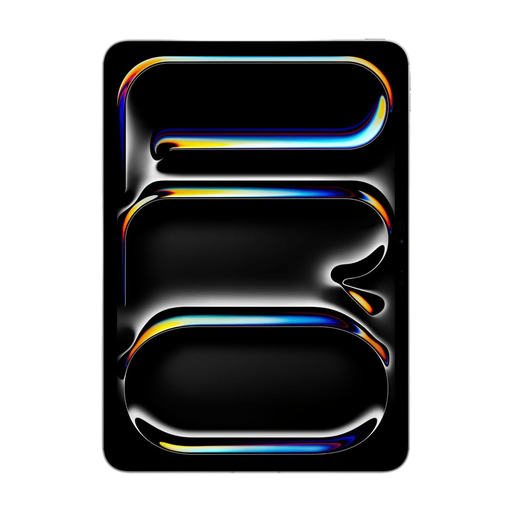
Apple 11-inch iPad Pro, Wi-Fi + Cellular, 256 GB, Silver
An 11-inch iPad for reading and annotating with a compatible app; mobile connectivity works where coverage is available.
Wi-Fi + Cellular, 256 GB of storage. According to the product information, Apple Pencil and Magic Keyboard are sold separately.
View at Joybuy
 No image available
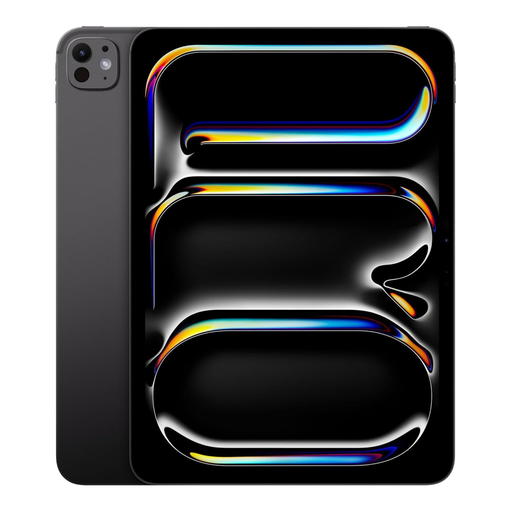
Apple iPad Pro M5 (2025), 11-inch, 1 TB, Wi-Fi, Space Black
An 11-inch iPad for reading reports and taking notes with a compatible app and stylus.
Wi-Fi, 1 TB of storage. The product information lists support for Apple Pencil.
View at Joybuy
 No image available
iFLYTEK AINOTE 2, 10.65-inch E-Ink tablet
A tablet for reading and handwritten notes; the product information says notes are stored locally.
10.65-inch E-Ink screen. The product information lists an included stylus.
View at Joybuy
Frequently asked questions
Can I keep editing a draft report without internet access?
It depends on the app and how you prepare. Microsoft Support says you need to open a cloud file online first in the mobile Office app before you can work on it offline. Test this with the actual document and check that your changes have synced after reconnecting.
Do I need a stylus to add comments to a PDF?
Not always: Apple Support explains that you can use Markup on iPad with your finger or, on a supported model, with Apple Pencil. Whether your comments appear correctly in the shared report depends on the app and workflow.
Does the tablet come with a stylus and keyboard?
Not every configuration includes them. Apple doesn’t list a Pencil among the items included in the box with the 11-inch iPad Air (M4), while Microsoft sells the Slim Pen and keyboard for the Surface Pro 12-inch (2nd Edition) separately. Also check the bundle for the exact Lenovo model.
Will my Windows software work on a Snapdragon tablet?
You’ll need to check each app and accessory. Microsoft Support describes support for Windows apps on Arm, but recommends contacting the publisher about applications that don’t meet the stated standards. Check the exact software you need in advance.
Can I hold a tablet while driving to a field visit?
No. Don’t hold a tablet while driving. The Rijksoverheid explicitly lists tablets as mobile devices you must not hold while driving. Read or annotate the report when safely parked.


