Tablets at Joybuy for retro gaming on the go
These tablets offer a range of screen sizes and Android or iPadOS options to consider for retro gaming as a passenger. Before you set off, check that your chosen games work offline and that the controls suit your needs.
 No image available
Apple iPad Air 11-inch (M4), Wi-Fi, 128 GB, blue (2026)
An option if you want iPadOS and a larger screen for solo play; test beforehand whether your specific games work offline.
11-inch screen, 128 GB of storage and iPadOS. Charger not included.
View at Joybuy
 No image available
Samsung Galaxy Tab A11 X135, 8.7-inch LTE, 4 GB RAM, 64 GB, grey
A compact Android option if you want to hold your tablet in a tight passenger space; test each game individually to check it works offline.
Android, 8.7-inch screen, 4 GB RAM, 64 GB of storage and microSD expansion. RetroArch lists support for Android tablets, but not for every individual game.
View at Joybuy
 No image available
Samsung Galaxy Tab A11 Plus, 11-inch Wi-Fi, 6 GB RAM, 128 GB, grey
A larger Android tablet to consider if you want more room to play; check that your chosen games work offline before you set off.
11-inch screen, 6 GB RAM, 128 GB of storage and microSD expansion. RetroArch lists support for Android tablets, but that doesn’t confirm that a specific game will work.
View at Joybuy
 No image available
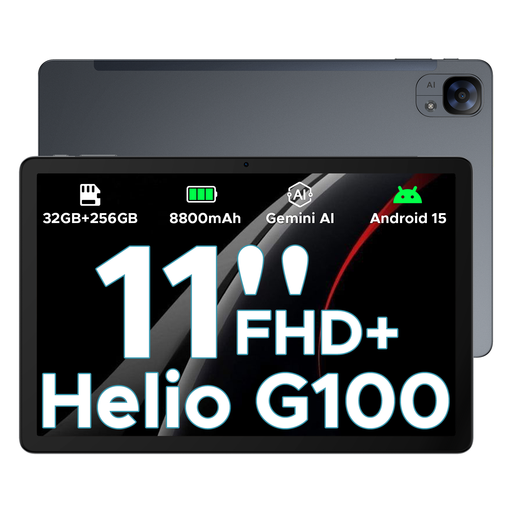
DOOGEE Tab E3, Android 15, 32GB+256GB/2TB, 11-inch, grey
A larger Android tablet for anyone considering other games too; check that the specific titles you want to play work offline.
The product name lists an 11-inch screen, Android 15 and an 8800 mAh battery capacity. That capacity doesn’t guarantee a particular playing time.
View at Joybuy
 No image available
HONOR Pad 10, 12.1-inch, 8 GB RAM, 256 GB, grey
An option with a larger screen if you want more room to play; test your chosen apps and games beforehand to check they work offline.
Android tablet with Google services, a 12.1-inch screen, 8 GB RAM and 256 GB of storage. RetroArch lists support for Android tablets, but that doesn’t mean every game will work offline.
View at Joybuy
Frequently asked questions about retro gaming on a tablet while travelling
How do I prepare a tablet for playing without a signal?
Before you set off, install your chosen game app and games, then test the specific titles with the internet connection switched off. RetroArch lists support for Android and iOS tablets, but that doesn’t guarantee that your games will work offline.
Can the driver play on a tablet while travelling?
No, not while driving. The Government of the Netherlands states that drivers must not hold a tablet while driving; when the car is parked, a device may be held and used.
What can I do if my controller buttons aren’t working properly?
Check the button mapping in the app and set the buttons manually if needed. According to the RetroArch documentation, not all controllers have an automatic configuration profile, so test the tablet, app, controller and game together beforehand.
Can I use Nintendo Classics on an Android tablet or iPad?
Nintendo describes its Nintendo Classics apps as being for Nintendo Switch and Switch 2 systems, not Android tablets or iPads. So don’t assume that a Nintendo Switch Online membership will make those apps available on a tablet.
Can I use any retro games I’ve downloaded in an emulator?
Don’t assume so: an emulator doesn’t give you the right to use game files. The Government of the Netherlands states that you may only make a backup copy of computer programs and games; check whether you have permission or other usage rights for a specific game.


