
Traveller who wants to pack light
You want your tablet to be comfortable to hold and easy to put away during the coach journey. Compare the dimensions and weight of the exact model, as Which? notes that compact tablets are handy for travelling.


First, choose a tablet that works with your emulator, games and controller. Then, how comfortable it is to carry will largely determine whether a compact standard tablet or a larger gaming tablet is right for you. A compact tablet may suit simple retro games, but higher specifications don’t prove that a particular game will run better. Also check whether your games work offline, how much internal storage they need and how long the tablet lasts with your type of use.
You want your tablet to be comfortable to hold and easy to put away during the coach journey. Compare the dimensions and weight of the exact model, as Which? notes that compact tablets are handy for travelling.
You want to be able to open your games during the journey without relying on the internet. Check the app, game files and available internal storage in advance.
You have particular games or a specific controller in mind. So first check that the emulator, games and controls work with the operating system you’re considering.
Suited to: limited luggage space and simple retro games, provided you check that your preferred app and controls work in advance.
Bear in mind: a screen or processor specification doesn’t prove how a particular game will run.
Suited to: anyone who wants iPadOS and is looking for a lightweight tablet; Apple lists the iPad mini (A17 Pro) Wi‑Fi at 293 grams, with an 8.3-inch screen.
Bear in mind: check that your specific emulator, game core and controller are available and compatible.
Suited to: anyone who wants to play more demanding games as well as retro games, and needs the extra hardware for them.
Bear in mind: manufacturer specifications don’t prove that your retro games will run better; compare the size and storage requirements too.
| Consideration | What should you check? | Who is this important for? |
|---|---|---|
| Portability | Compare the dimensions and weight of the exact model. Also consider whether the tablet and any controller feel comfortable to hold together. | If I’ll be holding the tablet for a long time or using it in a cramped seat, I want its size and weight to suit me. Around 31% of consumers put portability first. |
| Offline use and storage | Test the app and games in advance without a network connection. Check the available internal storage and what a microSD card can be used for on the exact model. | I want to be able to set up my games in advance and open them on the go without the internet. Around 25% of consumers make offline use and storage their top priority. |
| Game and controller compatibility | Check that the emulator, game core and controller are compatible with the operating system and tablet. Test the buttons before you set off. | If I want to play particular games or use physical buttons, the app, tablet and controller all need to work together. Around 25% of consumers give compatibility the highest priority. |
| Play time between charges | Compare battery tests carried out in similar conditions, or test your preferred game with your screen brightness and controller settings. | I don’t want to rely on a charging break during a long journey. Around 19% of consumers put playing without recharging at the top of their list. |
A screen specification on its own doesn’t tell you how a particular emulator or game will run.
Check your preferred emulator and games on the exact device; don’t base your choice on the refresh rate alone.
For the REDMI Pad SE 8.7, Xiaomi says a microSD card can be used for media, but not for apps.
Check how much internal storage you need and what a microSD card can be used for on the exact tablet.
A microSD card may be a separate purchase, but it won’t automatically replace the internal storage space that apps need.
Buying a tablet or emulator doesn’t in itself give you permission to use protected games.
Only use games you’re legally entitled to use. The Dutch government says you may only make a backup copy of computer programs and games.
The Galaxy Tab A11 Wi‑Fi is a compact Android option with an 8.7-inch screen.
The REDMI Pad SE 8.7 is a compact Android tablet listed in several storage configurations.
The iPad mini (A17 Pro) is a compact iPadOS option for anyone who wants to use the Apple platform.
The Legion Tab Gen 5 is a compact Android tablet that Lenovo positions as a gaming tablet.
This Joybuy selection consists of Android tablets. If you’ll be using one on a coach, pay particular attention to screen size and check before buying that your games, emulator and controller work with the model you’ve chosen.
 No image available
If you’re considering this tablet for retro games, check whether the larger screen is practical in your seat and whether the available storage is enough for your apps.
Android 15; 256 GB storage; 12 GB LPDDR5X memory.
The 11.1-inch screen is larger than the compact sizes that can be handy when travelling.
 No image available
Consider this model only if a large screen suits your travel set-up. Also check that your games and apps will fit in the internal storage.
Android 15; 128 GB internal storage; 20 GB RAM listed as 8 GB + 12 GB virtual.
The 14-inch screen is less compact for use on a coach.
 No image available
If you’re looking at this model for retro games, first check that your emulator and games work with it. The product name alone doesn’t tell you how well they’ll perform.
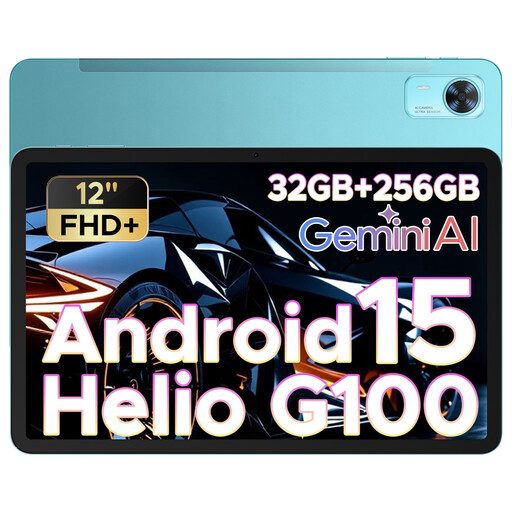
Android 15; 12 inches; Helio G100 processor.
The 12-inch screen is larger than the compact sizes that are often practical when travelling.
 No image available
If you’re using it for retro games, check whether its size suits the limited space and whether your preferred apps and games work on the device.
Android 15; 11 inches; 256 GB internal storage.
The screen is larger than the compact sizes discussed for use on the go.
No. Before you set off, check that the app, game files and any initial set-up can all be used locally. Install your preferred games in advance and open them without a network connection to test them.
It depends on the controller, tablet and app. Apple explains how to connect a compatible controller to an iPad via Bluetooth or cable, while Libretro explains how to configure controller controls in RetroArch. Check support for your particular set-up and test the buttons in advance.
Update the operating system and apps in advance, set a passcode and check the battery before you set off. The Dutch Data Protection Authority recommends updates and access protection as security measures.
In the Netherlands, online purchases usually come with a 14-day cooling-off period, although there are exceptions, according to the Dutch government. Separately, you’re entitled to a legal guarantee for as long as you could reasonably expect the product to work properly; ACM ConsuWijzer says there’s no single fixed period that applies to all tablets.
Don’t assume that every ROM file is free to use. The Dutch government says you may only make a backup copy of computer programs and games; owning a tablet or emulator doesn’t in itself give you permission to use other people’s protected games.