Who is a tablet for renovation visits suitable for?

On-site plan annotator

You want to mark up photos and existing plans during a visit, note measurements and find your changes later. So check which stylus works with the exact tablet model and whether the screen is comfortable to use. The Consumers’ Association notes that larger tablets offer more room to read, but are less portable.

Renovation room scanner

You want to create an initial digital floor plan on site and are happy to check incomplete scans or take measurements again. According to magicplan, if a wall isn’t captured properly, a room may be missing from the final floor plan.

Desktop project user

You need to be able to open or edit project files in specific desktop software on site. Check the software’s system requirements: a tablet that lets you view files won’t necessarily run the editing software you need.

What should you look for when choosing?

Android tablet with stylus

Choose this option: if you want to annotate plans and photos and don’t need an app that’s only available for iPadOS or Windows.

Keep in mind: an Android tablet won’t replace a required Windows desktop app. Also check whether the stylus is included with the version you choose.

iPad Pro for room scans

Choose this option: if an app such as magicplan Auto-Scan is an important part of your workflow and your chosen device meets the LiDAR and app requirements.

Keep in mind: magicplan warns that rooms that haven’t been fully scanned may be missing. Check the scan and remeasure important distances. Also check stylus compatibility with the exact iPad model.

Windows tablet

Choose this option: if you need to use an existing desktop workflow or specific Windows software on site.

Keep in mind: Microsoft lists Windows 11 Pro for the Surface Pro for Business version described, but that doesn’t confirm that your specific app will work with every processor. Also check which stylus and keyboard are included.

What to consider What should you check? Who is this important for?
Annotating plans Check whether the app can import and export photos and plans, which stylus works with the exact model, and what’s included in the box. Apple Support lists Apple Pencil compatibility by model. If I want to mark up photos and drawings and note measurements during a visit, the stylus and screen need to suit the way I work. Around 33% of consumers say annotation is their main reason for buying.
Scanning rooms Check the current device, operating system and app requirements. According to magicplan, walls that haven’t been fully captured may cause a room to be omitted from the 2D floor plan. Review the result and remeasure important dimensions. If I want to create an initial digital floor plan on site, I want to know whether the scanning method will work in my space and what I’ll need to check myself. Around 27% of consumers say room scanning is their main reason for buying.
Working on site Balance screen size against portability and check that you can use the files and app features you need on site. Samsung’s IP68 rating for the Galaxy Tab S10 FE applies in specified freshwater conditions and says nothing about drop resistance. If I need to carry the tablet around a lot or work in different locations, I want a manageable screen and suitable protection. Around 20% of consumers prioritise practical use on site.
Using desktop software Check the requirements for your specific app, including its operating system and processor requirements, and consider whether you need a keyboard or stylus. Microsoft’s Windows specifications don’t automatically confirm that every desktop app will work. If I need to edit existing project files in my desktop software, being able to open files alone isn’t enough. Around 20% of consumers say desktop software is their main reason for buying.

Common buying mistakes

  • Assuming every tablet can scan rooms automatically

    magicplan Auto-Scan has specific device and software requirements. A room that hasn’t been fully captured may be missing from the floor plan.

    Check the current requirements for your scanning app and do a test scan in advance. Review the result and remeasure important dimensions.

    If the device or scanning method isn’t suitable, you may need another way to capture the space or a different device.

  • Assuming the stylus or keyboard is included with the version you choose

    Stylus compatibility varies by iPad model, and information about tablet bundles can vary by version. A stylus mentioned in the product details won’t necessarily work with every device.

    Check which stylus and keyboard are included with the exact version and whether they’re compatible with the way you work.

    For taking notes or typing, you may need to buy a suitable stylus, case or keyboard separately.

  • Taking IP68 to mean protection against every on-site risk

    Samsung describes the Galaxy Tab S10 FE’s IP68 rating for use in specified freshwater conditions. This rating doesn’t confirm protection against drops.

    Use a suitable protective case if needed, and base your choice on the conditions for which the protection is specified.

Relevant brands to consider

Samsung

The Galaxy Tab S10 FE is one option to consider for taking notes on site.

  • Samsung lists an included S Pen and IP68 rating for this series.
  • The stated protection applies in specified freshwater conditions and isn’t proof of drop resistance.

Apple

An iPad Pro may be suitable if a scanning app requires a compatible LiDAR-equipped iPad.

  • magicplan describes Auto-Scan for compatible LiDAR devices, including supported iPad Pro models.
  • Apple Pencil compatibility varies by iPad model. According to magicplan, an incomplete scan may miss a room.

Lenovo

The Idea Tab 11-inch is an Android option to explore for reading plans and taking notes.

  • For version ZAFR0405SE, Lenovo lists an 11-inch screen, 8 GB of memory and 128 GB of storage.
  • The information about the stylus for this version isn’t clear; confirm what’s included in the specific box. Don’t assume it has LiDAR scanning.

Microsoft

The 12-inch Surface Pro for Business is worth considering if Windows software is a deciding factor.

  • For the version described, Microsoft lists Windows 11 Pro and support for the Surface Slim Pen.
  • These specifications don’t confirm that a specific renovation app will work with the processor or that a stylus and keyboard are included.

Joybuy tablet picks for plans and stylus input

This selection includes tablets and a digital notepad for viewing and annotating plans. For room scanning, check separately that the exact version and app meet the requirements.

Blackview Zeno 10 tablet with keyboard and stylus

Blackview Zeno 10, 11-inch 2K FHD, with keyboard and stylus

The listed stylus and keyboard are handy if you want to write and type on site. Check the product information to see which accessories are included with the version you choose.

11-inch screen; 2K FHD; keyboard and stylus as stated in the product name.

View at Joybuy

TECLAST ArtPad Pro 12.7-inch tablet, compatible with T pen

TECLAST ArtPad Pro, 12.7-inch, 256 GB

The product name states that it’s compatible with a T pen, which could be handy for annotating plans. The Consumers’ Association notes that larger tablets are less portable.

12.7-inch screen; Helio G99; 20 GB of memory (8 GB + 12 GB virtual); 256 GB of storage; Android 15; compatible with T pen.

View at Joybuy
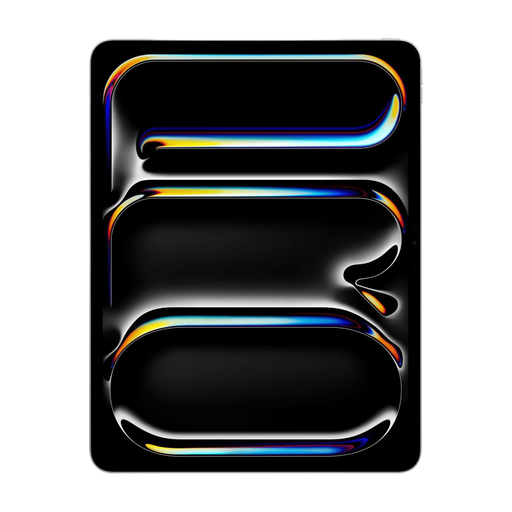
Apple 13-inch iPad Pro M5, Wi-Fi, 512 GB, silver, 2025

Apple 13-inch iPad Pro M5, Wi-Fi, 512 GB, silver (2025)

This 13-inch model could suit you if you’d like a larger screen for viewing plans, but bear in mind that a larger screen is less portable.

13-inch screen; M5; Wi-Fi; 512 GB of storage. Check with Apple Support which Apple Pencil is compatible with this model and the iPadOS version you’re using, and what’s included with this version.

View at Joybuy
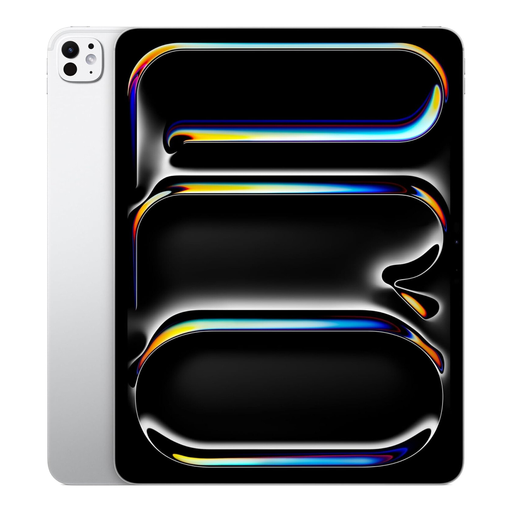
Apple 13-inch iPad Pro M5, Wi-Fi, 2 TB, silver, 2025

Apple 13-inch iPad Pro M5, Wi-Fi, 2 TB, silver (2025)

If you’re considering this model for room scans, first check that the exact version meets the current LiDAR and app requirements. magicplan warns that an incomplete scan may miss a room. Check the result and remeasure important dimensions.

13-inch screen; M5; Wi-Fi; 2 TB of storage. Check with Apple Support which Apple Pencil is compatible with this model and the iPadOS version you’re using, and what’s included with this version.

View at Joybuy

iFLYTEK AINOTE Air 2, 8.2-inch E Ink note-taking tablet with stylus and protective case

iFLYTEK AINOTE Air 2, 8.2-inch E Ink, with stylus and protective case

The product information mentions taking notes on PDFs, which could be useful for digital plans. The 8.2-inch screen offers less room to read large drawings than a larger tablet screen.

8.2-inch E Ink screen; stylus; protective case as stated in the product name.

View at Joybuy

Frequently asked questions

Can you scan a floor plan automatically with any tablet?

No. magicplan Auto-Scan requires a compatible LiDAR device and software. The developer explains that a room that hasn’t been fully scanned may be missing from the 2D floor plan. Check the current app requirements, review the result and remeasure important dimensions.

How do you prepare your tablet for a renovation visit?

Open a test file in advance in the app you plan to use and check that the right stylus works. Take the files you’ll need on site with you, and after a room scan, check that all the walls and rooms are visible. magicplan suggests manual scanning as an alternative when it’s difficult to capture a room fully.

Does a tablet always come with a stylus or keyboard?

No, it varies by model and version. Check what’s included in the exact box and whether the stylus is compatible. Apple Support says Apple Pencil compatibility varies by iPad model. For Lenovo, check which stylus comes with the Idea Tab version you choose.

What returns and warranty rules apply when buying in the Netherlands?

For a distance purchase by a consumer, there is generally a statutory 14-day cooling-off period after delivery, according to ACM ConsuWijzer. The Dutch government states that the Netherlands doesn’t have a fixed statutory warranty period of exactly two years for every product. However, if a product is faulty, you may be entitled to a repair, replacement or refund.

Can you photograph identifiable people during a visit and share the images?

It depends on the purpose and how you use the images. According to the Dutch Data Protection Authority, strictly personal or household use may be exempt if the images stay private or are shared within a very limited circle. The GDPR may apply if you share them more widely or use them for business. Before taking or sharing images professionally, check which rules apply to your situation.
