
Reader with a full train bag
You mainly read text and want a tablet that’s easy to hold and carry. Screen size and weight both matter here; the Dutch Consumers’ Association lists portability as a consideration when choosing a small tablet.


If you mainly read continuous text and often hold your tablet, start with a compact model and see whether the text is comfortable to read at your preferred font size. Choose more screen space if photos, scans or PDF pages matter, and download your book before you set off: Wi-Fi and charging points aren’t guaranteed on every train journey. If you only read long stretches of text, an e-reader is also worth comparing.
You mainly read text and want a tablet that’s easy to hold and carry. Screen size and weight both matter here; the Dutch Consumers’ Association lists portability as a consideration when choosing a small tablet.
You want to view photos or pages with a fixed layout, and are weighing up extra screen space against portability. The Dutch Consumers’ Association points out that a tablet may be better suited to PDFs.
You want to access your books without relying on Wi-Fi or a charging point. NS says that facilities vary by train and route; the Online Library lists which devices are compatible with each e-book.
Best for: Mainly reading continuous text and regularly holding or carrying your tablet.
Trade-off: A smaller screen leaves less room to display a full photo or PDF page.
Best for: Memoirs with lots of photos, fixed page layouts or PDFs, or if you want to use other apps as well as read.
Trade-off: More screen space also means a larger device; according to Apple, the Wi-Fi version of the 11-inch iPad (A16) weighs 477 g, without a case.
Best for: Mainly reading long, continuous texts, with little need for apps, colour images or PDFs.
Trade-off: Check whether each title is available on the e-reader; books with lots of images and PDFs may be better suited to a tablet.
| What to consider | What should you look for? | Who should consider this? |
|---|---|---|
| Carrying and holding | Compare the dimensions and weight of the exact version, ideally with its case; try holding it and turning the pages, too. | If I often carry my tablet in a full bag, I want it to be comfortable to hold; around 25% of consumers prioritise portability. |
| Setting text to a readable size | Open a similar e-book and try your preferred font size and brightness in the lighting you’ll be reading in. | If I read text for long periods, I want to be able to follow it at my preferred size; around 25% of consumers prioritise text readability. |
| Books and power on the go | Check whether your reading service has the title, download it in advance and make sure the version you choose meets your mobile data needs. | If I want to keep reading on different train journeys without relying on Wi-Fi or charging, I’ll arrange access in advance; around 19% of consumers prioritise offline access and power. |
| Photos and PDF pages | View a sample page in its actual file format and check that the photos and layout work well for you on the screen. | If I want to view scans, photos or fixed page layouts, the display matters more than having the smallest possible device; around 19% of consumers prioritise image-rich pages. |
| Titles and total costs | First check that the title you want is available and which devices it supports; then factor in any accessories or reading-service costs. | I want to know before buying whether I can read the memoirs I want and what else I’ll need; around 12% of consumers prioritise access to books and total costs. |
A compact screen is easier to carry, but photos and PDF pages may need more room. A larger device, on the other hand, is less compact to hold.
View a sample page in the format of the books you read and compare the weight with the case you plan to use.
NS says that Wi-Fi is available on almost all Intercity trains; facilities and charging points vary by train and route. So you can’t count on them for every journey.
Download your books in advance, set off with plenty of battery and check the facilities on your route before assuming you’ll need mobile data.
The Joybuy page for a Galaxy Tab A11 lists four speakers, while Samsung lists dual speakers for the Galaxy Tab A11. This means the full model code of the version sold by Joybuy hasn’t been confirmed.
When buying, check the full model code and the features of the version on offer; don’t rely on a general product description alone.
The Galaxy Tab A11 is available in Wi-Fi and LTE versions in the Netherlands; check which version you’re looking at.
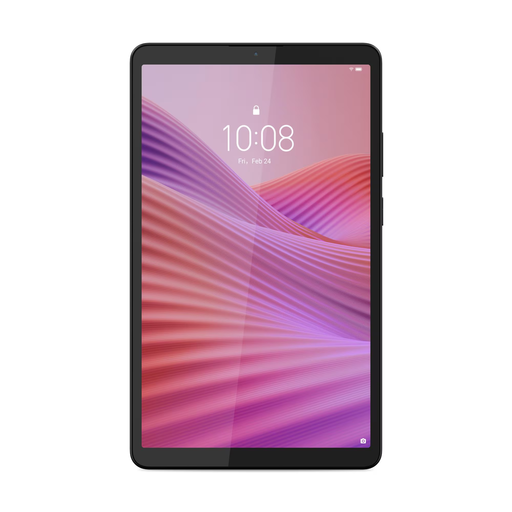
The Tab One 8.7 is a compact option to compare if portability and ease of handling matter to you.
The Redmi Pad SE 8.7 is a compact tablet option; note that the separate 4G version is not the same as the standard version.
The 11-inch iPad (A16) is a larger option for anyone who wants to view photos or use other apps as well as read text.
This selection of Joybuy products includes compact tablets for reading text and carrying with you, as well as larger screens for photos and PDF pages. Check that each version has the connectivity and storage you want, and comes with the accessories you need.
 No image available
A compact option if you want mobile access during your train journey; check that this version’s connectivity suits your needs.
64 GB storage; the product description lists 4G LTE.
 No image available
A compact version to compare if you mainly read text and want a smaller device to carry.
8.7-inch IPS touchscreen; 4 GB RAM and 128 GB storage. The product description says a clear case is included; a USB power adapter is not included.
 No image available
The larger screen may suit memoirs with photos or PDF pages; bear its larger size in mind when carrying the tablet.
12.7-inch 3K screen, 144 Hz, 8 GB RAM, 256 GB storage and Wi-Fi 6E.
 No image available
A larger screen than the compact options mentioned, for anyone who wants more room on the page and needs mobile access.
10.1-inch WUXGA IPS touchscreen, 4 GB RAM, 128 GB storage and Android 14. The product name also lists Wi-Fi 5.
 No image available
An 11-inch option for anyone who wants to view photos, fixed page layouts or other apps on a larger screen.
Wi-Fi version with 128 GB storage.
Download it in advance if you don’t want to rely on a connection during your journey. NS says free Wi-Fi is available on almost all Intercity trains, but not every train; you can search for and download books in the Online Library app. Before setting off, check that your title opens after downloading.
No, it varies by title. The Online Library directs you to each e-book’s information page for details of compatible devices. So check the title itself, not just the type of e-reader.
Don’t count on it. According to NS, sockets or USB charging points are available on many Sprinter trains, depending on the type of train and route. Check your journey and set off with plenty of battery.
For an eligible online purchase from a business, the Dutch government says you’ll usually have a 14-day cooling-off period. If a product is faulty, your statutory rights depend on what you can reasonably expect from it; ACM ConsuWijzer stresses that the statutory guarantee does not have a fixed term of exactly two years. The seller is your point of contact.