
Text reader with limited luggage space
You mainly read continuous text and want a tablet that’s easy to carry and hold during a train journey.


If you mainly read continuous text, a compact tablet is generally a better fit for train journeys; for photos, drawings or fixed-layout pages, a larger colour screen gives you more room. Download your nature journal to the device before you set off, then assess the screen using a sample page. Consumentenbond also suggests considering an e-reader if you mainly read long texts; they are less suited to image-heavy PDFs.
You mainly read continuous text and want a tablet that’s easy to carry and hold during a train journey.
You want to view colours, details and possibly fixed-layout pages, and are weighing up the extra screen space against portability.
You want to keep reading on the move without relying on train Wi-Fi, so you check in advance that your nature journal is available on the device.
Best for: mainly reading text, moving around frequently or holding the tablet for longer periods.
Trade-off: on a smaller screen, you may need to zoom in more to view an image or PDF page; Consumentenbond notes that small tablets are handy for travelling.
Best for: a nature journal with photos, drawings or fixed-layout pages.
Trade-off: more screen space doesn’t automatically make reading more comfortable in bright or reflective conditions; also compare the weight of the model you plan to take with you.
Best for: mainly reading long texts, when colour and other tablet features are less important.
Trade-off: according to Consumentenbond, e-readers are generally less suited to image-heavy PDFs; a tablet can reflect light and needs charging more often.
| What to consider | What to look for | Who is this important for? |
|---|---|---|
| Portability and handling | Compare the screen size and stated weight; if possible, try holding the tablet with any case you plan to use. | If I’ll be taking the tablet out of my bag often or holding it for a long time, I want its size and weight to feel comfortable. Around 33% of consumers give portability and handling top priority. |
| Photos and fixed page layouts | Open a sample page and check the details, colour, zooming and reflections on the screen you’re considering. | If small details or the complete layout of my nature journal matter, screen space is more important than travelling as compactly as possible. Around 25% of consumers prioritise image display. |
| Reading without train Wi-Fi | Check that the full nature journal has been downloaded in your reading app, then open it before setting off with the network switched off. | If I don’t want to rely on Wi-Fi while travelling, I want to make sure my nature journal opens offline before I leave. Around 25% of consumers make independence from Wi-Fi their top priority. |
| Battery and battery life | Where applicable, compare the standardised battery life on the EU energy label and check the update support for the exact model. | If I want to use the tablet for a long time, I consider both battery use and how useful it will remain throughout its lifespan. Around 17% of consumers prioritise battery life and product lifespan. |
A compact screen is easy to carry, but you may need to zoom in more to view images or fixed-layout PDF pages. A larger screen isn’t automatically easier to read when there’s glare.
Open a sample of your own nature journal on the size you’re considering and assess both the details and how easy it is to carry and hold.
NS says that free Wi-Fi is available on almost all Intercity trains, but not on every train journey.
Download the nature journal if your reading app allows it, then check before setting off that every page opens without a connection.
According to ACM ConsuWijzer, your statutory rights are separate from any manufacturer’s or retailer’s warranty.
Keep your proof of purchase and contact the retailer if you think a product is faulty. Only consider the cost of extra cover once you know which rights already apply.
The Tab One is a compact Android tablet to take with you, particularly for reading text.
The Galaxy Tab A11 is a compact 8.7-inch option; the A11+ is a separate model with an 11-inch screen.
The Redmi Pad 2 is a larger tablet option if you may be reading lots of images or fixed-layout pages.
The 11-inch iPad (A16) may suit colour pages and anyone who wants to make compatible Apple Pencil annotations as well as read.
The Pad Lite is an 11-inch Android option if screen space and stated battery capacity matter alongside portability.
These Joybuy products may suit reading a nature journal on a tablet. View a sample page and check that the content is available offline before setting off.
 No image available
A compact option to compare if you take your tablet with you often or mainly read text.
It has an 8.7-inch screen with a resolution of 1340 × 800 and a refresh rate of 90 Hz; the stated weight is 337 g.
This is the X135 version; check the specifications of the exact variant you choose.
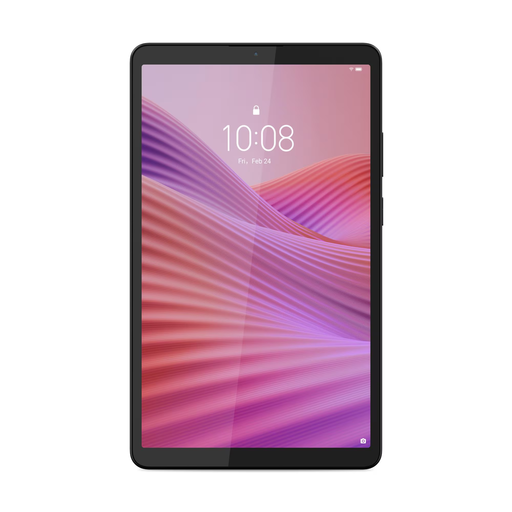 No image available
A compact model to consider if you mainly read text and regularly hold your tablet.
The product information lists an 8.7-inch screen with a resolution of 1340 × 800 and a weight of around 320 g. The title lists 4 GB RAM, 128 GB storage and a Clear Case.
According to the product information, a USB power adapter isn’t included.
 No image available
A larger screen to consider if your nature journal includes photos or fixed-layout pages.
The product information lists a 10.1-inch IPS screen, a resolution of 1920 × 1200 and a weight of 425 g. It also lists 128 GB storage, Wi-Fi 5 (802.11ac) and Android 14.
No image available
A larger screen to compare if your nature journal contains images or fixed-layout pages.
The product information lists a 10.1-inch IPS screen, a resolution of 1920 × 1200 and a weight of 425 g. The title lists 4G LTE; the product information also mentions Wi-Fi 5 (802.11ac), 4 GB RAM, 128 GB storage and Android 14.
Check the connectivity options for the exact model before you buy.
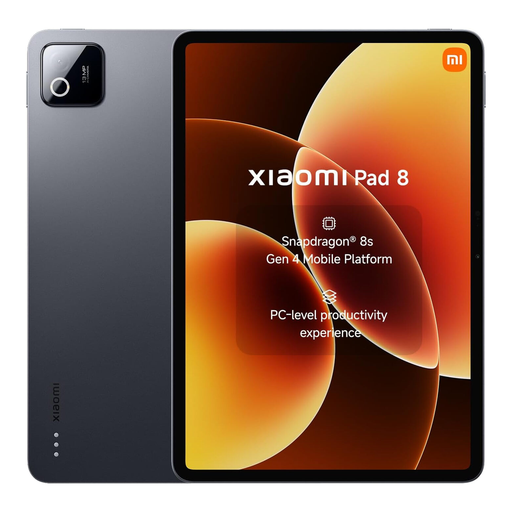 No image available
View a sample of your nature journal on the tablet to see whether it works well with your pages.
The product name lists 8 GB RAM and 256 GB storage.
Check whether your nature journal can be made available offline in the reading app you use.
No. NS says that free Wi-Fi is available on almost all Intercity trains, but not on every train. Download your nature journal if the app allows it, then check before setting off that every page opens without a connection.
For a model covered by the regulations, use the EU energy label to compare standardised battery life, but don’t treat it as guaranteed reading time. According to the European Commission, factors such as app use and screen brightness can affect actual battery life.
Not if the nature journal is stored locally on a Wi-Fi tablet. If your reading app only offers the content online, check the app’s terms and decide separately whether you need mobile data; train Wi-Fi isn’t available on every journey.
According to ACM ConsuWijzer, you have statutory rights in addition to any manufacturer’s or retailer’s warranty. If a product breaks with normal use sooner than you could reasonably expect, the retailer must put things right; there isn’t simply a fixed two-year expiry date that applies to every tablet.
According to the European Commission, energy labelling rules apply to slate tablets placed on the EU market from 20 June 2025, subject to the defined product scope and conditions. So the absence of a label on an older model doesn’t, by itself, prove that the rules have been broken.