
Traveller who wants to pack light
You mainly read continuous text and want a tablet that’s easy to take with you and hold while travelling. The Consumers’ Association notes that smaller tablets can be handy on the go.


Choose a compact tablet if you mainly read text and want a device that’s easy to carry and hold. A larger model gives you more room for text or notes, but is less convenient on the move. Before buying, check that the exact book you want is available in your chosen app and can be downloaded in advance. If you read almost exclusively long-form text, consider an e-reader too.
You mainly read continuous text and want a tablet that’s easy to take with you and hold while travelling. The Consumers’ Association notes that smaller tablets can be handy on the go.
You want to find passages again and jot down thoughts for your discussion. Screen space, the features of your reading app and any stylus support all play a part. Apple lists stylus support for the iPad mini, but that doesn’t automatically mean you can write in every reading app.
Your choice starts with checking whether the exact title is available and which reading app you’ll need. The Online Library says the title page shows which devices an e-book is available for. Download the book in advance if you want to read it offline while travelling.
A good fit if: you mainly read continuous text and want a device that’s easy to handle.
The trade-off: there’s less room for large text, images or notes alongside the text.
A good fit if: more space for text, images or separate discussion notes matters more to you than portability.
The trade-off: a larger device is less convenient to handle on the train. Also check whether any accessories are included with the version you choose.
A good fit if: you mainly read books with continuous text and don’t need other tablet features.
The trade-off: according to the Online Library, some books with lots of images are less suitable for an e-reader. Check that your title is available.
| What to consider | What should you look for? | Who is this most relevant to? |
|---|---|---|
| Carrying and holding | Compare the dimensions and weight of the exact version, including the case you plan to use. A compact size generally takes up less room in your bag. | If I want to hold the tablet for a long time during the journey, a manageable size is a major factor for me. Around 28% of consumers prioritise portability. |
| Readability and screen space | Choose a screen size that suits your preferred text size and book layout, and try the settings in your reading app. A larger screen is less compact when travelling. | If I want to read larger text or images comfortably, I focus on the screen space available. Around 22% of consumers prioritise readability. |
| Access to the book | Search for the exact title and edition, and check that they work with your device and reading app. The Online Library lists compatible devices in the e-book information. | If I need a borrowed book for my book club, I first want to know whether that specific title is available through the service I’ve chosen. Around 22% of consumers give access to the book top priority. |
| Reading without Wi-Fi or a power socket | Download the book if possible and open it offline in advance. NS says Wi-Fi is available on almost all Intercity trains; the availability of charging points depends on the type of train. | If I don’t want to rely on a connection or charging point during my journey, I prefer to get my book ready in advance. Around 17% of consumers prioritise being able to read offline independently. |
| Highlighting and taking notes | Check which features the reading app offers for your title and whether the stylus you want is compatible with the exact version. Stylus support doesn’t guarantee that you can write in the e-book itself. | If I want to find passages again or make discussion notes, I first check what my app and title allow. Around 11% of consumers put note-taking and highlighting first. |
Not every e-book is available from every provider, and compatible devices can vary by title. The Online Library directs readers to the information page for the book in question.
Search for the title and edition first, check how you’ll read it, and try it out before you leave.
NS says Wi-Fi is available on almost all Intercity trains; charging points depend on the type of train.
Charge your tablet in advance and check at home that the downloaded book opens without a connection.
A capacity figure in mAh doesn’t tell you how many hours you’ll actually be able to read. Lenovo says battery life depends on factors including settings and usage. Its battery-life claims for the Idea Tab are based on Lenovo tests under optimal conditions.
Where available, compare battery tests for the exact versions, using the same test method and conditions.
Stylus support doesn’t tell you which features your reading app offers or what’s in the box. Xiaomi also says the supplied charger may vary by region.
Check the box contents, the exact model code and the features of your reading app. A compatible stylus, case or charger may need to be bought separately.
The Galaxy Tab A11 is a compact Android option. For the Wi-Fi version, model SM-X130NZAAEUB, Samsung lists an 8.7-inch screen and 64 GB of storage.
The iPad mini (A17 Pro) is a compact iPadOS option, while the iPad (A16) has a larger screen. Apple lists the Wi-Fi iPad mini as weighing 293 grams and having an 8.3-inch screen.
The Idea Tab is a larger Android alternative for anyone looking for more room for text or separate notes. Lenovo lists an 11-inch screen for the product range.
The REDMI Pad SE 8.7 is a compact Android option. Xiaomi lists an 8.7-inch screen.
This selection includes compact and larger tablets for reading on the go. Choose the size that suits your reading habits and check that your book is compatible with the app.
 No image available
An option for anyone looking for a Galaxy Tab A11 to read a book club book on the go. Check that the version you choose works with your reading app.
 No image available
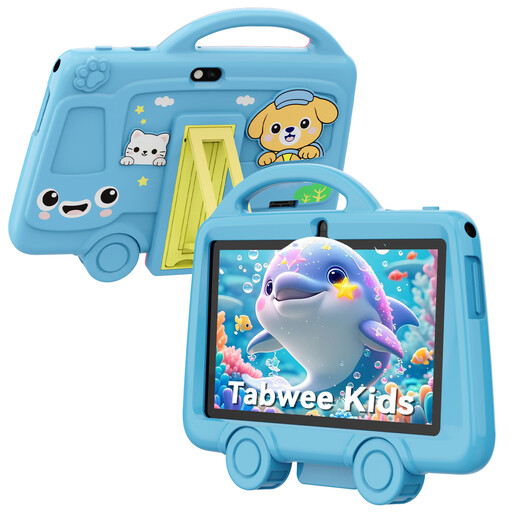
The 7-inch size is compact, but the stated resolution is 1024 × 600. Check whether that suits your book’s text size and layout.
The product title lists 2.4 GHz Wi-Fi, Bluetooth 4.2 and a 3.5 mm headphone jack.
 No image available
This version is suited to anyone who values more screen space over a compact size. Bear in mind that it’s a larger device to carry on the go.
The product title lists 128GB storage, 6GB and LTE.
 No image available
The 11-inch version gives you a larger screen for reading text, but is less convenient to hold during a train journey.
The product title lists 128GB of storage and Wi-Fi.
 No image available
A larger tablet option for anyone who values more room for reading over a compact size.
The product title lists 11 inches, Android 16, 4G LTE, 128GB ROM and 90Hz IPS.
If you mainly read continuous text, an e-reader is worth considering. If you also want to use other tablet apps or are reading a book with lots of images, check that your specific title is available on the device you choose. Some books from the Online Library can only be read in the app or online.
Check that the title works with your device and reading app, download the book if the service allows it, and open it before you leave. Don’t rely on Wi-Fi or a charging point being available on every train: NS says Wi-Fi is available on almost all Intercity trains, while charging points depend on the type of train.
You need a library membership to borrow books through the Online Library. Costs and conditions depend on the membership you choose, so check with the provider and see whether your book club title is in the collection.
If a product is faulty, the seller must provide a solution under the rules set out by the Dutch government. There is no fixed statutory two-year guarantee period in the Netherlands. If you buy online as a consumer from a business, you’ll generally also have a 14-day cooling-off period. Check the terms that apply to your purchase.