
Reading beside someone who’s asleep
You want to read a story in bed and are mindful of the light and sound that could disturb the person beside you.


Choose a compact tablet if you want to switch between stories in a reading app and other apps. Check whether the app offers dark mode and adjustable text. If you mainly read long passages, compare an e-reader too, and check whether your chosen titles are available on it. With either option, screen light, sound and the person beside you are all worth considering; a warmer screen colour is no proven guarantee against sleep problems.
You want to read a story in bed and are mindful of the light and sound that could disturb the person beside you.
You choose a device partly based on where your stories are available and whether you can adjust the text in the app to suit you.
You want one compact device for stories and everyday use, so you’re comparing a tablet with an e-reader.
| What to consider | What should you check? | Who is this important for? |
|---|---|---|
| Screen light in the bedroom | Try the lowest brightness that’s still comfortable to read at, and check whether dark mode also works on the story page. | If I’m reading beside someone, I want to adjust the brightness and avoid an unexpectedly bright book page. Around 33% of consumers prioritise screen light in a shared bedroom. |
| Size and grip | Compare the dimensions and weight of the exact model, and try it with your usual text size. | When I read in bed, I want to hold the device comfortably without the text becoming too small. Around 27% of consumers prioritise ease of handling and size. |
| Access to stories | Check whether your chosen titles are available and whether the reading app works on the device. | If I want to read a particular story, I first check whether it’s available from my book provider and opens on this device. Around 20% of consumers prioritise access to stories. |
| Other apps and private listening | Check which apps you need and whether you can connect your headphones to the tablet. | If I want to use other apps as well as read stories, or listen to audio privately, I check for those features before choosing. Around 20% of consumers prioritise versatility and private listening. |
Changing the screen colour doesn’t guarantee you’ll sleep better. The RIVM says that further research is needed into the effects of built-in blue-light filters.
Set the brightness to a level that suits you and your roommate, and limit your reading time if that’s relevant for you.
Not every title or loan version is available on every device. The Online Library specifies Android 10 or iOS 16 as the minimum requirements for its current app. Also check whether the titles you want to read are available.
Before buying, look up a few stories you want to read and check that they work in your chosen app or on the e-reader you’re considering.
A suitable membership is required to borrow books through the Online Library.
A Lenovo Tab One with 64GB is a different version from the 128GB model. With a Galaxy Tab A11, the model number and connection type can also determine which version you’re looking at.
Before buying, compare the model code, storage, accessories and service terms for the exact version on offer.
The Galaxy Tab A11 is a compact Android tablet for reading in an app and other everyday use.
The Tab One is another compact Android tablet. Check which memory version you’re looking at.
The iPad mini with A17 Pro is a small iPad for stories and other iPad apps.
The Clara BW is an e-reader to compare if reading matters more to you than tablet apps.
These Joybuy products are tablets for anyone who wants to read short stories and may also use other apps. They vary in size and specification, so check which features and connections you need.
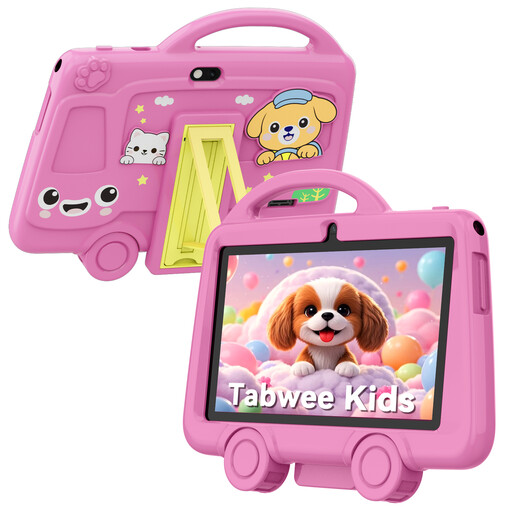 No image available
The 7-inch version could be a good fit if you’re looking for a tablet with a headphone jack for reading in bed.
The product name lists 2 GB RAM, 32 GB storage, a 3.5 mm jack and a weight of 285 grams.
 No image available
This Tab One version is an option if you’re looking for a Wi-Fi tablet for stories and other apps.
The product name lists 4GB RAM, 128GB storage and Luna Grey.
 No image available
This version could be a good fit if you’re looking for a Galaxy Tab A11 with LTE for stories and other tablet use.
The product name lists 4GB RAM, 64GB storage and the colour grey.
 No image available
This version is an option if you’re looking for an LTE tablet with room for other apps alongside reading.
The product name lists 6GB RAM, 128GB storage and the colour Twilight Blue.
 No image available
This iPad Air version could be a good fit if you want to read stories as well as use iPad apps.
The product name lists an 11-inch screen, Wi-Fi and 256GB storage.
Not automatically on every tablet: the Online Library specifies Android 10 or iOS 16 as the minimum requirements for its current app. Also check whether the story you want to borrow is available.
Turn down the brightness and try Dark Mode. Apple explains both settings; also check whether the story page itself is displayed in dark mode, and turn off the sound or listen privately.
No, availability depends on the title and whether the e-reader supports it. Check the terms for each book provider. On 21 October 2026, the Online Library reported a temporary download issue for e-readers, so check the latest status.
You need a suitable membership to borrow books through the Online Library. If you’re using an e-reader, also check that it supports your chosen titles and the transfer method.
ACM ConsuWijzer generally describes a 14-day cooling-off period after delivery for products bought online, with some exceptions. You’re also covered by the legal guarantee if a product doesn’t perform as you could reasonably expect under normal use; the seller is responsible for this.