
Reader of detailed diagrams
You often refer to pages with small labels, tables or wiring diagrams and want enough screen space without constantly zooming in. Consumentenbond lists tablets with 10- or 11-inch screens among the most common sizes.


Start with a manual of your own: check that small text and diagrams are easy to read on screen, and that you can save, find and zoom in on PDFs stored locally. An Android tablet with expandable storage could suit you if you want to keep lots of manuals offline; an iPad could be a good fit if you already use Apple devices or the Files app. Also check the exact storage configuration and whether you need a stylus or stand, rather than treating one specification as the deciding factor.
You often refer to pages with small labels, tables or wiring diagrams and want enough screen space without constantly zooming in. Consumentenbond lists tablets with 10- or 11-inch screens among the most common sizes.
You want to organise manuals locally, find them easily and open them even when you’re offline. Google Help explains how to open and manage PDFs in Files by Google; check how the app you choose stores files on your device.
You regularly highlight steps or write notes alongside diagrams. If so, PDF annotation and compatibility with any stylus you’re considering are important things to check in advance.
First, try one of your own PDFs on the screen. Then decide how much local storage and which extras you actually need.
| What to consider | What should you check? | Who is this most important for? |
|---|---|---|
| Readability | Open one of your own manuals with small text and diagrams. Check the page under the lighting you use at the table. | If I want to read small labels and diagrams without constantly zooming in, how my own PDF looks on screen matters most. Around 36% of consumers say readability is their main need. |
| Offline storage | Download a PDF and try opening it again without an internet connection. Also check that you can find files and text in the PDF. | If I want to organise manuals and open them later without an internet connection, I check both the local storage and the file app. Around 29% of consumers give top priority to storing and finding files locally. |
| Extras you need | Compare the storage and network configurations, and check which accessories are included with each one. | I don’t want to pay for storage, mobile connectivity or accessories I don’t need. This is the main consideration for around 21% of consumers. |
| Making notes | Try annotating a PDF in the app you plan to use, then reopen the saved file. If you’re considering a stylus, check that it’s compatible with the exact tablet configuration. | If I want to highlight and save steps or measurements, I focus mainly on the annotation feature and any stylus. Around 14% of consumers prioritise making notes. |
A larger screen can show more of a page, but that alone doesn’t tell you whether the smallest text in your manual will be easy to read in the light at your kitchen table.
Open one of your own PDFs with small text and diagrams, and check how it looks, how easily you can zoom in and whether there’s any glare before you choose.
The file needs to be stored on the device and open in the app you’ve chosen. Simply having access to a website or cloud file isn’t the same thing.
Save a test manual locally and reopen it with your internet connection switched off.
The iPad specifications list compatible Pencil models, but the package described includes an iPad and charging cable. The Lenovo Tab M11 we looked at, on the other hand, is listed as a specific bundle with a stylus.
Check the box contents and stylus compatibility for the exact configuration before comparing accessories.
A compatible stylus or other accessory may need to be bought separately, so check whether you need one for the way you read and annotate.
The Redmi Pad 2 is worth considering if you’re looking for a tablet around 11 inches with expandable storage.
The Galaxy Tab A11+ Wi-Fi configuration we looked at has an 11-inch screen and expandable storage, according to Samsung.
The iPad (A16) could be a good fit if you already use Apple devices and want to find downloaded documents in the Files app.
The Tab M11 LTE 4 GB/128 GB configuration we looked at is listed as a bundle with a stylus and an 11-inch screen.
These product picks are suited to reading manuals at the table, storing PDFs locally or making notes. Check the specifications and accessories for each configuration to make sure they suit the way you’ll use it.
 No image available
This 10.36-inch tablet could suit you if you want to read manuals at the table and expand the storage.
The product details list Android 13 and 256 GB of storage, expandable up to 1 TB.
 No image available
This configuration could suit you if you want to store manuals on an 11-inch tablet and expandable microSD storage is important to you.
The product details list 128 GB of storage and microSD expansion.
 No image available
The listed stylus could be useful if you want to make notes on your manuals.
The product name lists a 12.7-inch 2K screen and 256 GB of storage. Its larger screen takes up more space than the 10- or 11-inch tablets commonly available.
 No image available
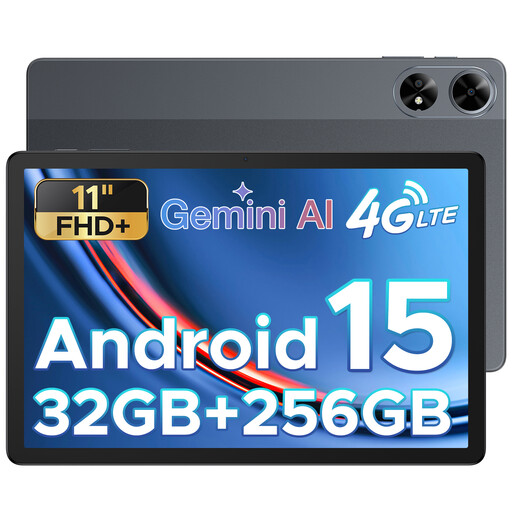
This 11-inch Android tablet could suit you if you want to view manuals on a larger screen and need local storage.
The product name lists 256 GB of storage and 4G LTE, while the product description mentions a stylus.
 No image available
This tablet is designed for reading and writing, and could suit you if you want to use locally stored notes as well as manuals.
The product details list a stylus and local storage for notes.
Yes, if the file has been downloaded to the tablet and the app you’ve chosen can open it locally. Apple Support explains where to find downloaded files on an iPad; Google Help explains how to open and manage PDFs in Files by Google. Try it with one of your own manuals while Wi-Fi is switched off.
Not always. Files by Google can search PDF text, but try it with your own file, especially if it’s a scan of printed pages.
Not necessarily: according to Google, you can annotate PDFs in Files by Google with a finger or stylus. If you want to write with a stylus, check that it’s compatible with your tablet and included with the exact configuration.
According to ACM ConsuWijzer, consumers have a legal guarantee in addition to any manufacturer’s warranty if a product, under normal use, doesn’t do what can reasonably be expected of it; in the Netherlands, there is no fixed two-year period for this. Online purchases generally come with a cooling-off period of up to 14 days after delivery, subject to legal exceptions. The cooling-off period and your legal rights if a product is faulty are separate matters.
According to the European Commission, energy labelling rules have applied since 20 June 2025 to slate tablets that fall within scope and are placed on the EU market. Not every device described as a tablet falls into the same category; check the product information that applies to the specific configuration.