What should you look for when choosing?
First decide whether you’ll mainly use the tablet handheld or with support. Then compare your game’s requirements, battery life under comparable use and the connection you’ll need.
| What to consider |
What to look for |
Who it matters to |
| Comfortable handheld gaming |
Compare screen size and weight with the space you have to play and control the game. |
I play at my seat without a table and want to hold the tablet comfortably during the journey. Around 29% of consumers say ease of handling is their top priority. |
| Battery life on a long journey |
Look for battery tests based on comparable use; don’t treat quoted video or browsing hours as gaming time. |
I want to play during a longer journey without assuming I’ll be able to charge along the way. Around 22% of consumers put battery life first. |
| Whether it can run your racing game |
Check the latest requirements, supported devices, available storage and tests of the game on the exact model. |
I’m choosing a particular racing game or graphics setting and want to know in advance whether my tablet can handle it. Around 21% of consumers put gaming suitability first. |
| Connectivity on the move |
Check which features need internet access and download files in advance; compare mobile data options only if you need to play online. |
I want to be able to play online while travelling and can’t assume that every train has Wi-Fi. Around 14% of consumers say connectivity is their top priority. |
| Everything you’ll need |
Compare like-for-like storage and network versions, and check what’s included before choosing accessories. |
I want a version that suits my games without having to carry unnecessary accessories. Around 14% of consumers put their overall purchase needs first. |
Joybuy tablets for racing games
This Joybuy selection includes Android tablets with screen sizes from 11.1 to 14 inches. Check that your racing game is supported, along with its storage requirements and performance on the exact model.
 No image available
Lenovo Yoga Tab ZAG60028PL, 11.1", 3.2K, 144Hz, 12GB, 256GB, Luna Grey
A mid-sized Android option if you’d like more screen space on the train; the listed specifications aren’t a test of any particular racing game.
The product lists an 11.1-inch 3.2K touchscreen, 144Hz, Snapdragon 8 Gen 3, 12GB LPDDR5X and 256GB UFS 4.0. The listed version includes a Tab Pen Pro.
View at Joybuy
 No image available
DOOGEE Tab E3+
The 12-inch screen gives you more room to see the action than a compact model; consider whether that size will be comfortable at your seat.
The product title lists a 12-inch FHD+ screen, 90Hz, Helio G100, 8800mAh and 32GB+256GB/2TB. The title doesn’t confirm how a particular racing game will run on it.
View at Joybuy
 No image available
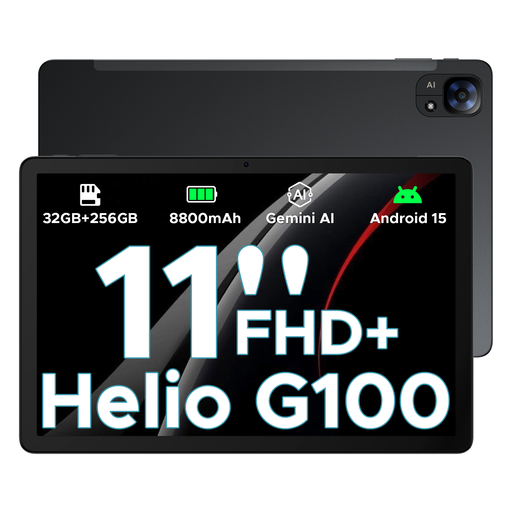
DOOGEE Tab E3, 11 inch, 90Hz, Helio G100, black
This 11-inch version is a mid-sized option if you want a good amount of screen space for racing games and other uses.
The product title lists an FHD+ screen, 90Hz, Helio G100, 8800mAh and 32GB+256GB/2TB. Check your game’s requirements and choose the storage version you need.
View at Joybuy
 No image available
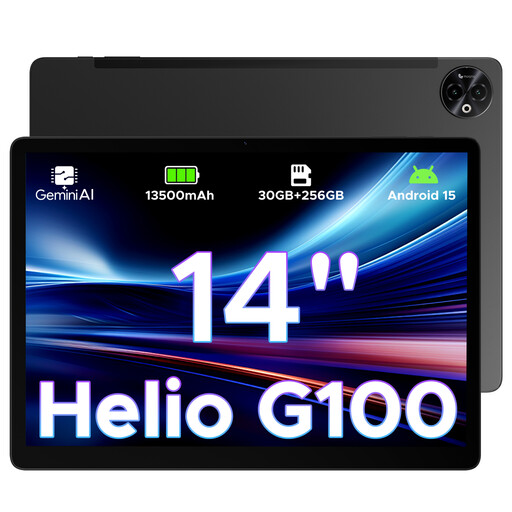
DOOGEE Tab E3 Max, 14 inch, 2.1K, 256GB, black
The 14-inch size is for anyone who values extra screen space more than being able to hold the tablet comfortably while travelling.
The product title lists a 2.1K screen (2160 × 1440), 256GB of storage, 13500mAh and an MTK G100 Octa-Core processor. The product description advises against using the tablet for extended gaming sessions in a hot environment.
View at Joybuy
Frequently asked questions
Can I rely on train Wi-Fi to play my racing game?
No, not on every train. NS provides free Wi-Fi on almost all Intercity trains, but doesn’t guarantee coverage on every train. Also check whether your game and game mode need an internet connection, and download any available game files in advance.
How can I avoid problems when installing a racing game?
Check the requirements for the specific game and make sure you have enough free storage. For GRID Autosport on iPad, developer Feral Interactive lists iOS 14 or later and 6 GB of free space for the base game with free DLC; the developer recommends having 8 GB if possible to avoid installation problems. These aren’t general requirements for other racing games.
What can I do if my tablet gets warm during a racing session?
For GRID Autosport, developer Feral Interactive recommends, among other things, not charging and playing at the same time if the tablet gets warm, removing a heat-retaining case if necessary, and taking a short break if performance slows. This advice is specific to the game and isn’t a performance fix for every tablet.
Can I play audio in a quiet coach?
Keep the volume low enough not to disturb other passengers. NS describes the quiet zone as a place free from disruptive noise, so play without audible game sounds – for example, with the volume muted or using headphones.
What are my rights when I buy a tablet online from a business?
According to the Dutch government, online purchases from a business by consumers often come with a 14-day cooling-off period, although exceptions may apply. You’re also entitled to a product that works properly. The Netherlands doesn’t have a fixed statutory warranty period of two years; contact the seller if the product is faulty.


