
For travellers who like to pack light
If you mainly play during short hotel stays and want a tablet that’s easy to carry or hold, a smaller screen could be a practical choice. The trade-off is less room for the puzzle board.


Choose a compact tablet if you want something that’s easy to carry and hold. A larger screen gives you more room to see the puzzle board. Also check that your games are available on your chosen operating system and work offline. You don’t automatically need a dedicated gaming tablet for simple puzzles, according to the Consumers’ Association.
If you mainly play during short hotel stays and want a tablet that’s easy to carry or hold, a smaller screen could be a practical choice. The trade-off is less room for the puzzle board.
If you prefer to play with your tablet propped up and want plenty of space to see the squares and text, a larger screen could be more comfortable. Bear in mind that a larger tablet takes up more room.
If you want to carry on playing in your hotel room when the connection drops, check in advance whether your specific puzzle game works offline. The Google Play Help page lists some games that can be played offline, but this doesn’t apply automatically to every app.
Best for: anyone who wants a tablet that’s easy to carry and hold. Samsung lists the Galaxy Tab A11 as having an 8.7-inch screen.
Trade-off: there’s less screen space for small puzzle squares. Samsung’s claims about smooth gaming aren’t an independent test of your game.
Best for: anyone who plays in bed or at a desk and wants more room for the puzzle board. Samsung and Xiaomi specify an 11-inch screen for the models mentioned here.
Trade-off: a larger tablet is less convenient to carry or hold for long periods.
Best for: anyone who wants to use their preferred games or existing purchases on iPadOS. Apple measures the iPad (A16) screen as 10.86 inches diagonally across a rectangle.
Trade-off: check that your specific games are available and whether you can transfer any progress.
Best for: anyone who also wants to watch films or listen to music in their hotel room. Lenovo lists the Tab Plus as having a stand and an 11.5-inch screen.
Trade-off: those extra media features aren’t essential for simple puzzle games, so consider whether you’ll use them.
For consumers looking for a tablet to play puzzle games in a hotel room, the main considerations are screen size, offline use and the features you need.
| What to consider | What to look for when buying | Who should prioritise this? |
|---|---|---|
| Carrying and holding the tablet | Compare the dimensions and weight of the exact model. Samsung lists the Galaxy Tab A11 as having an 8.7-inch screen. | If I want a tablet that’s easy to pack and hold, that matters more to me than having a large puzzle board. Around 33% of this group prioritise portability. |
| Seeing the whole screen clearly | View the game at the size you intend to use and compare the screen specifications of the exact model. Xiaomi lists the Redmi Pad 2 as having an 11-inch screen with 2560 × 1600 pixels. | Anyone who likes to play with their tablet propped up will want to see the squares and clues clearly. Around 25% of this group prioritise having a clear view of the screen. |
| Playing without hotel Wi-Fi | Install your chosen game in advance and test whether it works as expected without a connection, including sign-in, saving progress and downloads. Google Play Help lists offline play for some games, but not all puzzle apps. | If I want to keep playing without reliable Wi-Fi, I check the specific app before I leave. Around 25% of this group prioritise offline functionality. |
| Features you need and how long you’ll use the tablet | Check which updates are available for the exact model and what’s included with the tablet. Xiaomi lists a USB-C cable with the Redmi Pad 2; check that you also have a suitable adapter for the model you choose. | Anyone who mainly plays simple puzzles will want to choose features that suit their needs and know in advance what’s required to use and maintain the tablet. Around 17% of this group prioritise this. |
The Consumers’ Association says standard tablets are suitable for simple games. Extra gaming or media features don’t, by themselves, tell you whether a particular game will work well.
Start with the games you want to use and the screen size that suits the way you play. Then compare any extra features.
Google Play Help lists some games that can be played offline, but other apps may have different requirements.
Install the specific game in advance and test it without a connection. Also check that signing in, saving progress and any downloads work as expected.
A stated battery capacity in mAh doesn’t tell you how many hours your puzzle game will run on a single charge.
Only compare battery tests if the usage conditions are the same, and remember that you may need to charge during your stay.
In the Joybuy information consulted for a Tab A11, the number of speakers differs from Samsung’s Dutch product information. The Joybuy listing also doesn’t confirm the full model number.
Check the model code and key specifications for the exact version on the product details page, then compare them with the manufacturer’s information.
The Galaxy Tab A11 range offers a compact and a larger Android option for playing puzzles while travelling.
The iPad (A16) is an iPadOS option for anyone who can find their preferred games in that ecosystem.
The Redmi Pad 2 is a larger Android option to compare for screen space and specifications.
Lenovo positions the Tab Plus as a tablet for entertainment as well as gaming.
These Joybuy products are tablet options for playing puzzle games in a hotel room, including models for anyone who wants more screen space.
 Image unavailable
A tablet option for anyone who wants to play puzzle games on a tablet screen.
The product title lists 5G, 8 GB RAM and 256 GB storage.
 Image unavailable
The 11.1-inch touchscreen could suit anyone who wants more room for the puzzle board in their hotel room.
The product title lists Android 15, 12 GB LPDDR5X memory and 256 GB storage. It also lists the included Tab Pen Pro.
 Image unavailable
An 11-inch tablet option for anyone who wants more screen space for puzzles.
The product title lists 8 GB memory, 256 GB storage, Wi-Fi 5 and Android 15.
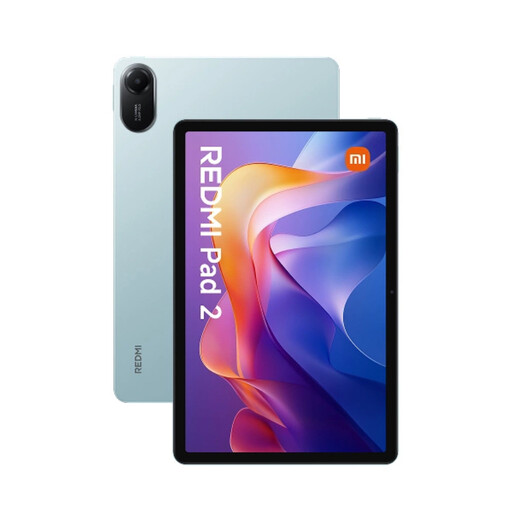 Image unavailable
This tablet option could suit anyone who wants to play puzzle games on a tablet screen.
The product title lists 4 GB RAM, 128 GB storage and Wi-Fi.
 Image unavailable
The stated 11-inch screen could suit anyone who wants a clearer view of their puzzles.
The product title lists 128 GB storage and Wi-Fi.
Not necessarily: the Consumers’ Association says tablets are suitable for simple games. Do check the requirements and availability of the games you want to use; general buying advice isn’t a test of those specific apps.
Install your games and any updates in advance, then test them without a connection. Google Play Help lists some built-in games that can be played offline, but that doesn’t tell you whether other puzzle apps work without Wi-Fi.
Check what’s included with the exact model and bring a suitable adapter if necessary. Xiaomi lists a USB-C cable for the Redmi Pad 2; check separately whether the version you want also includes an adapter. Keep your tablet and apps up to date: the Dutch government advises installing software updates promptly.
According to the Dutch Authority for Consumers and Markets’ ConsuWijzer, online purchases generally come with a statutory 14-day cooling-off period after delivery, subject to legal exceptions. Your statutory guarantee is separate from any manufacturer’s warranty; contact the seller if a product is faulty.