
Players without an internet connection on the move
You want to be able to play puzzles without a connection. Google Play Help lists offline play for some built-in games, so check the specific game you’ve chosen and test it beforehand.


For puzzle games on a car journey, a compact tablet is handy if you’ll be holding it yourself; a larger screen is a better fit if screen space or playing together is your priority. Check whether each game works offline, and don’t estimate play time based on battery capacity or a video test alone. The Dutch Government says drivers must not hold a tablet while driving.
You want to be able to play puzzles without a connection. Google Play Help lists offline play for some built-in games, so check the specific game you’ve chosen and test it beforehand.
You want a tablet that’s easy to hold or put away. The Consumers’ Association describes smaller tablets as compact and handy for travel, but a smaller screen offers less room for puzzle details.
You want to view or share a puzzle on a larger screen and don’t mind taking a less compact tablet with you. Samsung and OnePlus list 11-inch models as screen options in their product information.
Best for: playing on your own when you want a tablet that’s easy to hold or put away.
Bear in mind: there’s less screen space for small puzzle details or playing together.
Best for: viewing larger puzzle grids or sharing the screen with a passenger.
Bear in mind: a larger tablet is less compact to carry around.
Best for: anyone who wants to keep using puzzle games or purchases in iPadOS.
Bear in mind: check in advance that your games are available and work offline in iPadOS.
| What to consider | What should you check? | Who is this important for? |
|---|---|---|
| Offline play | Check whether the specific game works without a connection and install it beforehand. | If I want to play puzzles on journeys without internet access, I test the game I’ve chosen beforehand. Around 29% of consumers say offline play is their main priority. |
| Portability | Compare the dimensions and weight of the exact model with the available seating space. | If I’ll be holding the tablet myself or putting it away often, a portable size matters more to me than extra screen space. Around 23% of consumers give portability top priority. |
| Power during the journey | Check how a battery-life claim was tested and consider how you’ll charge the tablet on the move. | On a long journey, I want to know how long my chosen game will run between charges; battery capacity doesn’t tell me that. Around 18% of consumers make play time their main concern. |
| Seeing puzzle details | Compare the screen size and resolution of the exact model, and, if possible, try your game on it. | If small puzzle pieces are hard to see, I want more screen space, while remembering that how clearly they appear also depends on the game. Around 18% of consumers prioritise readability. |
| Total purchase cost | Compare models with the same storage and network options, and check separately for any game costs and included accessories. | If I want to keep costs down, I compare models with the same storage and network connection and check what’s included. Around 12% of consumers give total cost top priority. |
Offline functionality varies by game. Google Play Help confirms it’s possible for some built-in games, but not for every puzzle game.
Check your game’s requirements and test it without an internet connection before you set off.
A capacity figure in mAh or a video test won’t tell you how long a tablet will run your puzzle game. Lenovo’s stated streaming test involves a different activity from gaming.
Only compare battery-life claims when they’re based on the same test conditions, and think about how you’ll charge the tablet on a long journey.
Models can differ in storage, network options and included accessories.
Before buying, check the full model code, storage, network option and box contents.
The Galaxy Tab A11 range includes compact and larger screen sizes, depending on the model.
The Tab One is a compact tablet option; Lenovo describes models with 64 GB and 128 GB of storage.
The 11-inch iPad (A16) is an option for anyone who wants to use games in iPadOS.
The Pad Lite is an 11-inch Android option for anyone looking for more screen space.
These tablets at Joybuy are suited to puzzle games on the go, with both compact and larger screen sizes.
 No image available
A larger-screen option for anyone who wants more space to view puzzles.
The product title lists a 10.36-inch HD screen, 256 GB of storage, Android 13 and a battery capacity of 22.000 mAh. That capacity doesn’t tell you how long a puzzle game will run.
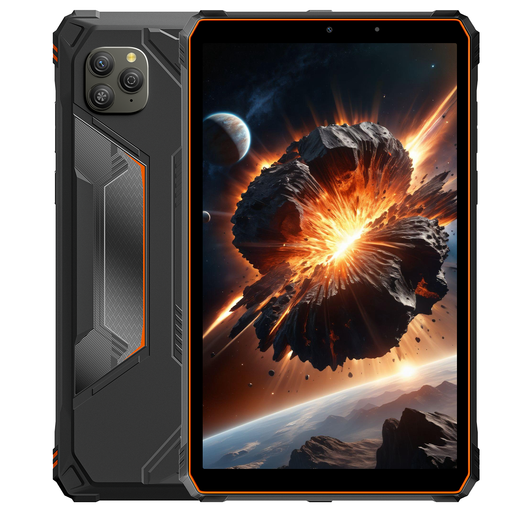 No image available
Its screen size makes this a more compact option for anyone who wants to hold the tablet themselves.
The product title lists Android 15, 128 GB of storage, an 8.68-inch IPS screen with 90 Hz and a battery capacity of 6.600 mAh. Capacity doesn’t predict play time.
 No image available
A larger-screen option for anyone who wants more room around puzzle pieces.
The product title lists a 10.1-inch screen, 128 GB of storage, 4 GB RAM, Wi-Fi 5 and Android 14.
The model described is Wi-Fi only and doesn’t have a mobile connection through the tablet.
 No image available
A compact option for anyone who wants a tablet that’s easy to hold or put away.
The product title lists an 8.7-inch screen, Wi-Fi, 128 GB of storage, 4 GB RAM and model code ZAF00221GR.
The model described is Wi-Fi only.
 No image available
The 8.7-inch screen is a good fit for anyone looking to take a more compact tablet with them.
The product title lists LTE, 4 GB RAM and 64 GB of storage.
No, you can’t tell from the tablet’s specifications. Google Play Help confirms offline play for some built-in games; install and test the game you’ve chosen without a connection beforehand.
Drivers must not hold a tablet while driving. The Dutch Government lists tablets as mobile electronic devices, so leave puzzle games to a passenger and keep your attention on the road.
Follow the instructions for the specific holder and check that it’s securely fitted. The R2B manual advises fitting or adjusting the holder only when the car is stationary.
No, a figure in mAh on its own doesn’t tell you how long your puzzle game will run. Only compare battery-life claims when the test conditions and type of use are the same.