What should you look for when choosing?
First, test at home whether your puzzle game works without a network connection. Then choose the screen size and charging options that suit the way you play at the campsite.
| What to consider |
What should you look for? |
Who is this important for? |
| Playing offline |
Check whether each game launches without an internet connection and saves your progress. A Wi-Fi-only model may be enough if your games work offline. |
If I play at a campsite without reliable Wi-Fi, I want to know that my game will launch and save my progress. Around 33% of consumers put the ability to play offline first. |
| Playtime and charging |
Compare battery tests carried out under similar conditions and check which charging options and accessories you’ll need. |
With few power sockets available, I want to plan when I play without relying on battery capacity alone. Around 27% of consumers prioritise playtime between charges. |
| Holding and carrying |
Compare the screen diagonal and weight of the exact model; also consider whether you’ll mostly hold it or use it on a surface. |
If I hold the tablet for a long time or have limited luggage space, a comfortable, portable design matters to me. Around 20% of consumers choose mainly for ease of holding and carrying. |
| Seeing details outdoors |
Look at reviews of reflections and visibility in bright light, as well as the brightness specification for the exact model. |
When I’m looking at small puzzle pieces in daylight, I want to be able to read the screen clearly without assuming that a brightness figure means reflections won’t be a problem. Around 20% of consumers prioritise screen readability outdoors. |
Tablets at Joybuy
These product picks focus on larger Android tablets for extra room to solve puzzles, as well as versions with mobile connectivity. Compare the specifications with the game you want to play and check whether you’ll need internet access while you’re away.
 No image available
HONOR Pad X8b 128GB Space Grey
A larger Android tablet to compare if you’re looking for extra room to see puzzle details.
11-inch screen; 128 GB storage; stated weight 499 g; brightness up to 500 nits in sunlight mode; battery capacity 10.100 mAh.
View at Joybuy
 No image available
Lenovo Idea Tab MediaTek Dimensity, 256 GB, grey
A Wi-Fi tablet with an 11-inch screen and 256 GB of storage to compare if screen space and storage matter to you.
8 GB of memory; 2560 × 1600 resolution; 500 nits brightness; stated weight 480 g; Android 15 and Wi-Fi 5 (802.11ac). Charger not included.
View at Joybuy
 No image available
Lenovo Tab 4G MediaTek LTE, 128 GB, grey
A tablet with 4G LTE to consider if you want to use your own mobile connection for a game.
10.1-inch screen with 1920 × 1200 resolution; 4 GB of memory; 128 GB of storage; stated weight 425 g; battery capacity 5100 mAh; Android 14.
View at Joybuy
 No image available
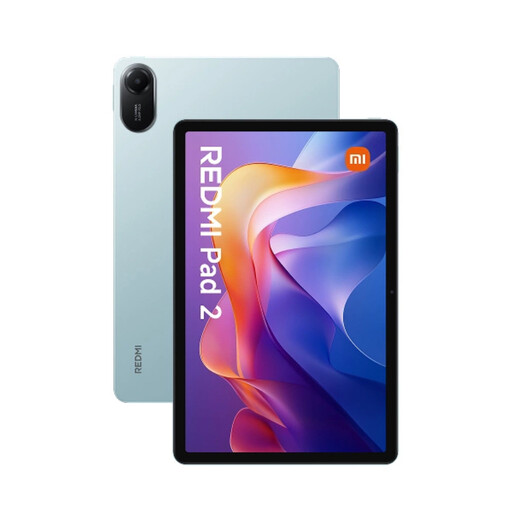
Xiaomi Redmi Pad 2 4/128 WiFi, green
A Wi-Fi tablet with an 11-inch screen to compare if you want more room to see puzzle pieces.
4 GB of memory; 128 GB of storage; 2560 × 1600 resolution; 500 nits brightness; stated weight 516 g.
View at Joybuy
 No image available
Redmi Pad 2 Pro 5G, Graphite Gray, 8 GB RAM, 256 GB
A 5G version to consider if you want to use mobile data for a game that needs an internet connection; bear coverage and a suitable plan in mind.
8 GB RAM; 256 GB storage; 5G.
View at Joybuy
Frequently asked questions
Can I play any downloaded puzzle game without campsite Wi-Fi?
No, don’t assume you can just because you’ve downloaded it. Google Play Help confirms that some games can work offline; test your chosen game in aeroplane mode before you set off, including reopening it and saving your progress.
How should I use an iPad at a warm campsite?
Apple recommends using iPads in an ambient temperature of 0 to 35 °C and advises against leaving the device in a parked car. Check which charging accessories are included with your tablet and follow the instructions for your specific model.
How can I use public campsite Wi-Fi?
For safer general internet use on public Wi-Fi, Veiliginternetten.nl recommends using a VPN or mobile data, for example through a phone hotspot. You don’t need to do this to play a puzzle game that works offline.
Do I always have 14 days to change my mind when buying online in the Netherlands?
Not in every case. According to the Dutch government, a 14-day cooling-off period often applies to distance purchases and the seller must tell you about it; your exact rights depend on the purchase and any applicable exceptions.
Does the manufacturer’s warranty cover all my rights if my tablet develops a fault?
No. According to the Dutch government, statutory consumer protection applies alongside the manufacturer’s warranty, and there is no fixed statutory warranty period in the Netherlands. The seller is your point of contact if something goes wrong; normal wear and tear or damage caused by you isn’t necessarily covered by free repairs.


