
Proposal writer who does a lot of typing
You write longer documents between appointments and want to check in advance that the keyboard, document apps and file sharing work with your existing workflow.


Start with the way you work: for longer proposals, having the right keyboard set-up and access to the document apps you need matters more than tablet speed alone. A compact iPad or Android tablet is a good fit for carrying around and taking notes. Choose a Surface Pro only if your workflow requires Windows, and check app and driver compatibility in advance, as well as which accessories are sold separately.
You write longer documents between appointments and want to check in advance that the keyboard, document apps and file sharing work with your existing workflow.
You carry your tablet with you all day and want to be able to view or edit proposals when an internet connection isn’t guaranteed.
You include sketches or handwritten meeting notes in your proposals and compare pen support with the complete set-up you need for typing.
Choose according to your workflow: first check that your documents and apps work, then compare the keyboard set-up, portability, connectivity and note-taking options.
| What to consider | What should you check? | Who is this important for? |
|---|---|---|
| Typing longer documents | Check that the keyboard fits the exact model, find out what layout it has and confirm whether it’s actually included. | If I’m typing longer proposals between appointments, I want a keyboard that’s comfortable to set up and compatible with my tablet. Around 28% of consumers say comfortable typing is their top priority. |
| Documents and apps | Test your own template, formatting, comments and export. For a Surface with an Arm processor, also check with the publishers that the apps and drivers you need are compatible. | I want to be able to finish my proposal on the go and share it in the required format. Around 22% of consumers put their existing document workflow first. |
| Portability and connectivity | Compare the size and weight of the complete set-up. Check whether you need Wi-Fi or a model with mobile connectivity, and how you’ll access files offline. | When I’m travelling between clients, I want to take my work with me and carry on when a connection isn’t guaranteed. Around 22% of consumers say being able to work on the go is their top priority. Apple Netherlands lists the 11-inch and 13-inch Wi-Fi models of the iPad Air at 464 g and 616 g respectively, excluding accessories. |
| Taking notes with a pen | Check which pen is compatible with the exact model, whether it’s included and whether your note-taking and document apps support the way you want to work. | I want to be able to include sketches or handwritten notes from client meetings in my proposal. Around 17% of consumers put note-taking and annotation first. Apple lists compatibility with Apple Pencil Pro and Apple Pencil (USB-C) for the iPad Air reviewed; Samsung lists S Pen support for the Galaxy Tab S10 FE. |
| Complete set-up and reason for purchase | Work out which accessories and software you need, and check the purchase and warranty terms that apply to your personal or business use. | I want to know in advance which parts I need for my work set-up and which terms apply to the way I’m buying. Around 11% of consumers say the complete set-up and purchase terms are their top priority. |
A tablet may not be a complete work set-up for writing longer proposals if you also need a keyboard or pen.
Compare the complete set-up for each exact model and check which accessories are actually included.
Microsoft describes broad x64 emulation, but app and driver support depends on the software.
Before buying, check with the publishers that the programmes and peripherals you need work with the specific model.
The full model code and screen description differ between the Lenovo listings reviewed.
Compare the model code, screen version, storage and included pen. Also check that a keyboard is compatible with that version.
ACM ConsuWijzer distinguishes between purchases mainly for personal use and contracts used mainly or exclusively for business.
Check how you’re buying the tablet and which warranty and service terms apply in your situation.
The iPad Air M4 is available in 11- and 13-inch versions, making it an option if you use iPadOS apps and are considering a keyboard or compatible Pencil.
The Galaxy Tab S10 FE and Tab S11 are Android options to compare if pen input or Samsung’s DeX work environment matters to you.
The Surface Pro 12-inch (2nd Edition) is a Windows option for proposal workflows that require Windows.
The Idea Tab Pro is an Android option if you want to read and edit on a larger screen with a compatible keyboard.
This Joybuy selection includes tablets for typing between appointments and working with client notes, including models that list keyboard support and versions with specified bundle accessories.
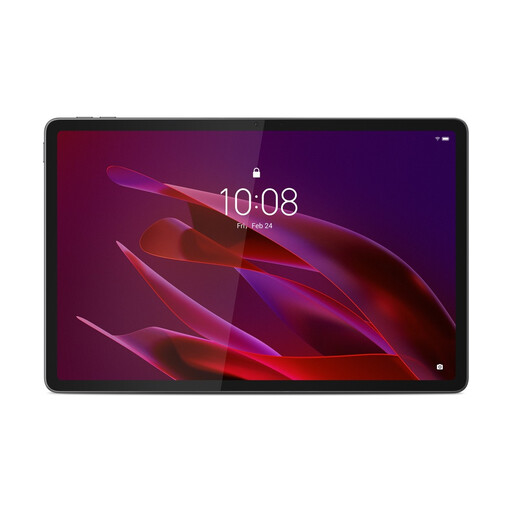 No image available
The included Tab Pen Pro is useful if you want to add client notes or sketches; the product information lists a weight of 458 g.
Specifications: 11.1-inch 3.2K screen, 144 Hz, Snapdragon 8 Gen 3, 8 GB RAM, 256 GB storage, Wi-Fi 7 and Android 15.
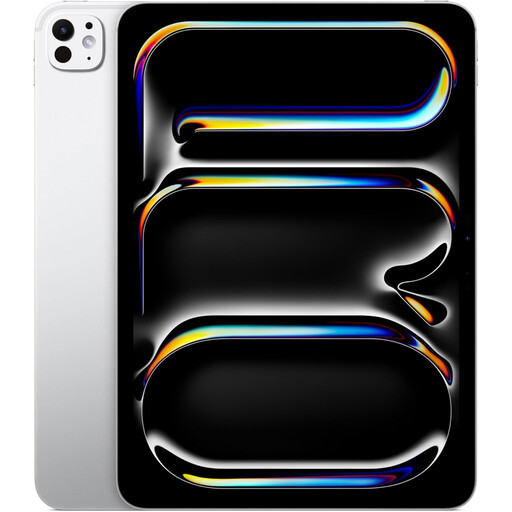 No image available
This version may suit you if your proposal workflow uses iPadOS apps and you want to type with a compatible keyboard; check whether the keyboard is included.
Specifications: 11-inch version, 1 TB storage, Wi-Fi and silver finish. The product information lists support for Magic Keyboard and Apple Pencil.
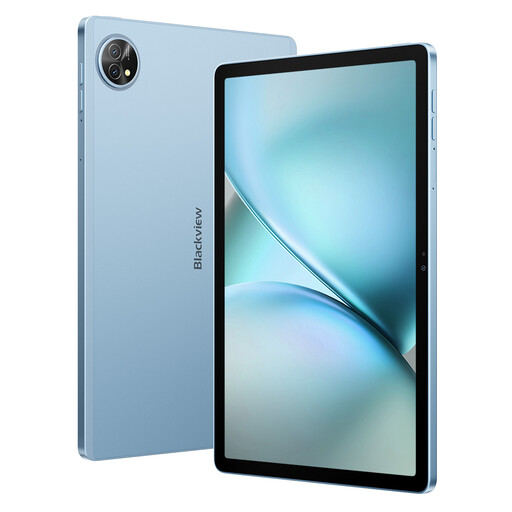 No image available
The title mentions a keyboard, stylus and PC Mode; check the version and included items if you plan to use it for typing longer proposals.
Specifications: 11-inch version, Dual SIM 4G and 128 GB ROM. The title lists 24 GB RAM as 8 GB plus 16 GB expansion.
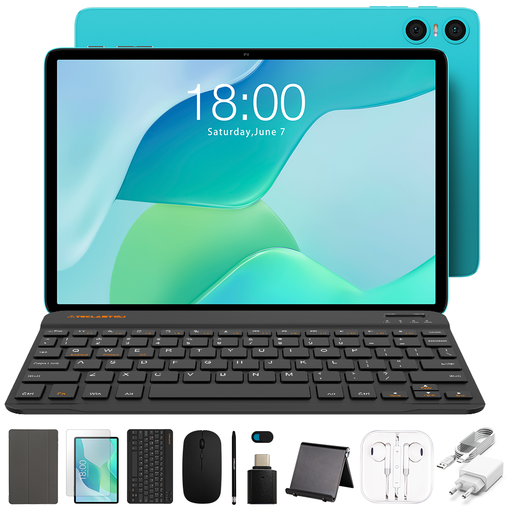 No image available
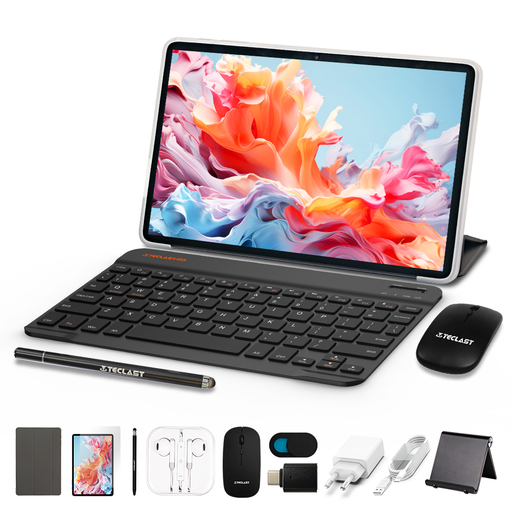
The listed bundle includes a Bluetooth keyboard, mouse, stand and stylus, so you can carry several accessories with your tablet.
Specifications: 10.1-inch version and 64 GB storage. The title lists 9 GB RAM as 3 GB plus 6 GB virtual expansion. The keyboard has an English layout.
 No image available
The title lists a keyboard, mouse, stylus and case; check that the bundle suits the way you write and take notes.
Specifications: Android 16, 10.1-inch HD screen, T610 processor and 128 GB storage. The title lists 16 GB RAM as 3 GB plus 13 GB virtual expansion.
It depends on the exact version and bundle. Microsoft says the Slim Pen and keyboard for the Surface Pro reviewed are sold separately; Apple lists compatible accessories, and Lenovo sells a separate Idea Tab Pro keyboard pack. Check what the offer includes and whether the accessories fit your model.
Check that your document app and template open, edit and export correctly. Set up file access to suit your usual connectivity, and tailor your security measures to the risks involved if you process clients’ personal data; the Dutch Data Protection Authority does not prescribe a universal tablet set-up.
Not automatically: the Windows name doesn’t guarantee that every app or driver will work on every model. For the Surface Pro with a Snapdragon processor reviewed here, Microsoft describes Arm support and x64 emulation; Microsoft Support recommends checking with the publisher for an Arm version if an app isn’t compatible. Test any essential drivers too.
Not automatically. According to ACM ConsuWijzer, consumer protection depends in part on how the contract is mainly used; in principle, it doesn’t apply when the contract is used mainly or exclusively for business. A small business owner may qualify for some consumer rights under certain conditions, but not necessarily all of them. Check the terms that apply to your purchase and warranty.