
Working away from a socket
You view drawings during long working periods and want to minimise breaks to recharge. In that case, a replaceable battery may matter more than having the largest possible screen.


First, choose a tablet that lets you open project drawings offline in the app you need and suits the length of your working periods. A larger screen can make details easier to see, but is less portable. For demanding field use, the protection and whether you can replace the battery on the exact model are important. Manufacturers’ battery-life figures don’t guarantee how long your drawing workflow will run.
You view drawings during long working periods and want to minimise breaks to recharge. In that case, a replaceable battery may matter more than having the largest possible screen.
You need to read small annotations on plans and find revisions. Screen space and having an offline version ready in advance are both worth considering.
Your choice depends on the apps and file formats your team uses, or on Windows software that you can’t replace with a mobile app.
A good fit if: you mainly read or annotate drawings downloaded in advance and can usually use the tablet with protection.
The trade-off: a larger screen gives you more room for details, but is generally less portable. The Dutch Consumers’ Association notes that larger tablets are harder to carry around.
A good fit if: you regularly work in dusty or wet locations, or want to be able to change the battery during a long shift. Samsung lists Dual Hot-Swap for the Galaxy Tab Active5 Pro.
The trade-off: check the protection, spare battery and app compatibility for the exact model. These features aren’t automatically available on every Android tablet.
A good fit if: your project workflow genuinely requires Windows software. Panasonic describes the TOUGHBOOK G2 mk3 as running Windows 11 Pro and having a user-replaceable battery.
The trade-off: check that your specific programme works on the model you choose. Panasonic lists hot-swap as an optional feature for the G2 mk3.
| What to consider | What should you check? | Who should pay particular attention? |
|---|---|---|
| Working without a socket | Compare battery life only when the tests use a similar basis. Check whether a spare battery is compatible with the exact model. | When I work on site for a long time, I don’t want to interrupt my drawing work every time I change the battery. Around 28% of consumers give uninterrupted use without a socket top priority. |
| Offline access and revisions | In the app you use, check that the right files have been downloaded in advance and which revision is stored locally. | When I’m out of range, I want to be able to open what I need and know for certain that I’m working with the right revision. For around 22% of consumers, offline access and revision management come first. |
| Being able to read details | View a representative drawing at the size you want and in the lighting you’ll be working in. Assess brightness and resolution separately. | When small annotations matter, I want enough screen space and legibility on the tablet. Around 22% of consumers prioritise checking details on screen. |
| Protection on site | Check the IP rating and conditions of use for the exact model. An IP rating doesn’t prove that a device is suitable for an explosive atmosphere zone. | In a dusty or wet workplace, I want to know whether the model is suitable for the conditions. For around 17% of consumers, protection at the workplace is the top priority. |
| Existing software | Check the app, file formats, licence and any processor compatibility requirements for the exact device. | If my team depends on a particular app, I want to keep using that workflow. Around 11% of consumers prioritise compatibility with existing software. |
A battery capacity in mAh and a video test don’t reflect the same demands as viewing drawings on a bright screen. A manufacturer’s test result therefore can’t predict how long your working day will last.
Compare the test conditions and, if possible, assess the tablet with your own files and screen settings. If the battery is replaceable, check what’s included with the model you’re choosing.
You may need a spare battery or an extra way to charge the tablet to work for longer without a socket.
A file stored locally may be out of date until the project syncs again. Autodesk says you need an internet connection to download a drawing for offline use in AutoCAD mobile.
Before you leave, check the download status and revision. Sync any changes when you’re back and a connection is available.
Protection against dust or water doesn’t determine which equipment may be used in a designated explosive atmosphere zone.
For these locations, have the zone classification and the exact device model checked against the safety documentation for the workplace.
You may need to buy a suitable pen, keyboard or software subscription separately. Microsoft says the Surface Slim Pen and Surface Keyboard are sold separately. Autodesk makes the full functionality of its app subject to subscription terms.
Before buying, make a list of the input accessories, apps and licences you need for your files, and check that they work with the exact tablet model.
You may need an extra pen, keyboard or software subscription for your workflow.
The Galaxy Tab Active5 Pro is a rugged Android option to consider if field use and battery swaps are important.
The iPad Air M4 is available with an 11 or 13-inch screen for mobile drawing apps.
The Tab P12 model ZACH0219SE offers a large Android screen to consider for viewing drawings on the go.
Surface Pro is a Windows option to explore if the project software you need works on the specific model.
The TOUGHBOOK G2 mk3 is a rugged Windows option to consider for more demanding field use.
This selection includes Android and iPadOS tablets for viewing project drawings on the go. Before you buy, check that your drawing app and files work on the model you’ve chosen and support offline use.
 Image unavailable
An Android option for viewing and annotating drawings on the go. Check in advance whether your app supports offline use.
11,1-inch 3.2K touchscreen, Android 15 and Tab Pen Pro included.
 Image unavailable
A compact iPadOS option for drawings downloaded in advance. Check that your team’s app is available for this device.
11-inch Liquid Retina display. Supports Apple Pencil Pro; the pen is sold separately.
 Image unavailable
The larger iPadOS option for viewing drawings on the go. Check app compatibility and download the files you need in advance.
13-inch screen. According to the product description, Apple Pencil Pro is sold separately.
 Image unavailable
An Android tablet for viewing large drawings on the go. Check whether your project app works offline on this model.
12,7-inch screen, 10.000 mAh battery capacity and Android 15. T-pen compatibility is listed; check whether a pen is included.
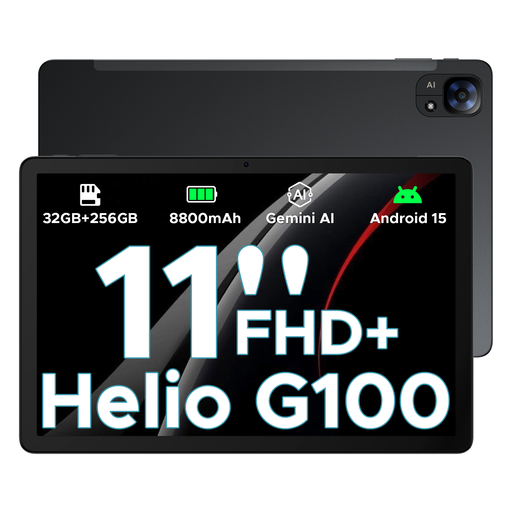 Image unavailable
An Android option for viewing drawings downloaded in advance. Check that your app and files are supported.
11-inch FHD+ screen, Android 15 and 8.800 mAh battery capacity. Battery capacity doesn’t tell you how long it will last.
Only if you’ve downloaded the drawing or project in advance using your app’s usual process. Autodesk says AutoCAD mobile needs an internet connection to download a drawing for offline use. Check the revision before you leave. Changes made offline can be synced once you reconnect.
Download a representative project in advance and check that you can open the sheets you need without a connection. Also assess the battery using your own screen settings and working habits. Panasonic lists a replaceable battery for the TOUGHBOOK G2 mk3; the hot-swap function is optional.
That depends on the app and the features you need. Autodesk says an active AutoCAD mobile, AutoCAD or AutoCAD LT subscription is required for all the mobile app’s features. Check the terms for your account before choosing a tablet.
For consumer purchases, the Dutch government describes the right to a product that works properly and says the retailer is your point of contact if there’s a problem. Don’t assume the same consumer rights apply to a business agreement. According to Ondernemersplein, retailers selling a new electrical appliance must take back a similar discarded appliance free of charge.
Don’t assume a device is suitable based on its IP rating alone. Arboportaal explains that where there may be an explosion risk, zones and safety measures must be established and the equipment assessed. Which model is suitable for your location depends on the designated zone and the documentation for the exact device.