What should you look for when choosing?
First, check that your practice platform works and how you’ll connect to it. Then compare the battery specifications and screen size with when and where you plan to practise.
| What to consider |
What should you check? |
Who is this important for? |
| Battery life while practising |
Only compare battery life claims when the test task and conditions are clear; charge the tablet before you leave. |
If I want to complete several practice sets without a plug socket, I check how the battery life was tested and plan when to recharge. Around 31% of consumers put battery reliability first. |
| Access to the practice platform |
Test your website or app on the tablet and check whether questions work offline. If not, arrange Wi-Fi, a hotspot or a suitable mobile data version. |
If my course needs to load online while I’m out and about, I want to know in advance how I’ll connect. Around 25% of consumers prioritise access to the practice platform. |
| How easy questions are to read |
Open a representative question with an image on the screen you’re considering and see whether you can read it comfortably without having to zoom in too much. |
If I want to see text and diagrams at the same time, I weigh up screen space against carrying a larger device. Around 19% of consumers say readability is their main consideration. |
| Portability |
Compare the dimensions and weight of the exact version, including the case you plan to take with you, if possible. |
For short practice sessions in different places, I want to be able to carry the tablet easily in my bag. Around 13% of consumers put portability first. |
| Answers and notes |
Check what input your practice platform requires and whether a stylus or keyboard is included with the version you’ve chosen. |
If I want to annotate questions or enter longer answers, I first check which accessories I’ll need. Around 12% of consumers give input and note-taking top priority. |
Joybuy products
This selection includes compact and larger tablets; some product titles also mention a stylus or mobile connectivity. Check that the size, connection and accessories of each version suit your practice platform and how you plan to use it.
 No image available
TABWEE K8 tablet, 7 inch
The 7-inch size is a compact option to compare if you want to take your tablet with you on the go.
The product title lists 2 GB RAM, 32 GB of storage, a 3000 mAh battery and 2.4 GHz Wi-Fi. Battery capacity doesn’t guarantee a particular amount of practice time.
View at Joybuy
 No image available
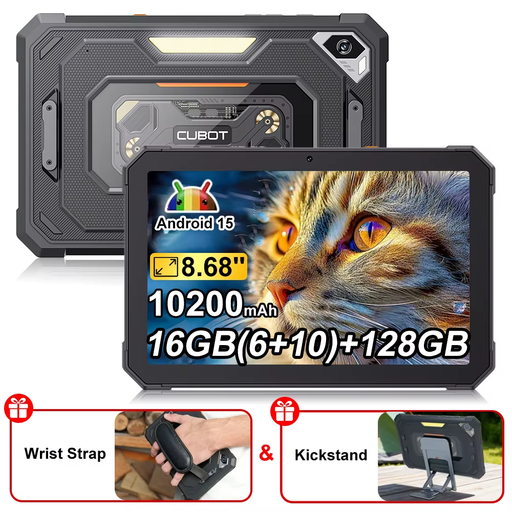
CUBOT Tab KingKong Mini
The 8.68-inch screen is a size to weigh up against how easy your practice questions are to read and how easy the tablet is to carry.
The product title lists Android 15, 16 GB (6 + 10 GB), 128 GB of storage and a battery capacity of 10.200 mAh. Capacity isn’t the same as measured battery life.
View at Joybuy
 No image available
Lenovo Idea Tab Plus WiFi 12.1, Rose
The 12.1-inch screen gives you more room to view questions and images; the product title also mentions a stylus for taking notes.
The title lists 2.5K, 8 GB RAM and 256 GB of storage. Check what’s included with the version you order.
View at Joybuy
 No image available
Lenovo Tab K11 Gen 2, ZAFS0069CZ
The product title lists an 11-inch screen; compare the size with how much text and imagery you want to see while practising.
The title describes a 2.5K Android tablet with MediaTek Dimensity 6300.
View at Joybuy
 No image available
Blackview MEGA 12, 256 GB, black
The 12.2-inch screen gives you more room to view questions and images; the title also mentions 5G for mobile connectivity.
The product title lists a 2.4K screen, 120 Hz, 36 GB (12 + 24 GB), 256 GB of storage and a battery capacity of 10.000 mAh. Capacity doesn’t guarantee a particular amount of practice time.
View at Joybuy
Frequently asked questions
Can I answer practice exam questions without internet access?
It depends on your practice platform. ANWB Theorie lists access to its theory platform on tablets, and Theorie.nl describes its practice platform as online; that doesn’t mean questions or answers are available offline. If you want to practise offline, test your course without an internet connection first.
How do I prepare a tablet for practising without a plug socket?
Charge the tablet before you leave and check how to open the practice questions you plan to use. Xiaomi says its battery life figures are based on its own tests and may vary in real-world use, so don’t treat them as guaranteed hours on your practice platform.
Does the box include a stylus or charger?
It depends on the version. Apple lists a USB-C cable in the box with the iPad (A16). Lenovo shows an Idea Tab configuration with a stylus, but also says the stylus is optional and sold separately. Check the box contents for the exact model.
What are my rights if I buy a tablet online or it develops a fault?
According to ACM ConsuWijzer, when you buy a standard product online, you generally have a statutory 14-day cooling-off period from delivery, subject to legal exceptions. A product must also do what you can reasonably expect of it. If it develops a fault too soon through normal use, the seller must resolve the issue under the applicable statutory guarantee.
Does every tablet have an energy label?
No, not necessarily every tablet or version. The European Commission says that EU energy labelling rules have applied since 20 June 2025 to certain slate tablets placed on the EU market from that date, with some exceptions. Check whether the label applies to your version and compare figures measured on the same basis.


