What should you look for when choosing one?
Start by considering how long you need to go without a mains socket. Then check that the connector and charging speed are suitable for your tablet.
| What to consider |
What should you check? |
Who is this important for? |
| Enough energy |
Where possible, compare the energy capacity in Wh of the power bank and tablet, and allow for energy loss during charging. |
If a mains socket isn’t always available, I want to know how much reserve my tablet needs. Around 40% of consumers prioritise an energy reserve. |
| Connector and charging speed |
Check your tablet’s connector, its supported charging method, and the power rating of both the power bank and cable. |
I want the cable and output to suit my tablet, without paying for power I can’t use. Around 30% of consumers prioritise compatibility. |
| Several devices |
Check how many suitable ports there are and the stated power output when charging devices at the same time. |
If I also want to charge a phone, it’s important to know what the power bank can handle when both devices are connected. Around 20% of consumers prioritise charging multiple devices. |
| Portability and cable convenience |
Compare the size and weight. If there’s a built-in cable, check that its connector suits your tablet. |
If I take the power bank with me often, I don’t want to carry a larger device or more separate cables than necessary. Around 10% of consumers prioritise portability and cable convenience. |
Power banks for tablets
This selection focuses on 20,000 mAh power banks for tablet use, with options for connecting other devices or carrying a USB-C cable.
 No image available
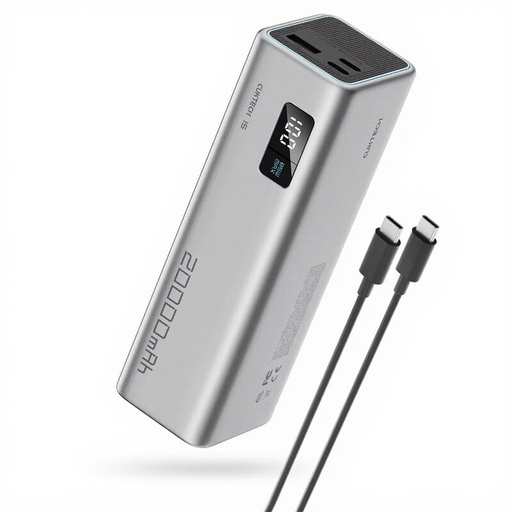
CUKTECH 15 SE Power Bank 20,000 mAh
The product description mentions tablet charging and three output ports, making it suitable if you want to connect other devices too.
The title states 20,000 mAh. The product description states a maximum output of 65 W from one port.
View at Joybuy
 No image available
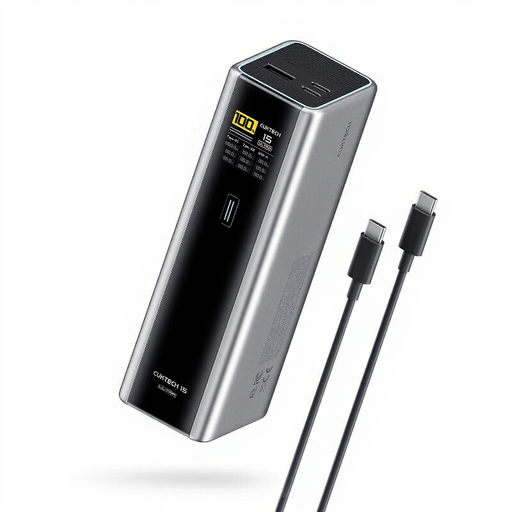
CUKTECH 15 Ultra Power Bank 20,000 mAh
The product description mentions tablet use and three output ports, so you can connect other devices as well as a tablet.
The title states 20,000 mAh and 140 W. The product description mentions PD 3.1.
View at Joybuy
 No image available
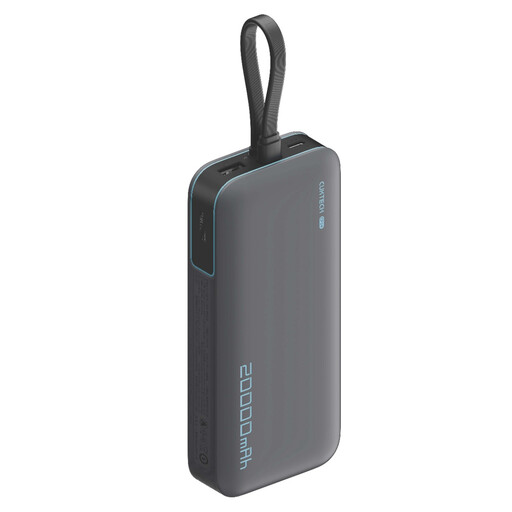
CUKTECH 20,000 mAh Power Bank 40 W
The product information mentions tablet charging and three output ports, making it a good fit if you want to connect several devices.
The title states 20,000 mAh and 40 W; the product description mentions three output ports.
View at Joybuy
 No image available
Anker Power Bank 20K, 87 W, with built-in USB-C cable
The built-in USB-C cable can be handy if you’d rather not carry a separate USB-C cable, provided it fits your tablet’s connector.
The title states 20,000 mAh. The product description mentions up to 65 W for one device and up to 87 W shared across three devices.
View at Joybuy
 No image available
Samsung Power Bank 20,000 mAh, 45 W
The product description mentions three USB-C ports and tablet use, making it suitable if you want to connect several compatible devices.
The title states 20,000 mAh and 45 W. According to the product description, 45 W Super Fast Charging is available only when one device is connected.
View at Joybuy
Frequently asked questions
Can I work out how many full charges my tablet will get from 20,000 mAh?
No. The mAh figure doesn’t directly tell you how many times you can charge your tablet. To compare energy, you also need the voltage or Wh, and some energy is lost during charging. The result also depends on your tablet and how you use it.
Is it safe to charge a power bank overnight under a blanket or pillow?
No. The Fire Service recommends placing chargers in a clear space so heat can escape, and advises against charging devices under a pillow or duvet. Don’t use a damaged cable or charger.
Do I need a separate charging cable or adapter for my tablet?
That depends on your tablet’s connector and what’s included with the power bank. A built-in USB-C cable is only useful if it fits your tablet. Also check how to recharge the power bank itself.
What are my rights if a power bank bought online isn’t compatible with my tablet?
For many online purchases made remotely from a business in the Netherlands, you have a 14-day cooling-off period, although there are exceptions. The Government of the Netherlands explains this right for distance purchases. Check the seller’s information for the specific purchase.
Where can I recycle a power bank in the Netherlands?
Take your old power bank to a suitable collection point, or use the old-for-new scheme when you buy a new, similar device. The Government of the Netherlands also explains the options for online purchases. Don’t put the power bank in your household rubbish.


