For documents, timetables and models in a supported browser, a compact tablet could be suitable, as long as the complete setup fits on your desk. If you need to build or run simulations yourself, first check the software and version required by your course. AnyLogic describes both a browser-based environment and a downloadable development environment, while FlexSim specifies 64-bit Windows for version 2021 and later. A Windows tablet is not automatically suitable; if it has an Arm processor, check that the specific app and any dependencies will work.
Who is this relevant to?
Student with a small desk
You want to read diagrams without the tablet, stand and study materials taking up too much room together. Apple Netherlands, Samsung Netherlands and Lenovo describe tablets around 11 inches; also compare how much space the complete setup takes up.
Student building simulations
You want to develop or run models yourself, so first you need to know which software your course requires. AnyLogic describes a browser-based environment and a downloadable development environment; for version 2021 and later, FlexSim specifies 64-bit Windows as a system requirement.
Student annotating diagrams
You write notes on diagrams and documents, and want to know which pen works with the version you choose and whether it’s included. Apple describes Pencil compatibility for the iPad (A16); Samsung lists an S Pen as included with the Galaxy Tab S10 Lite.
What should you look for when choosing?
Start with your course’s software requirements, then compare the screen and accessory setup with the space available on your desk.
| What to consider |
What should you check? |
Who is this important for? |
| Screen and workspace |
Compare the tablet’s dimensions with the space needed for a case, stand and, if required, keyboard. View your own diagrams on the screen size you’re considering. |
If I want to read routes and process diagrams on a small desk, I look at the complete setup, not just the screen size. Around 27% of consumers say limited workspace is their top priority. |
| Required simulation software |
Ask for the software name and version, how you’ll access it, and whether a keyboard or mouse is required. Then check these requirements against the device and processor. |
If my course requires specific simulation software, I want to know whether I need to install it locally or can use it in a browser. Around 33% of consumers put required simulation software first. |
| Pen for notes |
Check which pen works with the exact version, whether it’s included and which annotation app you need. |
If I want to write directly on diagrams and documents, I check pen compatibility and what’s in the box. Around 20% of consumers give annotation top priority. |
| Complete study setup |
Check which accessories are included with each version and which ones you actually need. Allow extra space for a keyboard or stand. |
If I need a practical setup with a pen, case or keyboard, I consider the complete purchase rather than just the tablet. Around 20% of consumers prioritise the total cost of their study setup. |
Common buying pitfalls
-
Assuming a browser-based model is the same as locally installed simulation software
Your software choice can determine whether the tablet can handle your assignment. AnyLogic describes building and running models in a browser, while its downloadable development environment has different platform requirements. FlexSim specifies 64-bit Windows for version 2021 and later.
Before you buy, ask which software version and access method are required for your assignment.
-
Looking only at the screen diagonal
The tablet itself isn’t the whole setup: an open case or stand, and possibly a keyboard, also take up space.
Measure your desk and compare the complete setup with the space you need for diagrams and documents.
-
Taking a screen specification at face value
If you’re unsure, check that the screen information applies to the exact model version you’re considering.
Compare the model code with the manufacturer’s specifications, and ask for clarification if information for the same version conflicts.
Brands to consider
Apple
The 11-inch iPad (A16) is an iPadOS option for documents and note-taking. A larger iPad screen doesn’t automatically take up less space on a small desk.
- Apple lists support for Apple Pencil (USB-C) and Apple Pencil (1st generation).
- Apple specifies an adapter for pairing and charging the 1st generation model. Pencil support doesn’t confirm compatibility with the simulation software your course requires.
Samsung
The Galaxy Tab S10 Lite is an Android option with a 10.9-inch screen. Samsung lists an S Pen as included with the Dutch version reviewed.
- An included pen could be useful for making notes on diagrams and documents.
- Check what’s in the box for the exact version, and compare screen specifications with the manufacturer’s information.
Lenovo
The Idea Tab is an Android option around 11 inches, with a connector for a compatible Folio Keyboard.
- Lenovo describes the keyboard connector as a feature of the product range.
- Lenovo says Folio Keyboard availability varies by country or region. Check the exact version and bundle.
Microsoft
A Windows tablet is worth considering if your course requires locally installed software.
- FlexSim specifies 64-bit Windows as a system requirement for version 2021 and later.
- Microsoft describes emulation of x64 and x86 apps on Windows on Arm, but that doesn’t guarantee that every app or driver will work. Check the requirements for the specific programme.
Joybuy products
This selection includes compact tablets for reading, note-taking and study, as well as versions with a keyboard. Check separately whether your course software works on the device you choose.
 No image available
iFLYTEK AINOTE Air 2 8.2-inch E Ink tablet with protective case
An option for viewing reading materials and taking notes; the product information lists a stylus.
8.2-inch E Ink screen; stylus with 4096 pressure levels.
The product information lists transcription in 15 languages; check whether this feature suits your study needs.
Joybuy
 No image available
TECLAST P50 11-inch Android 16 tablet, 32 GB RAM and 128 GB storage
An option for viewing study materials on an 11-inch tablet; check that the study and simulation apps you need work on this version.
Android 16; 32 GB RAM (6 GB + 26 GB virtual); 128 GB storage; 90 Hz IPS screen; 4G LTE.
Joybuy
 No image available
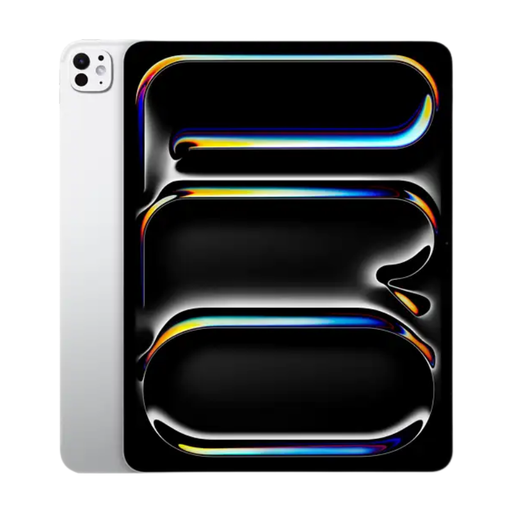
Apple 11-inch iPad Pro Wi-Fi 256 GB, silver
An option for viewing documents and diagrams and taking notes; check which apps your course requires.
11-inch OLED screen with 2420 × 1668 pixels; support for Apple Pencil (USB-C) and Apple Pencil Pro.
The product information says a stylus isn’t included.
Joybuy
 No image available
Blackview Zeno 10 11-inch tablet with keyboard and stylus
An option for study tasks where you want to use a keyboard and stylus as well as the screen; allow for the space the complete setup will take up.
2K FHD screen; 90 Hz; 24 GB RAM (8 GB + 16 GB); 128 GB storage; keyboard and stylus listed in the product title.
Joybuy
 No image available
Teclast P33 10.1-inch tablet, 9 GB RAM and 64 GB storage, accessory bundle
An option if you want to use a keyboard, mouse and stand for your studies; these accessories need extra desk space.
10.1-inch Android tablet; 9 GB RAM (3 GB + 6 GB virtual); 64 GB storage. The bundle lists a case, English Bluetooth keyboard, Bluetooth mouse, stand and stylus, among other items.
Joybuy
Frequently asked questions
Can you build a port logistics simulation model on any tablet?
No, not without checking the software requirements. AnyLogic describes a browser-based environment for building and running models; for its downloadable development environment, the developer lists tested Windows, macOS and Linux platforms. FlexSim specifies 64-bit Windows as a system requirement for version 2021 and later. Ask your course which environment and version you need.
How can you set up a small workspace for reading models?
Measure the space with the tablet in its case or on its stand, and only add a keyboard if you need one for your assignments. The screen diagonal doesn’t tell you how much room the complete setup will take up.
Do you need to buy a pen or keyboard separately?
It depends on the version. Samsung lists an S Pen as included with the Galaxy Tab S10 Lite; Apple says which Pencil models work with the iPad (A16), but a Pencil isn’t listed among the items in the box. Lenovo says availability of the Idea Tab Folio Keyboard varies by country or region. Check what’s included with the version you choose.
What are your rights when you buy a tablet online in the Netherlands?
When you buy from a business online, you’ll usually have a 14-day cooling-off period, although there are exceptions. You’re also entitled to a product that is fit for purpose. According to the Dutch government, Dutch statutory warranty has no fixed time limit; if a product is faulty, you should contact the seller.


