
Student comparing photographic details
You want to examine banks, objects or changes between research photos in detail. A larger screen gives you a better overview, as long as the tablet fits on your desk.


For reviewing polder photos at a small desk, a tablet of around 10 to 11 inches is a practical starting point. You can see more of the image than on a compact model, while needing less desk space than you would for a laptop. Choose a smaller tablet if ease of holding and storage matter more, and pay particular attention to how you’ll import photos, store them offline and, if needed, annotate them. A resolution or colour specification alone is no proof of colour accuracy.
You want to examine banks, objects or changes between research photos in detail. A larger screen gives you a better overview, as long as the tablet fits on your desk.
You want to transfer photos from a camera, memory card or computer, and may need to access them offline. Your choice of storage and the import method available are key.
You want a tablet that’s easy to hold and put away, and may be happy to zoom in or switch between photos more often. The Dutch Consumers’ Association discusses smaller tablets as an option for use on the go.
First, compare the screen size with the space available on your desk. Then work out how you’ll get your images onto the tablet and how long you want to keep them offline. Finally, check that your stylus, card reader or photo app is compatible with the model you choose.
| What to consider | What should you check? | Who is this important for? |
|---|---|---|
| Viewing photographic details | Compare the screen size and resolution of the exact model. If colour accuracy is critical, test your own photos in the app you intend to use. | If I want to examine differences in banks or objects closely, I need enough screen space. Around 29% of consumers rank photographic detail as their top priority. |
| Transferring and storing photos | Make a note of your source devices, file sizes and how long you want to keep photos offline. Check the import method and available storage. | If I want to transfer field photos from a camera, card or computer and keep them offline, that workflow comes first. Around 23% of consumers rank transfer and storage as their top priority. |
| Compact size | Measure the available desk space, including when you’re using a case or stand, and compare it with the tablet’s dimensions. | If space is limited and I want to hold the tablet often, a compact size matters more than viewing photos side by side. Around 18% of consumers rank compactness as their top priority. |
| Accessories you need | Check what’s included with the specific model and whether your workflow requires a compatible stylus, card reader or memory card. | I want to know in advance what I’ll need to import or annotate my photos, and whether it comes with the tablet. Around 18% of consumers rank having the complete set-up as their top priority. |
| Annotating photos | Check which app you’ll use, whether the stylus is compatible and whether it’s included with the model you’ve chosen. | If I want to mark locations or changes directly on photos, the stylus, tablet and app all need to work together. Around 12% of consumers rank annotation as their top priority. |
A stated resolution or colour gamut alone doesn’t tell you how accurately your research photos will appear on the specific screen.
Compare the exact models and, if colour accuracy is critical, view your own files in the app you plan to use. Don’t treat a specification as an independent colour measurement.
Photos from a camera, memory card and computer may each need a different transfer method. You may also need a compatible card if you want expandable storage.
First, work out how you’ll transfer photos from your source device to the tablet and photo app. Then choose a storage option and check which reader or adapter you’ll need.
Stylus support, compatibility and what’s included in the box are separate things, and can vary between models.
For annotations, check that the specific tablet, stylus and app are compatible, and see what’s included with the model you’ve chosen.
The iPad mini is a compact option, while the iPad (A16) and 11-inch iPad Air (M4) give you more screen space and come in different storage options.
The Galaxy Tab A11 is a compact option mainly for viewing, while the Galaxy Tab S10 FE has a larger screen and is worth considering if you want to use a stylus.
The Redmi Pad 2 is an 11-inch Android option, with different storage configurations for storing photos locally.
The Idea Tab is an 11-inch option with a microSD slot and optional stylus accessories.
The selection below focuses on tablets of around 11 inches for viewing and storing polder photos locally. For each model, check the import method and any accessories your workflow requires.
 No image available
The 11-inch size mentioned makes this a good option if you want to view photos on a larger screen without needing more desk space.
The product title lists 2.5K, Android and MediaTek Dimensity 6300. The product description mentions a microSD slot for cards of up to 2 TB.
 No image available
This model is a good fit if you want to view and store photos locally on an 11-inch iPad.
The product information lists 256 GB of storage, P3 wide colour and support for Apple Pencil Pro. The Pencil Pro is sold separately; P3 doesn’t prove how accurately your photos will appear on the specific screen.
 No image available
The 11-inch size is designed for anyone who wants to review polder photos on a larger tablet screen.
The product title lists Android 15 and 256 GB of storage. The product description mentions an FHD+ screen and microSD expansion of up to 2 TB.
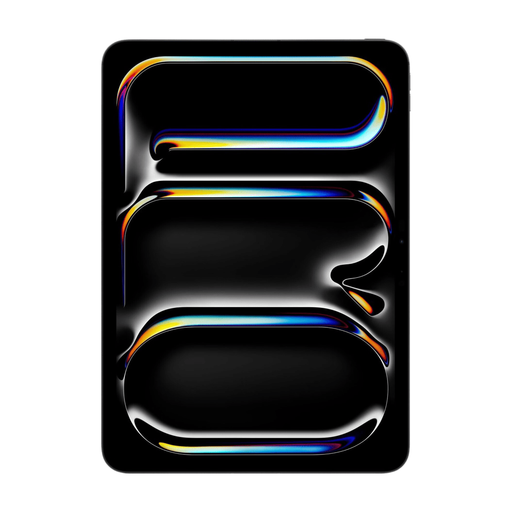 No image available
This model offers 512 GB of storage for anyone who wants to keep lots of photos locally.
The product information lists an 11-inch OLED screen with a resolution of 2420 × 1668 pixels. These specifications alone don’t measure colour accuracy.
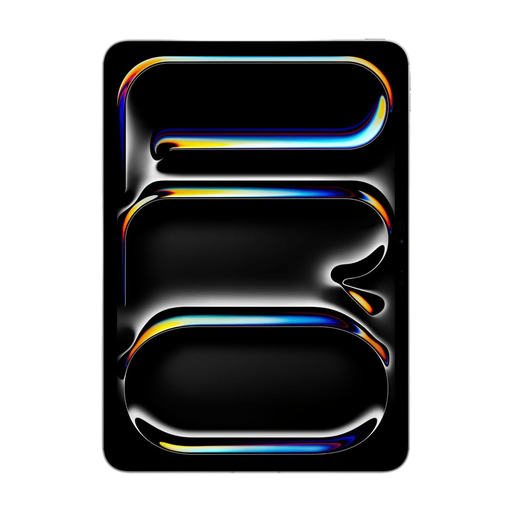 No image available
This model is a good option if you want to view and store photos locally on an 11-inch iPad.
The product title lists 256 GB of storage. The product description mentions an 11-inch OLED screen with a resolution of 2420 × 1668 pixels. The Apple Pencil is sold separately.
Choose a tablet of around 11 inches if you want a better overview and more room to see details. A smaller model is a better fit if ease of holding and limited desk space matter more. The Dutch Consumers’ Association discusses small tablets for use on the go and 10- or 11-inch tablets for home use. If possible, view your own photos on the screen sizes you’re considering.
For an iPad, Apple explains how to import from a camera or SD card using a compatible adapter or card reader. For Android, Google describes transferring files from a computer using a Google Account or USB cable; some steps require a particular version of Android. Also check that your photo app supports your file format.
It depends on the file size, the number of photo sessions and how long you want to keep the originals offline. The Dutch Consumers’ Association suggests more than 128 GB as an option for anyone who wants to view and store lots of photos. Use your own files and storage period to work out how much space you need.
It depends on your workflow and the model you choose. For importing from an SD card, Apple describes using a compatible card reader or adapter; which Pencil models are supported varies by iPad model. Before buying, check what comes with the tablet you’ve chosen and which accessories you’ll need.
No. A stated resolution alone doesn’t prove colour accuracy. Compare the specifications of the exact model and, if colour accuracy is critical, assess your own photos in the app you plan to use.