What should you look for when choosing?
Kadaster / Topotijdreis offers historic maps, and the AHN viewer from the Dutch National Elevation Model shows elevation data. First decide which task takes priority during the workshop, then check the screen, stylus and connectivity for that situation.
| What to consider |
What to look for |
Who is this important for? |
| Comparing maps |
Compare the screen size and resolution of the exact model, and view your own maps on the screen. |
If you want to study historic maps and landscape details side by side, screen space matters. Around 29% of consumers put reading maps first. |
| Taking notes |
Check stylus compatibility, whether the stylus is included and whether your note-taking app can annotate the materials you want to use. |
If you want to sketch or write by hand during discussions, focus on the stylus and what’s in the box. Around 23% of consumers prioritise handwritten notes. |
| Connecting outdoors |
Test the connection at the location and compare Wi-Fi, a phone hotspot and a cellular model. |
If you want to open live map websites outdoors without relying on Wi-Fi, your connectivity options are key. Around 18% of consumers prioritise access to maps outside the classroom. |
| Taking it with you |
Compare the tablet’s weight and dimensions with the case or other accessories you’ll be carrying. |
If you need to carry the tablet between locations all weekend, portability may matter more than extra screen space. Around 18% of consumers prioritise portability. |
| Complete setup |
Check which accessories you’ll need and whether your existing apps are available on the operating system you choose. |
If you want to factor in the complete setup and your existing apps, look beyond the tablet itself. Around 12% of consumers prioritise the total purchase cost and future app use. |
Tablets at Joybuy
These Joybuy tablet picks have screens of around 11 inches, making them suitable for maps and workshop materials. Check the listed specifications and connectivity options for each version.
 No image available
Lenovo Tab K11 Gen 2, 11 inch, 2.5K
An option for viewing maps and workshop materials on a tablet of around 11 inches.
11 inch, 2.5K screen, Android and MediaTek Dimensity 6300.
Joybuy
 No image available
Apple 11-inch iPad Air (M4), Wi-Fi, 256 GB, Space Grey
An option if you want to view maps and have the option of taking handwritten notes.
11 inch, Wi-Fi and 256 GB of storage. The product description lists support for Apple Pencil Pro; check whether the stylus is included with the version you choose.
Joybuy
 No image available
Lenovo IdeaTab, 11 inch, 8 GB, 128 GB
An option for viewing workshop materials and maps on an 11-inch tablet.
IPS screen, 90 Hz, 500 nits, Android 15 and MediaTek Dimensity 6300. The description lists a resolution of 2560 × 1600 pixels.
Joybuy
 No image available
TECLAST P50, 11 inch, 4G LTE, 128 GB
An option to consider if you want to look at mobile connectivity as well as reading maps.
Android 16, IPS screen, 90 Hz, 4G LTE, dual SIM and 128 GB ROM. The title lists 32 GB RAM, made up of 6 GB RAM and 26 GB of virtual memory.
Joybuy
 No image available
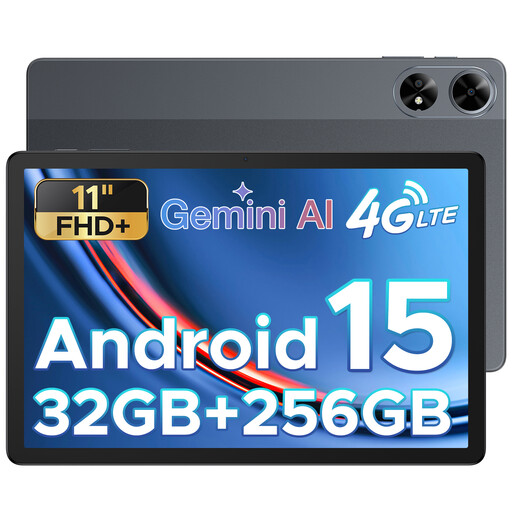
DOOGEE Tab G6 Plus, 11 inch, 256 GB
An option for anyone who wants to view maps and workshop materials on an Android tablet of around 11 inches.
Android 15, FHD+ screen, SIM card slot and 256 GB ROM. The product title lists 32 GB RAM and a battery capacity of 8000 mAh.
Joybuy
Frequently asked questions
Can I use Topotijdreis and the AHN viewer without an internet connection?
Don’t assume you can without checking first. Kadaster / Topotijdreis and the Dutch National Elevation Model describe web maps and a viewer, but don’t confirm that they work offline. Test the connection at the workshop location and ask whether the course materials are available as local files.
Does a tablet that supports a stylus always come with one?
Not necessarily: stylus support and box contents need to be checked separately. Samsung says the Galaxy Tab S10 FE comes with an S Pen in the box; Apple lists supported Pencil versions for the iPad (A16), but doesn’t include a Pencil in the box. Lenovo’s information about the stylus is conflicting, so check the exact version.
What should I check before the workshop weekend?
Open the map websites you want to use and check that the workshop files open in your note-taking app. If you’ll be using the tablet outdoors, plan in advance how you’ll connect, for example using Wi-Fi, a phone hotspot or a suitable cellular model.
What are my rights when I buy a tablet online in the Netherlands?
According to ACM ConsuWijzer, online purchases generally come with a 14-day cooling-off period from delivery, although exceptions apply. The Dutch government also describes your right to a product that works as it should; there is no fixed statutory warranty period in the Netherlands. If there’s a fault, contact the seller.
Can I include Topotijdreis maps in my own workshop app?
Kadaster / Topotijdreis’s terms limit use of the website to personal, non-commercial purposes and mention restrictions on including parts of the website in your own app. These terms apply to this specific use of Topotijdreis, not to choosing or buying a tablet.


