For long writing sessions, a tablet paired with a suitable physical keyboard is a sensible starting point. Choose an app that suits the format you want to share your script in, too. An iPad or Android tablet may suit a versatile document workflow, a Surface is worth considering if you need Windows, while a reMarkable with Type Folio is focused mainly on writing and note-taking. Check which accessories are included with each configuration, and test your offline and export workflow using a sample document.
Which tablet is right for you?
Playwright who types for long periods
You write dialogue and scenes one after another at a library table. A keyboard that suits your tablet, a stable set-up and the total weight of everything you carry are important considerations. Consumentenbond points out that larger tablets are less easy to carry around.
Writer who revises with others
You exchange versions and comments with, for example, cast members, a director or an editor. So check that your writing app and file format suit the way others want to view or edit the script. Google Workspace describes features for sharing and managing access to documents.
Writer who wants to work without distractions
You may want to work on a draft without a constant internet connection and transfer it later. Before you start, check that your document stays available offline and can then be exported in a usable format; Google Help explains how to work offline with supported Google apps.
What should you look for when choosing?
iPadOS tablet with keyboard
A good fit if: you want a versatile tablet for writing and annotating, and your chosen app works on iPadOS. Apple lists support for the Magic Keyboard Folio with the 11-inch iPad (A16).
Trade-off: check keyboard compatibility and whether accessories are included with the configuration. A screen of around 11 inches is smaller than the extra-large tablet sizes discussed by Consumentenbond.
Android tablet with keyboard
A good fit if: you write in a suitable Android app and may also want to make handwritten notes. Samsung says that an S Pen is included with the Galaxy Tab S10 FE configuration in question.
Trade-off: check whether the pen and keyboard are included with each model and bundle. A larger screen gives you more room to view text, but is less easy to carry around; Consumentenbond highlights this portability trade-off with larger tablets.
Windows tablet
A good fit if: your specific writing or submission workflow requires Windows. The 12-inch Surface Pro can be used with the keyboard designed for it.
Trade-off: Microsoft lists the keyboard as optional and limits compatibility of the 12-inch keyboard in question to the relevant Surface Pro. So consider the complete set-up.
Writing-focused e-ink tablet
A good fit if: you mainly want to type drafts and combine them with handwritten notes in a dedicated writing environment. The reMarkable 2 can be used with its own Type Folio.
Trade-off: reMarkable describes its formatting options as limited. Check that its export options work with the editable script file you or your collaborators need.
| What to consider |
What should you check? |
Who is this important for? |
| Typing for long periods |
Check compatibility with the exact tablet model, the keyboard layout and whether the keyboard is included. |
If I write long stretches of dialogue and scenes at a table, I want a suitable, stable keyboard set-up. Around 36% of consumers give typing their top priority. |
| Revising and sharing a script |
Test with others whether the app and file format work for opening, editing, sharing and opening again. |
If I exchange versions and comments with cast members, a director or an editor, I want to know they can work with my file. Around 29% of consumers prioritise revision and sharing. |
| Writing offline |
Before you leave, check that the document can be opened, edited and saved offline, and that it syncs later. |
If I want to work on a draft in the library without an internet connection, I need to be able to transfer my file properly later. Around 21% of consumers give working offline and without distractions their top priority. |
| Portability and the complete set-up |
Compare the size and total weight of the tablet and keyboard, and check which accessories are included with each configuration. |
If I take my writing set-up to the library, I want to know in advance what I’ll actually have to carry and which accessories I’ll need. Around 14% of consumers prioritise portability and having the complete set-up. |
Pitfalls to avoid
-
Assuming the tablet is a complete writing set-up
Accessories vary by model and bundle. Microsoft lists the keyboard for the Surface configuration in question as optional, while the Lenovo configuration reviewed is described as a bundle.
Before buying, check the exact configuration, keyboard layout and box contents, including any pen and charger.
A suitable keyboard, pen or charger may not be included, so you may need to add to your writing set-up.
-
Assuming a larger screen is always more convenient
A large screen can be useful for viewing text, but Consumentenbond notes that extra-large tablets are less easy to carry around.
Consider the size along with the keyboard and where you plan to work. If possible, try viewing a script page on the screen.
A larger size can mean more weight and bulk to carry.
-
Assuming every writing tablet produces an editable script
The formatting and export options on a writing-focused tablet won’t necessarily match those of the app you use to collaborate.
Test the format you want to end up with using a sample scene, and check that the recipient can open and use the file.
An incompatible file transfer can mean extra reformatting or correction work.
Brands to compare
Apple
The 11-inch iPad (A16) is an iPadOS option for writing and annotating with suitable accessories.
- Apple lists support for Magic Keyboard Folio and Apple Pencil models with the iPad in question.
- Check which accessories come with your configuration; compatibility doesn’t mean they’re included.
Samsung
The Galaxy Tab S10 FE is an Android option for writing and making notes with a pen.
- Samsung says the S Pen is included with the configuration in question.
- Check the exact configuration and the right keyboard; don’t confuse the FE with the FE+.
Lenovo
The Idea Tab Pro range includes larger Android tablets. Lenovo describes the Gen 2 bundle in question as including a 13-inch tablet, pen, keyboard pack and charger.
- Lenovo lists the contents of that specific bundle.
- A different configuration may not be the same generation or have the same box contents; a larger size is less easy to carry around.
Microsoft
The 12-inch Surface Pro is an option for anyone who needs a Windows workflow.
- Microsoft describes a keyboard designed for the relevant 12-inch Surface Pro.
- The keyboard is optional. Compare the complete configuration and check compatibility with the specific model.
reMarkable
The reMarkable 2 with Type Folio is a writing-focused option for typed drafts and handwritten notes.
- reMarkable describes the Type Folio as combining typing with note-taking.
- reMarkable describes its formatting options as limited. Check that exporting and transferring files suit your preferred script workflow.
Joybuy products
These product options include tablets for typing or note-taking, as well as a Windows convertible for anyone looking for a built-in keyboard. Check that the accessories and workflow suit your script for each configuration.
 No image available
iFLYTEK AINOTE Air 2, 8.2-inch E Ink tablet with stylus
An option for combining typing with handwritten notes; the product information lists a stylus.
8.2-inch E Ink screen; 32 GB storage.
Joybuy
 No image available
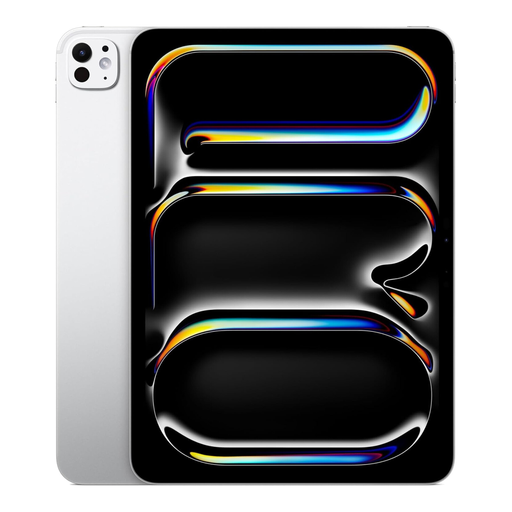
Apple iPad Pro M5, 11-inch, 1 TB, Wi-Fi, Nano Texture, silver
An iPadOS option for anyone looking for a tablet for scriptwriting; the product information lists support for Magic Keyboard.
11-inch; 1 TB; Wi-Fi; compatible with Magic Keyboard and Apple Pencil according to the product information.
Joybuy
 No image available
Teclast P33, 10.1-inch, 9 GB* RAM, 64 GB, with keyboard
The product title lists a Bluetooth keyboard and stand, making this a suitable option if you’re looking for a set-up for typing at a table.
9 GB* RAM (3 GB + 6 GB virtual expansion); 64 GB storage. The title also lists a mouse, case, stylus, charger, data cable, earphones and OTG adapter cable.
Joybuy
 No image available
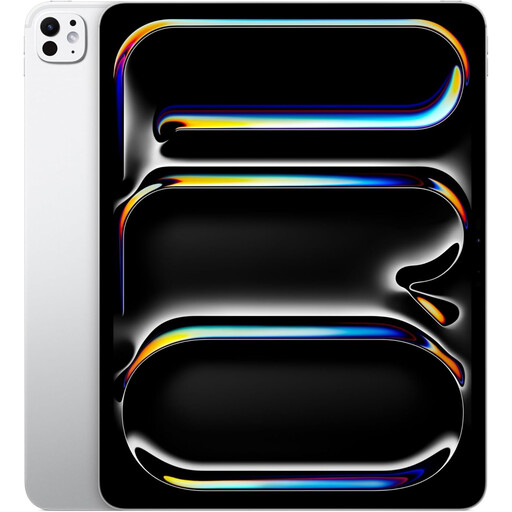
Apple 13-inch iPad Pro, Wi-Fi + Cellular, 2 TB, silver
A larger iPad option for anyone looking for more screen space; Consumentenbond notes that extra-large tablets are less easy to carry around.
13-inch; Wi-Fi + Cellular; 2 TB. The product information lists support for Magic Keyboard and Apple Pencil.
Joybuy
 No image available
HP OmniBook 5 Flip 14-fp0250ndx 2-in-1 laptop
A Windows convertible rather than a tablet; the product information lists a 360-degree hinge, tablet mode and built-in QWERTY keyboard.
Intel Core 5 120U; 8 GB RAM; 512 GB SSD; 14-inch 2K touchscreen; Windows 11 Home; approx. 1.60 kg. According to the product description, a USB-C charger and stylus are not included; charging requires a suitable USB-C PD charger.
Joybuy
Frequently asked questions
For a play script, should I choose a tablet with a pen or a keyboard?
If you’ll be typing lots of dialogue, a suitable physical keyboard is a sensible first consideration. A pen can also be useful for handwritten scenes or directors’ notes; check whether it’s included with your configuration.
How do I prepare my tablet to write without the library’s Wi-Fi?
Before you leave, test with a sample document to check that your writing app can open, edit and save the file offline. Google Help explains how to work offline with supported Google apps; don’t assume the steps are the same for every app or operating system.
What can I do if my tablet breaks too quickly during normal use?
According to ACM ConsuWijzer, the retailer is responsible for the statutory guarantee. Depending on the circumstances, they must repair or replace a faulty product free of charge, or refund the purchase price; a manufacturer’s guarantee does not replace your statutory rights.
Do I need to register my original play script for copyright?
No. According to the Dutch government, copyright automatically applies to texts you create yourself. This does not in itself say anything about the rights to other people’s work that you may include in your script.


