
Script reader on the go
You want to follow the dialogue and character names on a screen that’s manageable in an aeroplane seat.


For reading a play script, a clear screen and a suitable app matter more than extra processing power. If you want to make notes, check the stylus, PDF features and exact bundle too. A larger screen gives you more room for text, but it still needs to fit on your tray table or lap. Save your script locally before you leave and test it in aeroplane mode: the stated battery figures don’t guarantee enough reading time for the whole flight.
You want to follow the dialogue and character names on a screen that’s manageable in an aeroplane seat.
You add notes to roles or passages, so you’ll want to check your script file as well as the stylus and PDF features.
You want to access your files during the flight, so make sure your documents are ready in advance, your device is charged and you’ve checked your airline’s instructions.
Choose this if: you want to read text and use the tablet on your lap or a small tray table.
Keep in mind: a fixed, densely printed PDF page may mean you need to zoom or scroll more often; test your own script.
Choose this if: you want more text and handwritten notes on screen at the same time, and have a stable place to set the tablet down.
Keep in mind: a larger screen takes up more room on your lap or tray table. Manufacturer specifications don’t guarantee reading time for your PDF use.
Choose this if: reading on a non-reflective screen is your priority and your script works well on the specific device.
Keep in mind: an e-reader isn’t the same as a tablet with the tablet apps you need; check the page layout, font size and page turns.
| What to consider | What to look for | Who is this important for? |
|---|---|---|
| Script readability | If possible, open a scene of your own on the screen you’re considering and assess text size, contrast and how often you need to scroll. | I want to follow character names and stage directions clearly without constantly moving the page. Around 33% of consumers put readability first. |
| Notes in the script | Test highlighting, handwritten notes, saving and reopening with your own file; also check which stylus is included with that version. | I want to add notes to scenes and find them again later, not just connect a stylus. Around 27% of consumers put annotation first. |
| Files and power on board | Save the final version locally and open it in aeroplane mode; charge the device and check your airline’s rules. | I want to open and use my script without a connection, and prefer to set off with a charged tablet. Around 20% of consumers put file access and power first. |
| Portability and purchase | Compare the dimensions and weight with your seating position, and check which stylus and charging accessories are included with the exact version. | I want a tablet I can manage in my aeroplane seat and want to know which accessories I’ll still need. Around 20% of consumers put portability and the overall purchase first. |
Battery life claims don’t automatically predict how long your tablet will last with your script and reading app. Xiaomi says its battery life results come from internal laboratory tests and may vary in real-world use.
Charge the tablet in advance and test your reading app and script in aeroplane mode. Check your airline’s rules separately if you plan to bring a power bank.
Stylus support and the ability to mark up and save your particular file format are two separate things to check.
Use your own PDF to try highlighting and adding a handwritten note, then save it and open the file again. Also check the stylus and what’s included in the exact bundle.
More visible page space can be useful, but room on your lap or tray table is limited.
Compare a page from your own script and the device’s dimensions with your seating position. Choose based on how comfortably you can read your script there.
The iPad (A16) is an 11-inch tablet for reading and marking up PDFs. Apple lists the Wi-Fi version as weighing 477 grams.
According to Samsung, the Galaxy Tab S10 FE range includes a smaller FE and an FE+ with a 13.1-inch screen.
The Tab M11 is an 11-inch Android tablet; Lenovo lists separate versions and bundles with a Tab Pen.
The Redmi Pad 2 is an 11-inch Android tablet worth comparing for reading and locally stored material.
These tablets, at around 11 inches, are options to compare for reading play scripts on the go; test your own file to find out which display works for you.
 No image available
An 11-inch screen is worth comparing if you want to balance reading space with portability in your aeroplane seat.
2.5K screen; MediaTek Dimensity 6300.
 No image available
If you’re looking for a tablet for reading on the go, compare the screen display with your own script.
11-inch LCD screen; 1920 × 1200 pixels; 128 GB storage.
 No image available
Compare the 11-inch size with your script’s page layout and the space available on board.
11-inch Liquid Retina display; 256 GB storage.
 No image available
An option to compare if you’re looking for a tablet around 11 inches; check on the device whether your script is comfortable to read.
32 GB RAM (6 GB + 26 GB virtual); 128 GB storage.
 No image available
Try your own script on the 11-inch screen before deciding whether this size suits your seating position.
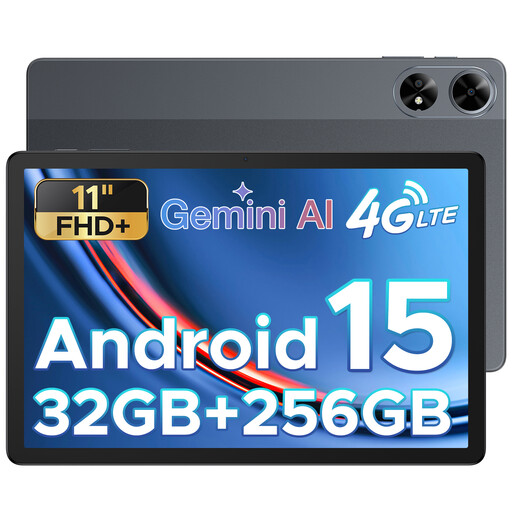
256 GB ROM; 32 GB RAM.
Open a scene of your own in the file format you use, and check that the text, character names and stage directions remain legible without constant scrolling. Screen size alone doesn’t determine this.
Save the final version of your script locally, open it in aeroplane mode before you leave, then try saving a note and opening it again. Apple documents PDF markup on iPad, and Samsung describes PDF markup in Samsung Notes; test the process with your device and file.
According to Transavia’s published policy, devices with a lithium battery of up to 100 Wh can be used during the flight when they’re in aeroplane mode. This applies to Transavia’s policy; follow your own airline’s and the crew’s instructions.
The Dutch government says there is no fixed statutory warranty period in the Netherlands, and that you’re entitled to a product that does what you can reasonably expect it to do. If there’s a fault, contact the seller; damage caused by your own actions isn’t eligible for free repair on that basis.
Not if you’re opening a file that you’ve saved locally in advance during the flight. If you need to retrieve the script from an online service, arrange access while you have a connection and check in advance that the file will remain available offline.