Joybuy tablets for travelling
This selection of Joybuy products includes compact tablets and larger Android models. Choose according to the games you want to play, the controls and whether you’ll mostly hold the tablet or use it supported.
 No image available
Samsung Galaxy Tab A11 X135, 64GB, Silver
The 8.7-inch touchscreen suits anyone looking for a compact size for gaming on the go.
64 GB of storage; 8.7-inch screen with 90 Hz. This screen specification alone doesn’t tell you how a particular game will perform.
View at Joybuy
 No image available
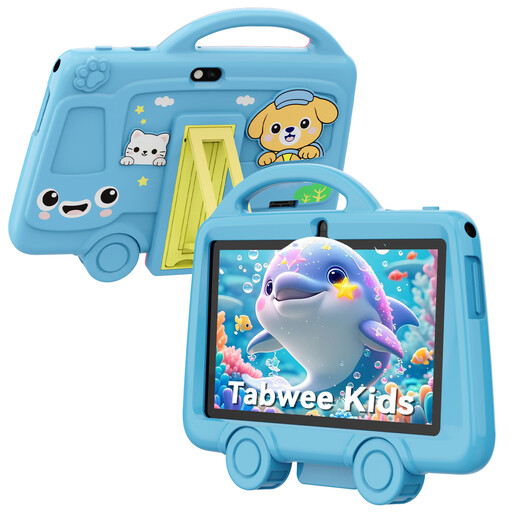
TABWEE K8 Kids tablet, 7 inch, 2GB RAM + 32 GB storage
The 7-inch size is an option if you’re looking for a small tablet to take with you; check that the games you want are available for this model.
The product name lists 2GB RAM, 32 GB of storage and a 3000 mAh battery. The stated product name lists a weight of 285 grams.
View at Joybuy
 No image available
Lenovo Yoga Tab ZAG60028PL, 11.1 inch, 12GB RAM, 256GB
This larger screen may suit you if you want more viewing space and don’t need to hold the tablet in your hands for long periods.
The product name lists an 11.1-inch 3.2K touchscreen with 144 Hz, Snapdragon 8 Gen 3, 12GB LPDDR5X, 256GB UFS 4.0, Android 15 and Tab Pen Pro. These specifications don’t measure performance in a particular game.
View at Joybuy
 No image available
Lenovo Idea Tab Pro TB373FU, 12.7 inch, 8GB RAM, 256GB
The 12.7-inch size is worth considering if screen space matters more to you than playing handheld for long periods.
The product name lists a 12.7-inch 3K screen with 144 Hz, MDT 8300, 8GB RAM, 256GB storage and Wi-Fi 6E. The listed screen and processor details don’t measure performance in a particular game.
View at Joybuy
 No image available
HONOR Pad X8b, 128GB, Space Grey
A larger screen may suit you if you want more space while playing; it’s less suited to being held for long periods than a compact model.
The product name lists 128GB of storage. The product specifications include an 11-inch screen and a weight of 499 grams. A screen specification doesn’t prove how a particular game will perform.
View at Joybuy
Frequently asked questions
Can I assume there’ll be Wi-Fi on the train?
No. NS says there’s free Wi-Fi on almost all Intercity trains, but not every train. Before you travel, test whether your game works offline. If it needs a connection, check what mobile connection you can use yourself.
How do I get a platform game ready for my journey?
Install and open the game you want before you leave, then test the controls and the part you want to play without a connection. Apple says Apple Arcade games can be played offline with a subscription; don’t assume this applies automatically to other games.
Do I need a controller for every platform game?
No, it depends on the game and your preference. According to publisher Playdigious, the mobile version of Dead Cells offers customisable touch controls and controller support; check the options for each of your games separately.
What costs and rights should I know about when shopping online in the Netherlands?
As well as the tablet, check for any costs for games, a subscription or mobile data. According to ACM ConsuWijzer, when you buy a product online, you generally have a statutory 14-day cooling-off period after delivery. The Netherlands Authority for Consumers and Markets says the seller is responsible for the statutory guarantee if a product is faulty.
Can I play game audio in an NS quiet zone?
NS house rules require silence in the quiet zone and ask passengers not to disturb others with loud music elsewhere either. Make sure other passengers can’t hear your game, for example by muting it or using headphones.


