
Passenger who plays offline
You want to keep playing in the back seat if the connection drops. Check whether the game you want works offline; Google Play Help lists some games that can be played without an internet connection.


For platform games in the back seat, start by checking the exact game: having a tablet or mobile connection doesn’t guarantee that the game will work offline. Google Play Help explains that some games can be played offline, so try the game you want without an internet connection before you set off. Then weigh up a light, easy-to-hold screen against more room to play, and assess battery life with your game and settings rather than relying on battery capacity alone.
You want to keep playing in the back seat if the connection drops. Check whether the game you want works offline; Google Play Help lists some games that can be played without an internet connection.
You switch between playing and putting the tablet away during the journey. Weight and screen size matter here: Which? highlights weight and how comfortable a device is to hold as things to consider when gaming for long periods.
Several passengers use the same device. Consider the games you want, available storage and settings for purchases by children; Google for Families explains purchase approval for Google Play.
Good for: holding your iPad and keeping weight down. Apple lists the Wi-Fi version of the iPad mini (A17 Pro) as having an 8.3-inch screen and weighing 293 grams.
Trade-off: you get less screen space than with the models mentioned here that have screens of around 11 inches.
Good for: playing iPad games on a bigger screen. Apple lists the Wi-Fi version of the iPad (A16) as having an 11-inch screen and weighing 477 grams.
Trade-off: the Wi-Fi version weighs more than the iPad mini; mobile connectivity won’t automatically make a game playable offline.
Good for: more screen space. The Lenovo Idea Tab, Samsung Galaxy Tab S10 FE and Xiaomi Pad 7 mentioned here have stated screen sizes of 11, 10.9 and 11.2 inches respectively.
Trade-off: a larger screen takes up more space in the car; screen and processor specifications don’t predict how your particular game will perform.
| What to consider | What should you check? | Who is this important for? |
|---|---|---|
| Offline access | Find the exact game in the relevant app store, then test launching it and continuing to play without a connection. | If I want to play without coverage during the journey, I want to know in advance whether my game works offline. Around 26% of consumers put offline access to the game they want first. |
| Size and ease of handling | Compare the weight and dimensions of the exact version; if you’re using a holder, check that it will fit. | If I’m holding the tablet and putting it away between games, I look for a handy size. Around 21% of consumers prioritise ease of handling in the back seat. |
| Play time and charging | Test the game at the brightness you plan to use, and check how you can charge it on the go and what’s included in the box. | For a long journey, I want to know whether I can keep playing with my game and settings or need to recharge. Around 21% of consumers put play time and charging first. |
| In-game performance | Check the requirements for the specific game; where possible, look for tests of that exact game on the tablet version you’re considering. | If I want to play a demanding platform game, I want to know how it performs on the tablet I’ve chosen. Around 16% of consumers make gaming performance their top priority. |
| Everything you’ll need | Compare the same tablet version and check which games, subscriptions and charging accessories you’ll need; if a child will be using it, set up purchase approval if necessary. | If the tablet is shared, I want to consider the games and essentials the whole family will need in advance. Around 16% of consumers put the total requirements first. |
Downloading a game alone doesn’t tell you whether you can launch it and keep playing without an internet connection.
Try the game you want at home without a connection, including after restarting it.
Actual battery life also depends on how you use the tablet and which apps you run. A battery rating therefore doesn’t tell you how many hours a particular platform game will last.
Test the game using the brightness setting you expect to use on the go, and check in advance how you can charge the tablet.
The accessories included can vary between models.
Check the packaging for the exact version. Xiaomi says the Pad 7 doesn’t come with a power adapter; if you don’t already have one, you may need to buy one separately.
Apple offers both a compact iPad mini option and a larger iPad option here; Apple Arcade is a separate subscription service for the games available through it.
The Galaxy Tab S10 FE is an Android option with a screen of around 11 inches.
The Pad 7 is a larger Android tablet you can compare on screen and battery specifications.
The Idea Tab is an Android option for a tablet that can be shared during a journey.
These tablets vary in screen size and storage, among other features. Before you set off, check that the platform game you want is available and works offline on the version you choose.
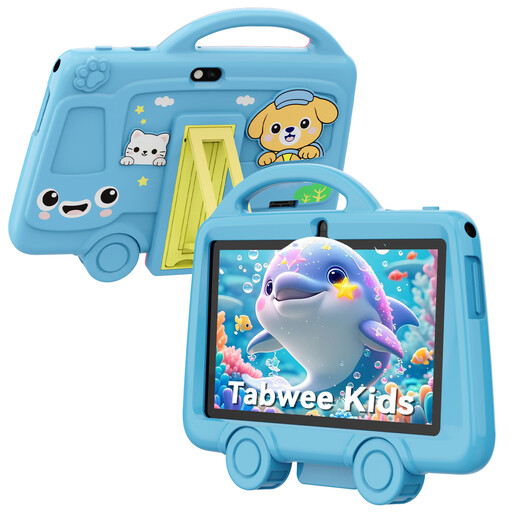 No image available
The 7-inch size and stated weight of 285 grams are worth considering if you’re looking for a compact tablet to hold.
The product title lists 2 GB RAM, 32 GB of storage and a battery capacity of 3000 mAh. Battery capacity doesn’t guarantee a particular play time.
 No image available
The 11.1-inch touchscreen gives you a larger screen to compare if you’re looking for more room to play.
The product title lists a Snapdragon 8 Gen 3 processor, 12 GB RAM, 256 GB of storage, Wi-Fi 7 and Android 15. These specifications don’t predict how a particular game will perform.
 No image available
The 11-inch screen and stated 128 GB of storage are useful features to compare if you want to play iPad games and keep them stored locally.
The product title lists a Wi-Fi version. Check that the game you want is available on this model and works without an internet connection.
 No image available
The product title lists 512 GB of storage, which is worth considering if you want to keep several games stored locally.
The stated configuration includes 12 GB RAM. Also check that the games you want to play are available and work offline.
 No image available
The 14-inch screen gives you more room to play, but it also takes up more space in the car.
The product title lists a resolution of 2240 × 1400, 128 GB of storage and a battery capacity of 10,000 mAh. That capacity isn’t a measured play time.
No. Downloading a game doesn’t automatically mean it works offline. Google Play Help lists some games that can be played offline; Apple says Apple Arcade games can be played online or offline. Check the game you want and try it without a connection before you set off.
No. According to the Dutch government, drivers must not hold an electronic device while driving on the road. This rule applies to the driver; it doesn’t ban passengers from playing.
Compare the tablet’s dimensions and weight with the holder’s specifications and the place where you want to attach it. The ANWB lists a headrest holder as an option for the back seat; also make sure your set-up won’t distract the driver.
According to the Dutch government, if you have a problem with a product, you should contact the seller, who must provide a solution. The manufacturer’s warranty doesn’t replace your statutory rights.
Google for Families explains purchase approval and parental controls through a child’s account and Family Link. Check the settings before use; Google Play purchase approval applies to purchases made through Google Play’s billing system.