
Viewing photos by a window
You check plant photos in a bright spot you use regularly and want to make sure reflections don't obscure fine details.


Start with where you view your photos: check whether reflections from the window hide details in leaves and soil, then choose based on screen size and colour reproduction. A matte screen is worth considering if reflections are your main concern; the iPad Pro has a specified maximum SDR brightness and is available with optional nano-texture glass. An iPad Air or Galaxy Tab could suit you if you can adjust your viewing setup and find the specific model easy to read.
You check plant photos in a bright spot you use regularly and want to make sure reflections don't obscure fine details.
You compare colours or small features across photos and want consistent screen reproduction with enough room to zoom in.
You work through batches of photos and want the screen size, storage and file transfer options to fit your existing workflow.
First assess reflections in your usual viewing spot, then consider colour reproduction and workspace. Also check that the storage and file transfer options suit the way you select photos.
| What to consider | What should you look for? | Who is this important for? |
|---|---|---|
| Reflections by the window | Compare the same photo in your usual workspace. Lenovo lists a 400-nit matte screen for the Tab P12 with Matte Display; Apple offers nano-texture glass on certain iPad Pro models, and Samsung describes a separate anti-reflection screen protector for the Galaxy Tab S11. | If I want to see fine leaf veins next to a window, I first want to know whether reflections hide details. Around 36% of consumers prioritise readability in the presence of window reflections. |
| Consistent colour reproduction | Assess a familiar photo in lighting that is as consistent as possible. Apple says True Tone adjusts colour and intensity to changes in ambient light. | When comparing plant colours, I want to avoid changing ambient light affecting my judgement. Around 29% of consumers prioritise colour consistency. |
| Room for detail | View a crop of the same photo at the size you are considering. Also decide whether you will mostly prop the tablet up or hold it for longer periods; the Consumentenbond points out that larger tablets can be less practical to hold for a long time. | If I want to compare small details side by side, a spacious screen matters more to me than being able to hold it for a long time. Around 21% of consumers choose screen space as their main consideration. |
| Storage and photo workflow | Check that the storage on the exact model suits your files, and that your photo apps and file transfer options fit your existing workflow. Apple says nano-texture glass on the iPad Pro is only available with 1 TB or 2 TB of storage. | When selecting photos and transferring files between devices, I want the tablet to fit my workflow. Around 14% of consumers prioritise storage and photo workflow. |
Apple specifies the maximum SDR brightness for the iPad Pro. For the Galaxy Tab S11, Samsung distinguishes 1,000 nits in High Brightness Mode from a peak brightness of 1,600 nits. Different measurement conditions don't automatically tell you how clearly you will see your photos next to a window.
Only compare brightness figures measured under the same conditions, and check reflections using one of your own photos where you plan to use the tablet.
Apple says nano-texture glass is only available on iPad Pro models with 1 TB or 2 TB of storage.
Check the glass finish and storage together for the exact model you are considering.
Reducing glare and maintaining colour consistency are separate considerations. Apple says True Tone adjusts colour and intensity in response to changes in ambient light.
View a familiar photo in lighting that is as consistent as possible, and check the relevant colour settings separately.
These brands offer different screen options to compare; the features listed apply to specific product ranges and models.
The iPad Pro and iPad Air offer different screen options for viewing photos on an iPad.
The Tab P12 with Matte Display is an Android option to consider if you are looking for a large screen with a matte finish.
The Galaxy Tab S11 is an 11-inch Android option that lets you assess the screen and a separate anti-reflection screen protector.
The Joybuy product picks below are tablets for viewing plant photos on a larger screen. Assess reflections and colour reproduction for yourself where you plan to use the tablet.
 No image available
The listed 13.4-inch screen could suit you if you want to view photos on a spacious display.
The product name lists 120 Hz, Android 16 and 128 GB of storage. According to the product name, the 20 GB RAM comprises 6 GB of RAM and 14 GB of virtual memory.
 No image available
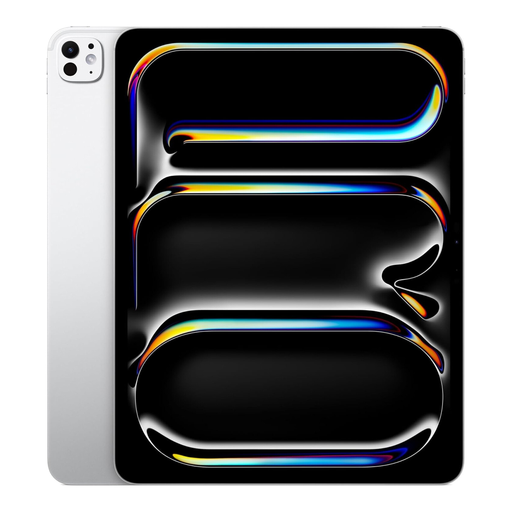
This 13-inch model could be a good option if you want to view photos on a larger screen.
The product name lists Wi-Fi + Cellular and 1 TB of storage. If nano-texture glass is important to you, check the screen finish on the exact model.
 No image available
The listed 11.1-inch screen is an option if you want to view photos on a tablet smaller than the 13-inch model above.
The product name lists 3.2K, 8 GB of RAM, 256 GB of storage, Wi-Fi 7 and Android 15. It also lists a Tab Pen Pro as included.
 No image available
The listed 12.1-inch screen could suit you if you want to view photos on a more spacious display.
The product name lists 2.5K, 8 GB of RAM and 256 GB of storage, with a Lenovo Pen.
 No image available
The listed 12.2-inch screen is an option if you want to view plant photos on a more spacious display.
The product name lists a 2.4K display, 120 Hz, 256 GB of storage and 5G. Check colour reproduction and reflections in your own workspace.
No. A higher nit rating does not guarantee that reflections will disappear. Apple lists the maximum SDR brightness for the iPad Pro; for the Galaxy Tab S11, Samsung distinguishes High Brightness Mode from a higher peak figure. Also assess reflections using one of your own photos where you plan to use the tablet.
According to Apple, turning off True Tone keeps colour and intensity constant when the ambient light changes. This does not automatically calibrate the screen; compare photos in lighting that is as consistent as possible too.
Samsung describes the anti-reflection screen protector as a separate accessory for the Galaxy Tab S11. Check whether you need one and whether it is available; Samsung listed the protector on the product page as unavailable to buy.
According to the Dutch Government, online purchases from a business come with a 14-day cooling-off period in many cases, although there are exceptions. You are also entitled to a product that meets the terms of the agreement. The Netherlands has no fixed statutory warranty period; if a product is faulty, you can hold the seller responsible.