What should you look for?
First check compatibility with your tablet, then compare how the pen charges, and finally see whether its drawing features suit the way you sketch.
| What to consider |
What to look for |
Who should pay particular attention? |
| Compatibility |
Look up the exact tablet model in the manufacturer's compatibility information. For an EMR pen, also check that the screen has a compatible EMR digitiser. |
If I want to keep using my current tablet, the pen must be a proper match. Around 31% of consumers prioritise compatibility with their existing tablet. |
| Avoiding charging |
Check whether the pen works without a battery or charges via a compatible tablet; other models may need a USB-C cable. |
With few sockets available, I would rather not have to plan an extra pen-charging session. Around 31% of consumers prioritise avoiding the need to charge their pen. |
| Line control |
Check which pressure, tilt or sketching features the specific pen offers, and whether your drawing app supports them. |
For expressive concept lines, I want the pen and app to offer the features I actually use. Around 25% of consumers prioritise line control and sketching gestures. |
| Ease of use |
Check the required pairing method, cable and charging route, and don't count on features that aren't listed for the exact version. |
If I want to sketch an idea quickly, having fewer setup steps is handy, as long as the pen is compatible with my tablet. Easy set-up is the top priority for around 13% of consumers. |
Joybuy product picks
These product picks include EMR, iPad and AES, USI or MPP pens. Check that your tablet and drawing app are supported for each model.
 No image available
Zspeed EMR Stylus Pen with Eraser, black, SP-18
A battery-free EMR pen for sketching without a separate charging session, provided your device is compatible.
The description lists reMarkable 1, reMarkable 2 and Kindle Scribe as compatible devices, and mentions 4,096 pressure levels and palm rejection. It is not a universal tablet stylus.
View at Joybuy
 No image available
Apple Pencil Pro 2024
Suited to sketching on a compatible iPad if charging through the tablet and the listed drawing controls work for you.
The product description lists iPad Pro M4, iPad Air M2 and iPad mini A17 Pro, magnetic pairing and charging, pressure and tilt sensitivity, and gestures. Check your exact iPad generation.
View at Joybuy
 No image available
Apple Pencil (2nd generation)
An option for sketching on a compatible iPad if magnetic pairing and charging through the tablet suit you.
The product description lists specific iPad Pro, iPad Air and iPad mini generations, as well as double-tap to switch tools. Check compatibility with your exact model.
View at Joybuy
 No image available
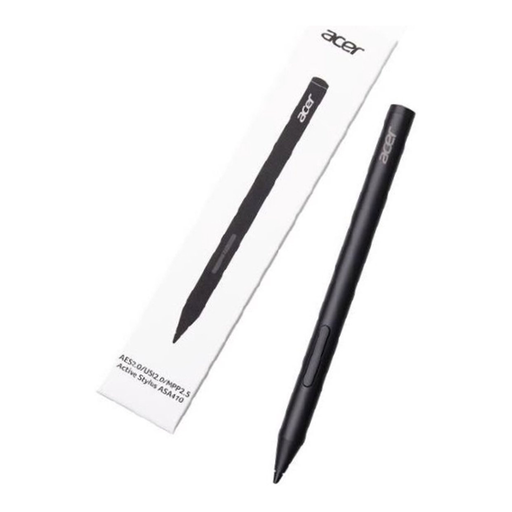
Acer ASA410 stylus pen, black
The pen uses AAAA batteries instead of needing a separate charge, provided your device uses a supported pen standard.
The description lists AES 2.0, USI 2.0 and MPP 2.5, plus 4,096 pressure levels. AAAA batteries are not included; check that your tablet supports it.
View at Joybuy
 No image available
Logitech Crayon USB-C, silver
For quick sketching on a compatible iPad without Bluetooth pairing, if charging via USB-C works for you.
The description lists tilt control, palm rejection and compatibility with iPads from 2018 onwards running iOS 12.2 or later. The pen needs charging.
View at Joybuy
Frequently asked questions
How can you check whether a pen works with your tablet?
Look up the exact tablet model and pen version in the manufacturer's compatibility information. For the Noris digital, the screen must also have a compatible EMR digitiser; a touchscreen alone is not enough.
Does an Apple Pencil (USB-C) need to be plugged into a socket?
No. Apple describes charging via a USB-C cable and pairing with a compatible iPad. On this version, magnetic attachment is for storage, not magnetic charging.
How do you keep a used pen in good condition for sketching?
Check the nib for wear and use replacement nibs designed for the exact model. STAEDTLER supplies replacement nibs and a tool with the Noris digital classic; this does not tell you anything about the nibs used by other brands.
What warranty applies to a purchase in the Netherlands?
According to the Dutch government, you are entitled to a product that is fit for purpose and should contact the seller if there is a fault. There is no fixed statutory warranty period for all products in the Netherlands; the expected lifespan and the circumstances are taken into account.
Can you return a stylus bought online?
For a consumer purchase made online, ACM ConsuWijzer says you will generally have a statutory 14-day cooling-off period from delivery. Before buying, check the relevant exceptions and the seller's returns instructions.


