
Sketching by the window
You want to draw directly on a portable tablet and are weighing up screen visibility, the pen and screen size.


If you want the freedom to sketch beside a window, a standalone tablet is a better fit. If you’d rather work on your computer, a connected pen display could suit you, provided you have the right connections and power supply. A pen for your current tablet is another option if the screen is already easy to see in that spot. Always check the exact pen compatibility and screen version: anti-reflective properties don’t guarantee that every screen will be easy to see in all lighting conditions.
You want to draw directly on a portable tablet and are weighing up screen visibility, the pen and screen size.
Your current screen does the job, but you’re looking for a pen that works with your exact tablet model.
You work on a computer you already own and have space for a connected pen display, cables and power supply.
Choose this if: your current tablet is easy to see by the window and you only need a compatible pen.
Bear in mind: a new pen won’t reduce screen reflections or give you a larger working area.
Choose this if: you want to sketch without connecting a computer. According to Apple, the iPad Air M4 is available in 11- and 13-inch versions.
Bear in mind: for the iPad Air reviewed, you choose the Pencil separately. Nanotexture glass on the iPad Pro M5 reviewed is limited to models with 1 TB or 2 TB.
Choose this if: you’re looking for an Android tablet with an S Pen included. Samsung lists an S Pen with the Galaxy Tab S11 series.
Bear in mind: the anti-reflective screen protector for the Tab S11 is a separate accessory. Claims about reduced reflections and pen responsiveness come from Samsung.
Choose this if: you want to draw on your existing computer beside the window and can use the connections required.
Bear in mind: a pen display isn’t standalone. Check the video connection, cables and power supply for each model.
| What to consider | What should you check? | Who is this important for? |
|---|---|---|
| Screen visibility in bright light | Check the exact screen version and, if possible, test it in similar light from a similar viewing angle. | If you want to assess lines and colours clearly beside a bright window, make screen visibility a priority. Around 29% of consumers in this situation say it’s their main buying concern. |
| Control over your lines | Check which features the pen and drawing app support, and whether the pen is included. | If you want to tailor pen controls to your sketches and drawing app, look for the features you’ll actually use. Around 23% of consumers put pen control first. |
| Sketching space | Compare the screen size with the space you have available and the room you need for sketches and reference images. | If you want to view concepts and reference images at the same time, a larger screen may matter more than a compact size. Around 18% of consumers prioritise working space. |
| A pen for your current tablet | Find your exact tablet model and check the pen’s compatibility list and any software requirements. | If your tablet already meets your needs and you only want a compatible pen, check that it works with your model first. Around 18% of consumers put this compatibility at the top of their list. |
| Connecting to a computer | Check that your computer supports the required video connection, and which cables and power supply you’ll need for your chosen setup. | If you want to keep working on your existing computer and connect a pen display to it, check the connection first. Around 12% of consumers prioritise this computer-based workflow. |
For the iPad Pro M5 reviewed, Apple lists nanotexture glass as an option only on models with 1 TB or 2 TB of storage. The two screen versions are not the same.
Check both the storage option and the explicitly listed glass finish. If possible, assess screen visibility in similar light to your window.
To get the nanotexture version, you’ll also need to choose the corresponding storage option.
For the iPad Air reviewed, you choose the Pencil separately. Samsung lists an S Pen with the Galaxy Tab S11 series, but sells the anti-reflective film as a separate accessory.
Check what’s in the box and which accessories are included with the exact version you choose.
A pen display works with another device. The video connection, cables and power supply you need vary by model and connection type.
Check your computer’s ports and video output, along with the cables you’ll need, before choosing a pen display.
For the full USB-C connection described by Huion, you’ll need to buy the specified USB-C cable separately.
Compatibility varies between pens and tablet generations. A pen with the right brand name won’t necessarily work with every model.
Find the full model name of your tablet and check the pen’s compatibility list, including any software requirements.
Worth considering if you’re choosing between a standalone iPad and an Apple Pencil for an iPad you already own.
The Galaxy Tab S11 is a standalone Android tablet option with an S Pen.
The Kamvas 13 (Gen 3) is designed to be used as a pen display with a computer you already own.
The Artist models are pen displays designed for use with a computer.
An Idea Tab version with a pen could be worth considering if you’re looking for a standalone Android tablet.
This selection includes pen displays and pen tablets for use with a computer, a standalone Wacom pen for compatible devices, and a standalone Lenovo tablet with a pen.
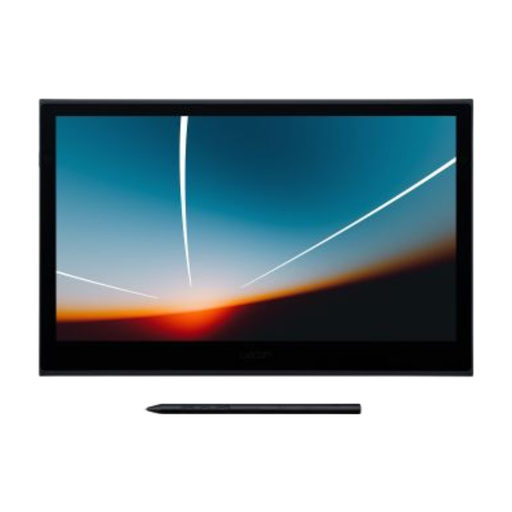 No image available
This pen and touch display is designed for drawing on a connected computer.
The listing describes a USB-C connection to a computer. Check that your computer supports the required connection.
 No image available
This pen display is designed for drawing with a connected computer. Check in advance that the connection is compatible with your computer.
The product name specifies a 14.0-inch screen.
 No image available
This pen tablet is designed for sketching on a computer without drawing directly on a display.
The product name lists Pro Pen 3, 8,192 pressure levels, Bluetooth and USB-C. According to the product information, Wacom software is required for full pen functionality.
 No image available
This standalone pen is designed for drawing on compatible Wacom devices. Check that it works with your exact model.
The product name describes the pen as customisable and battery-free. The listed compatible devices include MovinkPad 11 and specific Cintiq Pro models.
 No image available
This Android tablet, listed with a Tab Pen Pro, is a standalone option for sketching without connecting a separate pen display to a computer.
The product name lists an 11.1-inch 3.2K screen, 8 GB RAM, 256 GB storage, Wi-Fi 7 and Android 15.
Not necessarily: the screen version and the light in your workspace still make a difference. Apple lists an anti-reflective coating for the iPad Air reviewed and optional nanotexture glass for certain iPad Pro M5 versions. Samsung offers a separate film for the Tab S11. These are model specifications, not a side-by-side test of visibility at your window.
No. Before choosing a Pencil, check the compatibility list for your exact iPad generation and software version. According to Apple, Apple Pencil Pro requires a specifically listed iPad and iPadOS 17.5 or later.
You connect this pen display to a compatible device and provide the power it needs. Huion describes, among other options, a 3-in-1 connection and a USB-C connection that requires a port supporting video over DisplayPort. The USB-C cable for this connection is sold separately.
It depends on the model and version. Samsung lists an S Pen with the Galaxy Tab S11 series, while Apple offers the Pencil as a separate purchase for the iPad Air reviewed. Check what’s in the box and whether you’ll need any additional accessories for the version you’re considering.
For eligible distance purchases, you’ll usually have a 14-day cooling-off period, although there are exceptions. The Dutch Government also states that products must be fit for purpose and that, if there’s a fault, you should generally contact the seller. The Netherlands does not have a fixed statutory two-year guarantee period for all products.