Joybuy products for sketching on tablets
The Joybuy pen options below are intended for sketching on compatible Wacom devices and iPads. Before buying, check that each pen is supported by your tablet.
 Image unavailable
Wacom Pro Pen 3, customisable battery-free EMR stylus, black
An option for sketching on compatible Wacom devices; check that your tablet is supported.
The pen is battery-free. Its weight, grip, buttons and balance point can be adjusted. Compatible devices listed include MovinkPad 11 and Cintiq Pro models.
View at Joybuy
 Image unavailable
Stylus pen for iPad with USB-C fast charging
An option for sketching on a compatible iPad when you want to get started without Bluetooth pairing.
The description lists USB-C charging, up to 10 hours of use after charging, tilt detection and palm rejection. Pressure sensitivity isn’t supported; check compatibility with your exact iPad model.
View at Joybuy
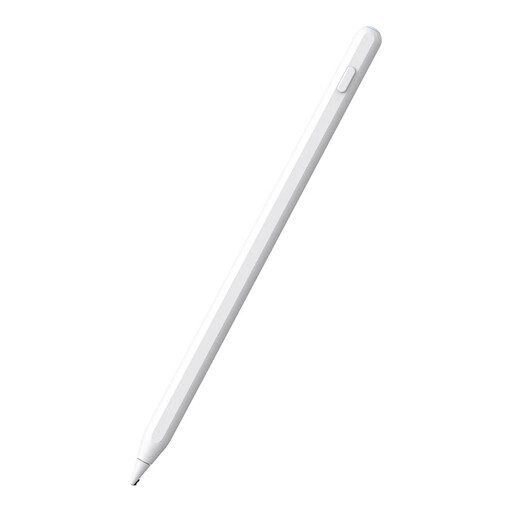 Image unavailable
Alternative stylus for iPad (2018–2026), magnetic charging, white, 16,5 × 0,9 × 0,9 cm
An option for drawing and taking notes on a compatible iPad; check the exact model before choosing.
The product name mentions magnetic charging, while the description lists palm rejection. The stated weight is 13 g.
View at Joybuy
 Image unavailable
iPad stylus with USB-C charging port
An option for sketching, taking notes and annotating on one of the selected iPad models.
Features listed include tilt detection and palm rejection. The pen can be stored magnetically, but doesn’t support wireless charging. The description says Bluetooth pairing isn’t required.
View at Joybuy
 Image unavailable
Apple Pencil Pro (2024) for iPad Air and iPad Pro
An option for drawing and sketching if your iPad model supports Pencil Pro.
The product information lists tilt and pressure sensitivity, gesture controls, haptic feedback, and magnetic attachment and charging. The iPad models listed include iPad Pro M4, iPad Air M2 and iPad mini A17 Pro; check the full compatibility list for your tablet.
View at Joybuy
Frequently asked questions
Will any stylus work with my tablet?
No, the pen must be compatible with your exact tablet model. Apple Support lists compatible iPads and system requirements for each Pencil version; Microsoft links Surface pen features to specific Surface models, while Wacom lists AES or MPP support for Bamboo Ink Plus.
Can I create a floor plan to scale with just a precise stylus?
No, you’ll also need to check the app’s scaling and measuring tools. Concepts App explains how to use a known measurement to set the scale of an imported floor plan.
What should I look for if I’ll be using the pen at a shared workspace?
Check how to start and charge the pen, and how to put it away after use. Logitech says the Crayon starts without Bluetooth pairing; magnetic storage or charging varies by pen and compatible tablet.
Do consumer protection rules apply if I buy the pen for my business?
Not automatically. ACM ConsuWijzer distinguishes between agreements based on their predominant use: according to ACM, consumer protection doesn’t apply when something is used mainly or exclusively for business.
Can I share a floor plan of a shared office in a drawing app?
First check whether the floor plan contains information that could directly or indirectly identify individuals. According to the Dutch Data Protection Authority, such information may be personal data; when processing it, follow your organisation’s rules and the GDPR.


