Which pen is right for you?

Fashion sketcher with few power sockets

You want to start long sketching sessions without having to charge a separate pen first. STAEDTLER says the Noris digital classic doesn’t need charging, but it only works with a compatible screen that has an EMR digitiser.

Designer with an existing tablet

You want to add a pen without replacing your tablet. So first check the exact iPad, Galaxy Tab or EMR screen model, and which version of the pen is compatible with it.

Fashion illustrator who draws with line pressure

You want to vary outlines or shading with pen pressure. STAEDTLER describes the Noris digital as pressure-sensitive; the effect also depends on the drawing app you use.

What should you look for when choosing?

Battery-free EMR pen

Right for you if: your tablet has a compatible EMR digitiser and you don’t want to stop to charge your pen.

Bear in mind: EMR support isn’t available on every touchscreen.

Apple Pencil Pro

Right for you if: you have an iPad supported by Apple and want the pen to pair and charge magnetically while you use it.

Bear in mind: compatibility is limited to the iPad models listed, and charging uses power from the iPad.

Samsung S Pen

Right for you if: you have a Galaxy Tab and have checked which version of the pen it needs.

Bear in mind: support and features such as Bluetooth and Air Actions vary by version.

USB-C rechargeable pen

Right for you if: your iPad supports the pen and you have a suitable USB-C cable or charging option.

Bear in mind: the pen still needs charging; magnetic storage doesn’t always mean magnetic charging.

What to consider What to check before buying Who should pay particular attention?
Drawing without charging the pen Check for EMR support, or find out how the pen charges, which cable is available and whether you can charge it via the tablet. If I don’t want to stop and charge my pen during a long sketching session, having a suitable charging method is my priority. Around 31% of consumers prioritise being able to keep working without charging the pen separately.
Compatibility Note down the exact tablet model, the screen technology where relevant, the pen version and any software requirements. I want to keep using my current tablet and make sure the pen works with it first. Around 31% of consumers prioritise compatibility with their existing tablet.
Line control Check whether the pen offers pressure or tilt control, and whether your drawing app supports the feature you want. If I want to draw outlines and shading with varied lines, I focus on the input feature supported by my app. Around 25% of consumers prioritise control over their drawn lines.
What you need and extra costs Check whether your tablet already comes with a pen or charging cable, whether replacement nibs are available and whether your drawing app has any costs. I want to know in advance what I’ll need in addition to the pen to use my sketching setup. Around 13% of consumers prioritise the total cost of everything they need to buy.

Avoid common buying mistakes

  • Mistaking a magnetic holder for a charger

    Apple describes magnetic pairing and charging for Pencil Pro on supported iPads. Apple Pencil (USB-C) attaches magnetically for storage, but charges via a cable.

    Check separately how the exact pen version stores, pairs and charges.

  • Buying a battery-free EMR pen for any old touchscreen

    STAEDTLER says the Noris digital only works with screens that have an EMR digitiser; not every touchscreen uses this technology.

    Check the digitiser in your exact tablet model before choosing a pen.

  • Confusing tilt sensitivity with pressure sensitivity

    Logitech describes the Crayon as offering line variation through tilt. STAEDTLER describes pressure levels for the Noris digital, although the effect also depends on the app.

    Check that both the pen and your drawing app support the input feature you want.

  • Assuming the statutory guarantee in the Netherlands always lasts two years

    The Netherlands Authority for Consumers and Markets (ACM) states that there is no fixed duration for the statutory guarantee in the Netherlands.

    Distinguish between a manufacturer’s guarantee and your statutory rights against the retailer.

Brands to compare

STAEDTLER

The Noris digital classic 180 22 is a battery-free drawing pen for compatible EMR screens.

  • According to STAEDTLER, the pen doesn’t need charging or pairing; the classic has a replaceable nib and 4,096 pressure levels.
  • The pen only works with a screen that has an EMR digitiser. Pressure sensitivity may work differently from one app to another.

Apple

Apple offers several Pencil versions for compatible iPads, with different charging methods.

  • Apple describes squeeze and barrel roll features for Pencil Pro, and tilt sensitivity for Pencil (USB-C).
  • Pencil Pro charges magnetically on a supported iPad. Pencil (USB-C) charges via a cable; its magnetic attachment is for storage.

Samsung

S Pen versions are designed for supported Galaxy devices, especially if you already have a compatible Galaxy Tab.

  • Samsung says the S Pen Creator Edition doesn’t need charging for the supported devices listed.
  • Support and features such as Bluetooth and Air Actions vary by version. Also check whether your tablet already comes with a pen.

Logitech

Crayon (USB-C) is a pen for iPad users who can charge it with a USB-C cable.

  • Logitech describes direct connection, line variation through tilt and charging via USB-C.
  • It isn’t a battery-free option; the line variation described is based on tilt, not stated pen pressure.

Tablet pen options at Joybuy

These options include a battery-free EMR pen for compatible Wacom devices and styluses for iPad or capacitive screens. Always check that the pen works with your exact tablet model.

Wacom Pro Pen 3, battery-free EMR stylus, black

Wacom Pro Pen 3, battery-free EMR stylus, black

For sketching on compatible Wacom devices; check that your exact tablet model is supported.

The product description mentions adjustable weight, grip and balance.

View at Joybuy
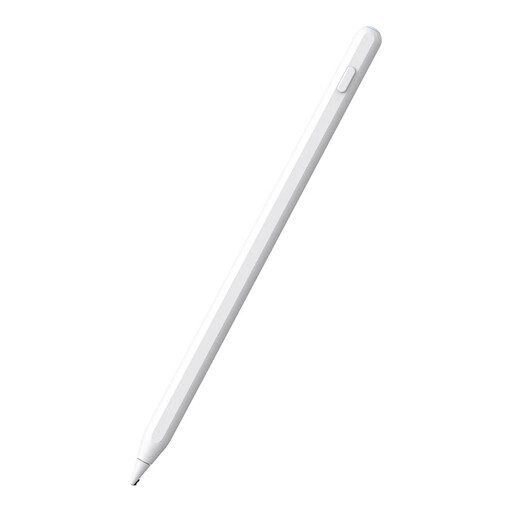
White alternative stylus for Apple Pencil

Alternative stylus for Apple Pencil, white

For drawing on compatible iPads; check your exact iPad model before choosing.

The product description mentions magnetic charging via a compatible iPad and palm rejection.

View at Joybuy

Apple Pencil Pro 2024

Apple Pencil Pro 2024

For sketching on a compatible iPad; the product description lists specific iPad Pro, iPad Air and iPad mini models.

The product description mentions magnetic charging, plus pressure and tilt sensitivity.

View at Joybuy

Apple Pencil 2nd Generation

Apple Pencil 2nd Generation

For sketching on compatible iPads; check the listed generation of your iPad Pro, iPad Air or iPad mini.

The product description mentions magnetic pairing and charging. Models listed are 12.9-Inch iPad Pro (3/4/5/6th Gen), 11-Inch iPad Pro, iPad Air (4/5th Gen) and iPad Mini (6th Gen).

View at Joybuy

USB-C touchscreen stylus

USB-C touchscreen stylus

For capacitive screens; the product description says it works with iOS and Android devices, among others.

The pen has a built-in battery and, according to the product description, charges via USB-C.

View at Joybuy

Frequently asked questions

Does every tablet pen that attaches magnetically charge without a cable?

No. Apple describes magnetic pairing and charging for Pencil Pro on supported iPads; Pencil (USB-C) attaches magnetically for storage but charges via a USB-C cable. Check how the exact version charges.

How can I charge Apple Pencil (USB-C) if I don’t have a spare power socket?

According to Apple, you can connect the pen to a compatible iPad with a USB-C cable to pair and charge it. You don’t need a separate power socket for the pen, but the iPad needs to have enough charge.

Do I need to buy a separate S Pen for a Galaxy Tab?

Not necessarily. Samsung recommends checking first whether your device already comes with an S Pen, and which pen version and features are right for that specific model.

Do USB-C rules mean that every stylus needs a USB-C connection?

No, that doesn’t follow from the device categories listed. The European Commission says the common charger rules have applied to devices including tablets since 28 December 2024, but styluses aren’t listed as a separate category. So check how the specific pen charges.

What are my rights when buying a pen online in the Netherlands?

For a standard online purchase, there is usually a statutory cooling-off period which, according to ACM ConsuWijzer, ends 14 days after delivery; exceptions may apply. The ACM also says there is no fixed duration for the statutory guarantee, so don’t assume it always lasts two years. If there’s a problem, ask what solution applies to your situation.
