Start by checking your exact tablet model, then choose a pen that works with it and suits the way you draw and charge your devices. With a compatible EMR screen, a battery-free pen can save you from having to charge it separately. The Apple Pencil Pro charges when attached to a compatible iPad, while a USB-C pen needs a cable. Also check that your drawing app supports the line and eraser features you want.
Which pen is right for you?
Artist with limited access to power sockets
Want to sketch cartoon faces without having to charge a separate pen? A battery-free EMR pen could be a good fit, but only if your tablet has an EMR-compatible screen. STAEDTLER notes this limitation for the Noris digital classic and jumbo.
iPad artist looking for expressive lines
Want to switch tools as you draw or vary your lines? Check the pen's features and make sure it's compatible with your iPad model. Apple describes different features and charging methods across its Pencil models.
Galaxy artist looking for a replacement pen
If you already have a Galaxy tablet, check which S Pen model works with it and which features you need. Samsung lists tilt sensitivity among the Creator Edition's features, and says it doesn't have Bluetooth or Air Actions.
What should you look for?
Battery-free EMR pen
A good fit if: your tablet has an EMR screen and you don't want to charge the pen separately.
Keep in mind: having a touchscreen isn't enough; the eraser on the Noris digital jumbo also depends on the app.
Samsung S Pen Creator Edition
A good fit if: you have a Samsung-supported Galaxy device and want to use tilt sensitivity.
Keep in mind: Samsung says it doesn't have Bluetooth or Air Actions and isn't compatible with the Galaxy Z Fold series.
Apple Pencil Pro
A good fit if: your iPad is compatible and you want drawing controls such as squeeze, barrel roll and double-tap.
Keep in mind: the Pencil charges when attached to the iPad; also check that your model meets the software requirements.
Apple Pencil (USB-C) or Logitech Crayon (USB-C)
A good fit if: you have a compatible iPad and can charge the pen via USB-C.
Keep in mind: attaching the Apple Pencil (USB-C) magnetically for storage doesn't mean it charges magnetically.
| What to consider |
What to look for |
Especially useful for |
| Compatibility |
Check your tablet's full model name, screen type and drawing app requirements. |
If I want to draw on my existing tablet, the pen and app need to work with it; around 36% of consumers put compatibility first. |
| Charging |
Check whether the pen is battery-free, charges from the tablet or needs a USB-C cable. |
If I don't want another device to charge at my workstation, I'll check how the pen is powered; around 29% of consumers make this their top priority. |
| Line variation |
Check which pen and app features support the strokes you want to create. |
For expressive cartoons, I want control over outlines and details; around 21% of consumers prioritise line variation. |
| Tips and maintenance |
Check which tips are included and whether suitable replacements are available. |
If I want to use my pen for longer, I'll consider maintenance and replacement tips; around 14% of consumers make this their main consideration. |
Common buying mistakes
-
Assuming ‘Android-compatible’ or ‘iPad-compatible’ guarantees compatibility
Compatibility can depend on the exact tablet model and, for an EMR pen, the screen type. A pen that doesn't work with your device won't be suitable for your drawing needs.
Compare your full model name and software requirements with the compatibility information for that specific pen.
Check before you buy so you don't find yourself needing a different model.
-
Confusing magnetic storage with charging
Apple says the Apple Pencil (USB-C) connects and charges via a USB-C cable. Attaching it magnetically doesn't replace the cable.
Check separately how your pen is stored and how it's charged.
If you choose a USB-C pen, make sure you also have a suitable way to charge it at your workstation.
-
Assuming every S Pen model has the same features
Samsung distinguishes between its models. Its feature list says the Creator Edition doesn't have Bluetooth or Air Actions, so you can't assume that features on another S Pen are available on this one.
Check the features of the exact pen and whether it's supported by your Galaxy device.
-
Overlooking replacement tips and wear
The tip may be replaceable. The Dutch Government distinguishes between normal wear and a faulty product; normal wear doesn't automatically entitle you to a free repair.
Check which tips come with the pen and whether suitable replacements are available. If you think the pen is faulty, contact the retailer.
You may need to buy suitable replacement tips later.
Brands to compare
STAEDTLER
The Noris digital classic and jumbo are battery-free pens for screens with EMR support.
- STAEDTLER lists a replaceable tip, spare tips and 4,096 pressure levels for the jumbo.
- The eraser feature depends on the app; the pen only works with a compatible EMR screen.
Samsung
The S Pen range includes several models for supported Galaxy devices.
- Samsung lists tilt sensitivity for the Creator Edition and says in its feature overview that this model doesn't need charging.
- Samsung says the Creator Edition doesn't have Bluetooth or Air Actions and isn't compatible with the Galaxy Z Fold series.
Apple
Apple offers several Pencil models for specific iPad models.
- Apple describes squeeze, barrel roll and double-tap controls for the Pencil Pro, as well as magnetic pairing and charging when attached to a compatible iPad.
- The USB-C model charges via a cable; compatibility varies by Pencil and iPad model.
Logitech
The Crayon (USB-C) is a rechargeable pen for drawing and taking notes on compatible iPads.
- Logitech lists tilt sensitivity, palm rejection and simple use without complex Bluetooth pairing.
- The pen charges via USB-C; check that it's compatible with your iPad.
LAMY
The AL-star EMR is designed for devices with Wacom EMR technology.
- LAMY describes the pen as battery-free, with no need to charge it.
- Check separately whether your specific tablet supports EMR.
Joybuy products
This selection of Joybuy products includes stylus pens for drawing on specific tablets, including iPads and EMR devices. Before buying, check that the stated compatibility applies to your exact model.
 No image available
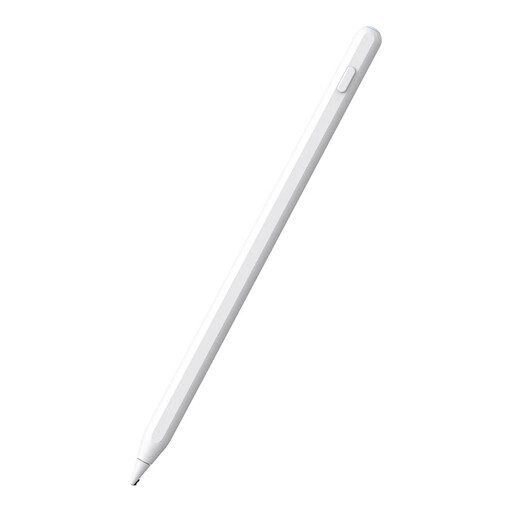
Stylus pen for iPad, white
The product description says it's for drawing and taking notes on compatible iPads, and that it charges magnetically when attached to the tablet.
The description also mentions palm rejection. Check that your iPad model is supported.
View at Joybuy
 No image available
Zspeed EMR stylus pen SP-18, black
This pen could be a good fit if you have a compatible reMarkable or Kindle Scribe tablet and don't want to charge a separate battery for the pen.
The product name lists 4,096 pressure levels and an eraser; the description lists reMarkable 1, reMarkable 2 and Kindle Scribe as compatible devices.
View at Joybuy
 No image available
Apple Pencil Pro (2024)
This pen could be a good fit if you have one of the listed compatible iPad models and want to pair it with and charge it from your tablet.
The description lists pressure and tilt sensitivity, as well as squeeze and barrel roll controls. Compatible models listed are iPad Pro 11-inch and 13-inch (M4), iPad Air 11-inch and 13-inch (M2), and iPad mini (A17 Pro).
View at Joybuy
 No image available
Apple Pencil (2nd generation)
This model could be a good fit if your iPad is compatible and you want to pair and charge the pen magnetically.
The product name lists certain iPad Pro, iPad Air and iPad mini models. The description mentions double-tapping to switch tools; check compatibility with your exact model.
View at Joybuy
 No image available
Universal touchscreen stylus (Android and iOS)
The product name lists Android and iOS compatibility; check whether your exact tablet model is supported.
The description mentions a battery and USB-C charging. Bear in mind that you'll need a separate way to charge the pen.
View at Joybuy
Frequently asked questions
Does a battery-free EMR pen work with every tablet?
No. STAEDTLER says the Noris digital classic and jumbo only work with screens that use EMR technology. Check your tablet's screen type; the same device range can include different models.
Does the Apple Pencil (USB-C) charge as soon as you attach it magnetically?
No. Apple describes magnetic attachment as a way to store the pen; this model pairs and charges via a USB-C cable.
What should you check if the eraser or line thickness doesn't work as expected?
Check the features of the exact pen and the support available in your drawing app. STAEDTLER says the eraser on the Noris digital jumbo depends on the app; pressure levels don't guarantee that every app will process lines in the same way.
Are worn pen tips covered as a fault under the warranty?
Not automatically. The Dutch Government distinguishes between a faulty product and wear from normal use; normal wear doesn't necessarily entitle you to a free repair. Check for suitable replacement tips and contact the retailer if you think the pen is faulty.
Do online purchases in the Netherlands come with a cooling-off period and a statutory guarantee?
For eligible distance purchases, you generally have 14 days to change your mind. The Dutch Government lists some exceptions, including online purchases from a private seller. Products are covered by a statutory guarantee that they must be of satisfactory quality, but there is no single fixed statutory guarantee period in the Netherlands. If there's a problem, contact the retailer.


