What should you look for when choosing?
When sockets are scarce, what matters most is what’s already part of your sketching setup and which device needs power while you draw.
| What to consider |
What should you check? |
Who is this important for? |
| Compatibility |
Check the exact tablet model and generation in the manufacturer’s compatibility information. Also look at the features of that specific pen. |
If I’m looking for a pen for my existing tablet, I want to avoid choosing an incompatible model. Around 30% of consumers give compatibility with an existing tablet top priority. |
| Charging |
Check whether the pen is battery-free, charges via the tablet or needs a cable. Also check whether a power adapter is included. |
When sockets are scarce, I want to charge as few devices and accessories separately as possible. Around 40% of consumers prioritise minimising the number of charging tasks. |
| Standalone drawing |
Check whether the product has its own screen and operating system or needs a computer. |
If I want to sketch in different places, I want to know whether I can draw on the screen without connecting a computer. Around 20% of consumers give standalone drawing top priority. |
| Line control |
Check whether pressure and tilt support are available for your combination of pen, device and drawing app. |
If I want to develop lines and details in costume ideas, I want to know which pen features my device and app can use. Around 10% of consumers prioritise line variation. |
Joybuy products for sketching
This Joybuy selection includes pens for compatible iPads, pen tablets for use with a computer, and tablets supplied with a pen.
 No image available
Wacom Intuos Pro Pen Tablet Small
Suitable for sketching with an existing computer if you don’t need a standalone drawing screen.
The pen is battery-free and offers 8,192 pressure levels and tilt sensitivity. The description lists USB-C or Bluetooth for connecting to a computer.
View at Joybuy
 No image available
Lenovo Idea Tab Plus WiFi, 12.1-inch, 2.5K, 8 GB RAM, 256 GB, with pen, Rose
A tablet supplied with a pen for anyone looking for a screen and pen in one purchase; the product description lists sketching as a use.
Check how the tablet and pen charge and which accessories are included with the version you choose.
View at Joybuy
 No image available
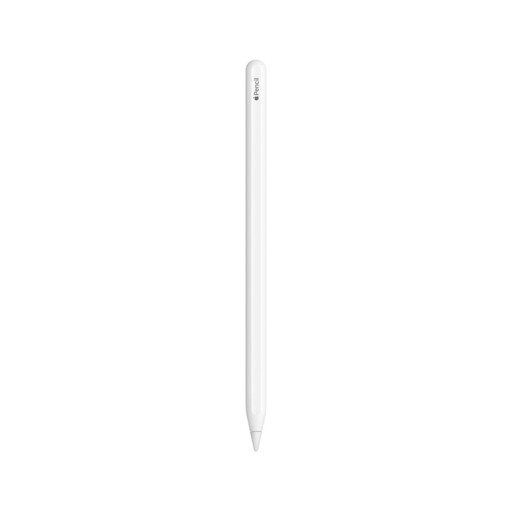
Apple Pencil (2nd generation)
Suitable for sketching on a compatible iPad if you’re looking for a pen that attaches and charges magnetically.
Before buying, check that your exact iPad model supports this Pencil.
View at Joybuy
 No image available
Apple Pencil Pro 2024
Suitable for sketching on a compatible iPad if you want magnetic attachment and charging.
The description lists pressure and tilt sensitivity, as well as gesture controls. Compatible models listed include iPad Pro M4, iPad Air M2 and iPad mini A17 Pro; check that your version is one of them.
View at Joybuy
 No image available
TECLAST ArtPad Pro, 12.7-inch 2K, 20 GB (8 GB + 12 GB virtual) RAM, 256 GB, with stylus
A tablet supplied with a stylus for anyone looking for a larger screen for sketching; the product description lists drawing and sketching as uses.
The screen measures 12.7 inches and has 2K resolution. Check how the tablet and pen charge and which accessories are included.
View at Joybuy
Frequently asked questions
Does a pen charge as soon as it attaches magnetically to the tablet?
Not always. Apple says Apple Pencil Pro attaches magnetically to compatible iPads and charges while attached, while Apple Pencil (USB-C) connects and charges via a USB-C cable. Check the Pencil version, not just the magnetic attachment.
Does a battery-free pen mean you don’t need a socket at all?
No. Battery-free describes the pen, not the power supply for a standalone tablet or connected computer. Huion also says the Kamvas Pad 12 doesn’t include a power adapter as standard.
What should you check when setting up a pen tablet without a screen?
Check the supported computer platform, connection and drawing app. For Android use with the XPPen Deco 01 V2, the manufacturer also lists OTG support and portrait screen orientation.
What if a tablet or pen breaks too soon during normal use?
According to ACM ConsuWijzer, you have a statutory guarantee in the Netherlands for as long as the product should last, based on what you could reasonably expect. If a fault falls short of this, the seller must put it right free of charge. There isn’t one fixed guarantee period for all products.
Can you return a pen bought online if it isn’t suitable?
According to ACM ConsuWijzer, online purchases generally come with a statutory cooling-off period of up to 14 days after delivery, with some exceptions. Check which terms apply to your purchase and notify the seller that you’re cancelling within the time limit.


