Start with your exact tablet model: Apple pairs Pencil versions with specific iPads, STAEDTLER requires an EMR screen for Noris digital, and Lenovo recommends checking compatibility. Choose a pressure-sensitive pen if you want to vary lines and shading with brush pressure; for quick outlines and notes, tilt support may be enough. Also check how the pen charges and whether your drawing app supports the features you want.
Who is this buying guide for?
Student with an existing tablet
You want to sketch costume ideas on the tablet you already use and check that the pen fits your exact model before buying. Apple, STAEDTLER and Lenovo provide compatibility requirements for specific models or screen types.
Student working on the details
You want to control line weight and shading as you draw, so you check whether a pen is pressure-sensitive, supports tilt, or offers both features. Apple and STAEDTLER describe pressure-sensitive pen options.
Student who captures ideas quickly
You create outlines, colour annotations and study notes, and look at charging, ease of use and replaceable tips. Apple, Logitech and STAEDTLER describe different pen designs and features.
What should you look for when choosing?
| What to consider |
What should you check? |
Who is this important for? |
| Compatibility |
The exact tablet model and, where required, the software version or an EMR digitiser. |
If I already have a tablet, I want to know in advance whether the pen works with that exact model; around 36% of consumers put compatibility first. |
| Line control |
Whether the pen is pressure-sensitive, supports tilt, and whether the drawing app can handle those features. |
When I’m working on folds and silhouettes, I want to know whether brush pressure can vary my lines; around 29% of consumers prioritise drawing control. |
| Use and storage |
Whether the pen needs charging and how to store it between sketching sessions. |
If I jot down ideas in short bursts, I don’t want to have to find a charger first or risk losing the pen; around 21% of consumers prioritise immediate use and convenient storage. |
| What you’ll need |
What you already have, what’s included, and whether you might need an adapter or replacement tip. |
If I’m putting together a complete drawing kit, I want to know in advance which parts I still need; around 14% of consumers pay most attention to this. |
Common buying mistakes
-
Choosing a pen based on the tablet brand alone
Pen support can vary between tablet models. Apple lists Pencil versions for specific iPads; STAEDTLER states that Noris digital requires an EMR digitiser.
Find your tablet’s full model number and compare it with the pen manufacturer’s compatibility information.
-
Confusing tilt sensitivity with pressure sensitivity
These are two different features. Apple describes the USB-C Pencil as tilt-sensitive, while the 1st-generation Pencil is both tilt- and pressure-sensitive. To get the line variation you want, check which features are supported by the pen and drawing app.
Choose a pen that suits the way you sketch, and check the features of both the specific pen version and your app.
-
Assuming the warranty period fully explains your rights
A manufacturer’s or seller’s warranty is not the same as your right to a product that is fit for purpose. The Dutch government explains that the Netherlands has no fixed statutory warranty period; what you can reasonably expect from a product also depends on the product itself.
Keep your proof of purchase and contact the seller if there’s a problem. Also check the terms and conditions of any additional warranty.
Brands to compare
These brands offer different pen options. Always check that the specific version is compatible with your tablet and the drawing features you want.
Apple
Apple Pencil versions are designed for specific iPads; the exact model determines which version works.
- Apple describes pressure and tilt sensitivity for the 1st-generation Pencil. The USB-C version supports tilt, while Pro offers extra gestures and magnetic charging, among other features.
- The different versions are not interchangeable. For Pro, also check the supported iPad model and required iPadOS version.
STAEDTLER
Noris digital is an option for tablets with an EMR digitiser, for example if you’re looking for a pen that doesn’t need charging or pairing.
- STAEDTLER lists a replaceable 0.7 mm tip and 4,096 pressure levels for the Noris digital classic; no charging or pairing is needed.
- The pen only works with a screen that has an EMR digitiser, so check your tablet’s screen technology.
Logitech
The Crayon range is a separate option for supported iPads, designed for tasks including sketching and note-taking.
- Logitech describes tilt support for the Crayon.
- The older Lightning guide cited applies to that version and does not automatically confirm the features of the USB-C version. Check the exact version and its compatibility.
Samsung
S Pen versions are designed for specific Galaxy Tab models.
- Samsung describes the S Pen cited as suitable for use with Samsung Notes or PENUP and mentions magnetic attachment.
- Information about one S Pen version does not confirm that it works with every Galaxy Tab. Check your exact tablet model.
Lenovo
The Precision Pen 3 is an option for compatible Lenovo systems.
- Lenovo lists 4,096 pressure levels, tilt support, and magnetic pairing and charging.
- Lenovo recommends checking system compatibility; knowing your tablet’s brand alone isn’t enough to confirm support.
Tablet pen options at Joybuy
This selection includes Apple Pencil versions for compatible iPads and an EMR stylus described in the product name as designed for reMarkable and Kindle Scribe models. Check that each pen supports your exact tablet.
 No image available
Zspeed SP-18 EMR stylus pen with eraser, black, 4,096 pressure levels
An option for sketching on the devices named in the product title; check compatibility with your exact version.
The product title lists EMR, an eraser and 4,096 pressure levels. The devices named are reMarkable 1, reMarkable 2 and Kindle Scribe.
Joybuy
 No image available
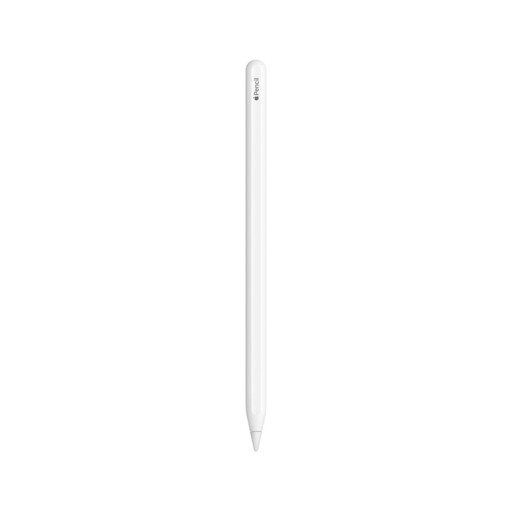
Apple Pencil (2nd generation)
An option for sketching and drawing on a compatible iPad.
Before buying, check that your specific iPad model supports this Pencil version.
Joybuy
 No image available
Apple Pencil Pro 2024
A good fit if you want to draw with pressure and tilt sensitivity on a supported iPad.
Apple lists extra gestures and magnetic pairing and charging. Compatibility is limited to supported iPad models and requires iPadOS 17.5 or later.
Joybuy
 No image available
Apple Pencil USB-C, white
An option for quick outlines and sketches on a compatible iPad when varying your strokes with brush pressure isn’t a priority.
Apple lists tilt support; charging is via a USB-C cable. Check that your iPad model and drawing app support the features you want.
Joybuy
Frequently asked questions
Will any tablet pen work with any tablet?
No. Support depends on the exact tablet model and sometimes on the screen technology or software version. Apple publishes compatibility details for each Pencil version and iPad model; Noris digital requires an EMR digitiser, and Lenovo recommends a system check for the Precision Pen 3.
What’s the difference between pressure sensitivity and tilt support?
Pressure sensitivity registers how hard you press on the pen; tilt support registers the angle at which you draw. Apple describes both features for the 1st-generation Pencil and tilt support for the USB-C version. Also check whether your drawing app supports the feature you want.
Do I need to charge a tablet pen before I can draw?
It depends on the pen. Apple Pencil USB-C charges via a USB-C cable, while Apple Pencil Pro pairs and charges magnetically with a supported iPad. According to STAEDTLER, the Noris digital classic does not need charging or pairing, but it only works with an EMR screen.
What if the tip wears down or the pen doesn’t work properly?
Check whether the tip on your version is replaceable and follow the manufacturer’s care instructions. STAEDTLER lists replacement tips for the Noris digital classic; the Logitech guide cited warns that a worn or damaged Crayon tip should be replaced. If a product is faulty, contact the seller.
If I buy online, am I always entitled to exactly two years’ legal warranty?
No. The Dutch government says there is no fixed statutory warranty period in the Netherlands: you are entitled to a product that is fit for purpose, and its expected useful life depends on the product. A manufacturer’s or seller’s warranty may offer additional cover.


