
Writers with an existing tablet
You want to avoid buying a new pen that won’t work with your exact tablet. Apple, Samsung, STAEDTLER and Lenovo all have compatibility requirements that depend on the model or device.


Start with your exact tablet model: iPad pens, S Pens, Lenovo pens and EMR pens aren’t automatically interchangeable. Then think about how the pen will be shared. Palm rejection can help when you’re working through longer solutions, while fewer pairing or charging steps can be useful when you’re passing a pen around. Check which note-taking app you use and how the specific pen charges, too.
You want to avoid buying a new pen that won’t work with your exact tablet. Apple, Samsung, STAEDTLER and Lenovo all have compatibility requirements that depend on the model or device.
You pass a pen or tablet around while working through sums and want to minimise interruptions for pairing or charging. Logitech and STAEDTLER describe pen options that don’t need complicated pairing or a charging step, each with their own compatibility requirements.
You write out lots of working and want to rest your hand on the screen and correct mistakes. Check that the pen’s intended features work in your note-taking app. For example, STAEDTLER says that the eraser on the Noris digital jumbo depends on the app.
First, check that the pen and tablet are compatible. Then compare the writing and sharing steps that matter most at your desk.
| What to consider | What should you look for? | Who is this important for? |
|---|---|---|
| Compatibility | Check the exact tablet model and, where relevant, the screen technology and software requirements. | If I want to keep using my existing tablet, the pen must be confirmed as compatible with that model. Around 33% of consumers put compatibility first. |
| Writing and correcting | Check for palm rejection and test writing and erasing in the app you intend to use. | When working through long solutions, I want to rest my hand on the screen and make corrections easily. Around 27% of consumers prioritise writing control. |
| Passing it around the table | Check whether pairing is needed and how the pen charges. Also make sure all the tablets you use are supported. | When I pass a pen around while collaborating, I want people to be able to carry on writing with as few steps as possible. Around 20% of consumers prioritise sharing it easily. |
| Running costs and nibs | Check what’s already included with the tablet and which replacement nibs come with the pen version you’ve chosen. | If I want to avoid duplicate purchases or unexpected replacements, I check what’s included first. Around 20% of consumers prioritise the total cost of ownership. |
Compatibility can depend on the exact tablet model or screen technology. If the pen and tablet aren’t compatible, you may not be able to use the pen for your working.
Before comparing features, check the exact tablet and pen model numbers against the manufacturer’s compatibility information.
A pen that doesn’t work with your tablet could mean an unnecessary extra purchase.
The Apple Pencil (USB-C) attaches magnetically to an iPad, but Apple says pairing and charging are done using a USB-C cable. That’s different from magnetic charging.
Check how the exact pen pairs and charges, especially if you plan to pass it around during a group session.
STAEDTLER says that the eraser on the Noris digital jumbo depends on the app you use. The stated number of pressure levels alone doesn’t show how legible your equations will be in your app.
Try writing a few fractions and exponents, and making corrections, in your own app. Check that the features you want are available there.
The Apple Pencil range is designed for specific iPads; the USB-C version is described as being for notes and annotations.
The Crayon (USB-C) is designed for supported iPads and may be worth considering if you regularly pass the pen around.
S Pens are model-specific; Samsung associates the EJ-PX510 version with the Galaxy Tab S9 FE series.
Noris digital pens are designed for devices with an EMR digitiser; the jumbo version has a digital eraser.
The Precision Pen 3 is designed for tablets whose compatibility Lenovo confirms.
These options include pens for certain Surface, MPP, iPad and Galaxy Tab models, as well as a pen described as suitable for capacitive tablet screens. Check that each pen is compatible with your exact device and app.
 No image available
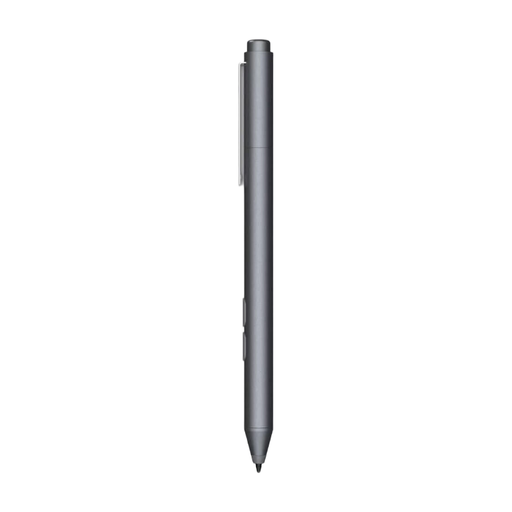
Designed for writing and taking notes on compatible Surface devices; check support for your exact model.
The product description lists 4,096 pressure levels, Zero Force Inking and haptic feedback.
 No image available
An option for taking notes on a device that supports MPP; check your tablet’s compatibility.
The product description lists customisable buttons, one replaceable nib and battery life of up to 18 months.
 No image available
Designed for taking notes on a compatible iPad model; check exact iPad and software compatibility.
The product details list palm rejection and tilt sensitivity. Pairing and charging are done via USB-C; magnetic attachment isn’t wireless charging.
 No image available
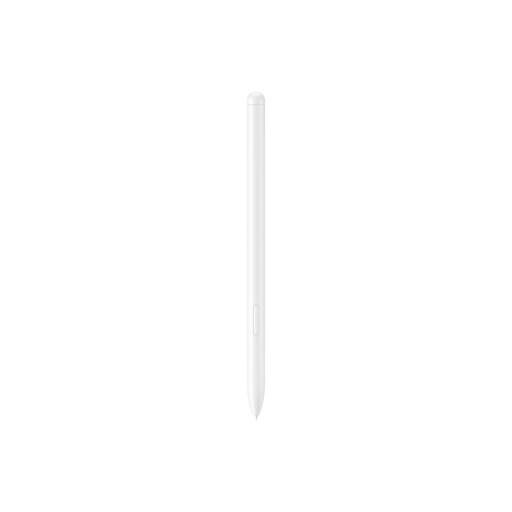
The product description lists use with the Galaxy Tab S9 FE and S9 FE+ and writing in Samsung Notes.
Magnetic storage is listed. Samsung warns of possible interference with magnetically sensitive objects and implanted medical devices.
 No image available
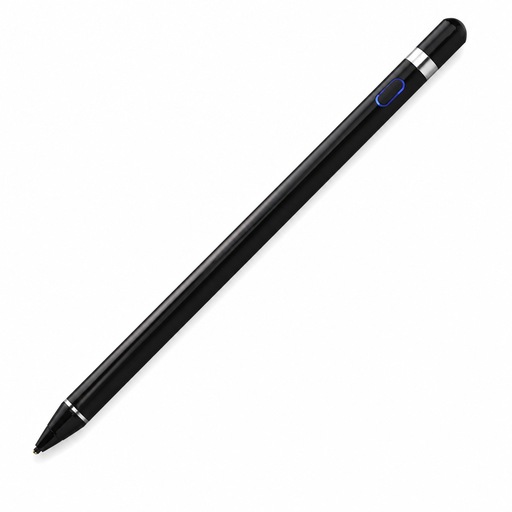
The product description lists writing and calculations on a capacitive tablet screen; check that your device and the app you use are supported.
The description says it pairs via Bluetooth and has a rechargeable battery.
Don’t assume so: compatibility varies by pen and tablet. Apple lists supported iPads, STAEDTLER’s Noris digital requires an EMR digitiser, and Lenovo advises checking the specific system. First, make a note of the exact tablet models used at the desk.
It depends on the model. Apple says the Pencil (USB-C) pairs and charges via USB-C. Logitech says the Crayon lets you write without complicated Bluetooth pairing, but it charges via USB-C. For the Noris digital, STAEDTLER says no charging or pairing is needed with a compatible EMR device.
Not necessarily. STAEDTLER says that the eraser on the Noris digital jumbo depends on how the app is programmed. Try the app you plan to use for equations before making this feature a deciding factor.
According to ACM ConsuWijzer, online purchases generally come with a cooling-off period of up to 14 days after delivery, although exceptions apply. You’re also entitled to a product that is fit for purpose under Dutch government rules; the Netherlands doesn’t have a fixed statutory two-year guarantee for every product. If a product is faulty, contact the seller.
The Dutch government says that flat batteries must not go in the bin and can be taken to a collection point. Old electrical appliances can be taken to a collection point or recycling centre, among other options, or handed in when you buy a similar new appliance.