Who is this choice relevant to?

Note-taker by a bright window

You regularly write somewhere with lots of daylight and want to be able to read what’s on screen. The Consumers’ Association recommends considering screen size and operating system when choosing a tablet; in this situation, the screen finish matters too.

Tablet owner without a compatible pen

You want to add handwritten notes without buying a new device straight away. Check pen compatibility for your exact tablet model; Apple and Microsoft specify supported models individually.

App user who works with handwritten documents

You want to combine notes with tablet apps or a specific file workflow. So consider the screen and writing support, as well as document and syncing features.

What should you look for when choosing?

A compatible pen for your current tablet

Choose this if: the screen is already easy to read by the window and you mainly want to write notes by hand.

Bear in mind: compatibility and charging vary between combinations; magnetic attachment doesn’t automatically mean magnetic charging.

A versatile tablet with a pen

Choose this if: you want to use tablet apps as well as write, and are considering a different screen finish.

Bear in mind: coatings, brightness specifications and what’s included in the box can vary by version.

A writing tablet for notes and documents

Consider this if: writing and annotating documents matter more to you than having a wide choice of tablet apps.

Bear in mind: the operating system and file workflow may differ from those of iPadOS or Android tablets.

What to consider What to look for when buying Who this matters most to
Readability in daylight Check the screen coating or display technology on the exact version; if possible, assess the screen by a window and from different viewing angles. If I write next to a bright window, I want to be able to read my notes without distracting reflections. Around 33% of consumers prioritise daylight readability.
Pen compatibility Look up the full tablet model in the manufacturer’s compatibility information. Check attachment, pairing and charging separately. If you want to keep using an existing tablet, you’ll mainly need a pen that works with that exact model. Around 27% of consumers give this combination top priority.
Notes and documents Check which apps, file formats and syncing features you need, and whether they require an account or subscription. If I want to find my notes later or use them with documents, the workflow needs to suit the apps I use. Around 20% of consumers prioritise this note-taking workflow.
Total cost of the combination Check what comes with the tablet or pen, and whether you’ll need a charging accessory or optional service for the way you use it. If you want to know in advance what you’ll need to use the combination, check for separate accessories and optional services. Around 20% of consumers give total cost top priority.

What to watch out for when buying

  • Assuming a pen that attaches magnetically also charges magnetically

    Apple says the Apple Pencil (USB-C) can attach magnetically to the side of an iPad, but pairing and charging are done using a USB-C cable.

    Check attachment, pairing and charging as separate features for the pen and your exact tablet model.

    Bear in mind that you’ll need a USB-C cable for pairing and charging.

  • Assuming screen specifications are the same across an entire product range

    The 13-inch screen specifications listed by Lenovo apply to the specified Idea Tab Pro Gen 2 version. Apple also lists different brightness specifications for the two iPad Air sizes.

    Check the coating, size and brightness specification on the product page for the exact version.

  • Assuming all writing tablet features require the same subscription

    reMarkable distinguishes between features available without a subscription and additional Connect features. Requirements may therefore depend on what you want to do with your notes and files.

    Make a note of the export, syncing and editing features you need, and check the current terms for them.

Brands to consider

Apple

The iPad Air and compatible Apple Pencil models are an option if you want to combine handwritten notes with iPadOS apps.

  • Apple lists an anti-reflective coating on the 11-inch and 13-inch iPad Air M4 versions.
  • The Apple Pencil isn’t listed as included in the tablet packaging. Check compatibility with your exact iPad; the Apple Pencil (USB-C) pairs and charges using a cable.

Lenovo

The Idea Tab Pro Gen 2 may suit you if you’re looking for a large Android writing surface with a pen.

  • For the specific Luna Grey version with a pen, Lenovo lists a 13-inch screen with an AF coating and a brightness specification of 800 nits.
  • These screen specifications apply to that specific version; don’t assume they apply to other bundles or earlier generations.

reMarkable

Paper Pure and Paper Pro are designed for writing and working with documents, rather than as general-purpose tablet platforms.

  • According to reMarkable, Paper Pure has a black-and-white screen with little glare; Paper Pro has a larger colour screen and a reading light.
  • The operating system and workflow differ from iPadOS and Android. The manufacturer distinguishes between features available without a subscription and additional Connect features.

Samsung

Galaxy Tab models with an S Pen offer an Android option for writing and other tablet tasks.

  • Samsung offers an anti-reflective screen protector for the Galaxy Tab S11 and says it doesn’t affect S Pen performance.
  • This claim applies to the specified accessory for the Galaxy Tab S11; it isn’t a feature of every Galaxy Tab.

Microsoft

The Surface Slim Pen 2 is an option if you already own a Surface that supports pen input.

  • Microsoft describes pen support and features for each Surface model.
  • Check how the pen charges with your device or accessory; Microsoft says a standalone charger is sold separately.

Joybuy products

This selection includes tablets with pens for note-taking, digital writing tablets and an Apple Pencil for a compatible iPad.

Lenovo Idea Tab Plus WiFi 12.1-inch 2.5K, 8GB RAM, 256GB, with pen, Rose

Lenovo Idea Tab Plus WiFi 12.1-inch 2.5K, 8GB RAM, 256GB, with pen, Rose

Suited to anyone who wants to combine handwritten notes with using a versatile tablet.

12.1-inch 2.5K screen; 8GB RAM and 256GB storage. The product title says a pen is included.

View at Joybuy
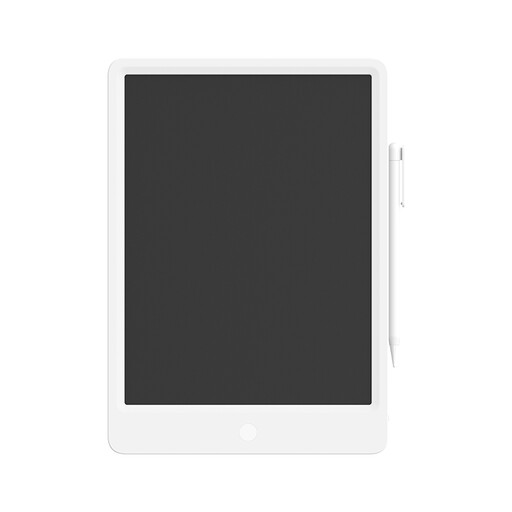
Mi LCD Writing Tablet 13.5-inch Digital, Stylus, Reusable

Mi LCD Writing Tablet 13.5-inch Digital, Stylus, Reusable

An option for reusable handwritten notes with an included stylus.

The product description lists a 13.5-inch screen, one-button erasing and a screen described as “zero glare”. This is a product claim, not an independent measurement. The description doesn’t mention app use.

View at Joybuy

iFLYTEK AINOTE Air 2, 8.2-inch E Ink tablet with stylus and protective case

iFLYTEK AINOTE Air 2, 8.2-inch E Ink tablet with stylus and protective case

Suited to anyone who wants to combine handwritten notes on an E Ink screen with reading and document annotation.

The product information lists 4096 pressure levels for the pen and a two-colour reading light with 24 brightness levels. A protective case is listed as included with this version.

View at Joybuy

iFLYTEK AINOTE 2, 10.65-inch E Ink tablet

iFLYTEK AINOTE 2, 10.65-inch E Ink tablet

An option for anyone who wants to take handwritten notes on an E Ink tablet and work with them digitally.

The product title lists a thickness of 4.2 mm. The product information mentions handwriting-to-text and speech-to-text; check that the listed features suit the way you plan to use it.

View at Joybuy

Apple Pencil USB-C, white

Apple Pencil USB-C, white

Suited to anyone with a compatible iPad who mainly needs a pen for handwritten notes.

The product information lists USB-C charging, tilt sensitivity and use with compatible iPads. The pen won’t change screen reflections.

View at Joybuy

Frequently asked questions

Can a new stylus reduce reflections on my current tablet?

No. A pen adds writing support, but it won’t change reflections on the screen. Consider reflections separately, and check that any anti-reflective screen protector is designed for your exact tablet model. For example, Samsung describes a protector of this kind for the Galaxy Tab S11.

How do I check whether a pen works and how it charges?

Compare the full tablet model with the manufacturer’s compatibility information and check the charging method separately. Apple says the Pencil (USB-C) pairs and charges using a cable; Microsoft describes the Surface Slim Pen 2 features for each Surface model and lists compatible charging accessories.

Do I always need to pay for Connect to convert handwriting on a reMarkable?

According to reMarkable, handwriting conversion is also available without Connect. The manufacturer lists Wi-Fi and signing in to a reMarkable account as requirements; check the additional cloud features separately if you need them.

What are my rights when buying online in the Netherlands?

According to ACM ConsuWijzer, online consumer purchases generally come with a 14-day cooling-off period after delivery, subject to legal exceptions. The statutory guarantee also applies: if a product used normally doesn’t meet what you could reasonably expect, the seller must provide a solution in line with the applicable terms.
