
Botanical detail artist
You draw leaf veins, edges and shadows, and want to know whether your pen and drawing app support the line variations you’re after. In Adobe Fresco, you can adjust the pressure curve.


Start with your exact tablet model and drawing app. Apple lists compatibility by iPad model, while STAEDTLER says the Noris digital requires an EMR screen. Pressure sensitivity matters if you want to vary your brush strokes; Logitech says the Crayon is tilt-sensitive but not pressure-sensitive. Charging and storage also matter at a shared desk, so check how the pen works and where you can keep it.
You draw leaf veins, edges and shadows, and want to know whether your pen and drawing app support the line variations you’re after. In Adobe Fresco, you can adjust the pressure curve.
You want to use a separate pen without replacing your tablet. The exact model and generation determine which pens will work, so check the manufacturer’s compatibility information.
You regularly clear your workspace and want a pen that’s easy to find and ready to use again. Check whether it can be stored magnetically or works with your device without charging.
First check that the pen works with your tablet, then compare how you can adjust line weight. Information from Apple, Samsung, STAEDTLER, Logitech and Adobe can help you assess the features and requirements.
| What to consider | What to look for | Who is this important to? |
|---|---|---|
| Compatibility | Check the exact tablet model and pen generation; the Noris digital requires an EMR screen. | If I want to keep using my current tablet, I’ll first check that the pen is designed for it. Around 36% of consumers put compatibility first. |
| Line control | Check whether the pen is pressure- or tilt-sensitive, and whether your drawing app supports that input. | For fine outlines and varied brush strokes, I want to know how the pen responds to pressure or tilt. Around 29% of consumers prioritise brush-stroke control. |
| Storage and getting started | Compare magnetic storage with a pen that works on a compatible EMR screen without charging. | If I regularly tidy my desk, I want to be able to find my pen and start drawing straight away. Around 21% of consumers mainly value ease of use and storage. |
| Maintenance and accessories | Check whether replacement nibs are available and whether your tablet needs an adapter for pairing or charging. | I want to know in advance which parts I’ll need for my pen and tablet, and whether the nibs can be replaced. Around 14% of consumers mainly consider maintenance and extra accessories. |
Apple lists different compatible models for each Pencil generation. The first-generation Pencil requires the specified USB-C to Apple Pencil Adapter for iPad (A16) and iPad (10th generation).
Before buying, check your iPad’s full model name and generation, as well as any accessories needed for pairing and charging.
Logitech says the Crayon uses tilt to change line thickness, but isn’t pressure-sensitive. A setting in a drawing app can’t add pressure sensitivity to a pen that doesn’t support it.
Decide whether you want to vary your brush strokes with pressure, and check that both the pen and app support this feature.
STAEDTLER says the Noris digital only works with screens that use EMR technology. So a tablet’s brand or operating system alone isn’t enough to confirm compatibility.
Check whether your exact device has an EMR screen before choosing an EMR pen.
Pencil models are designed for different compatible iPad models and drawing needs.
The S Pen is an option for compatible Galaxy Tab models, including the FE range covered here.
The Noris digital classic and Jumbo are pencil-shaped options for devices with a compatible EMR screen.
The Crayon is an iPad pen for drawing and note-taking when pressure sensitivity isn’t essential.
This selection includes a pen for specified Wacom devices, a stylus for selected iPad models, pens for devices with AES 2.0, USI 2.0 or MPP 2.5, and a stylus for capacitive screens. Always check compatibility with your exact tablet and drawing app.
 No image available
Suitable for drawing on the specified compatible Wacom devices; the pen doesn’t need to be paired.
Weight, grip thickness, buttons and balance point are adjustable. The specified devices are MovinkPad 11 and Cintiq Pro 17, 22 and 27.
 No image available
An option for drawing or sketching if your iPad model is compatible.
According to the product information, it features tilt detection, palm rejection and magnetic attachment for storage. The magnetic attachment doesn’t charge the pen wirelessly.
 No image available
A suitable choice if your compatible iPad supports pressure- and tilt-sensitive input for drawing.
Pressure- and tilt-sensitive, with magnetic pairing and charging. The listed compatible models are iPad Pro 11-inch and 13-inch (M4), iPad Air 11-inch and 13-inch (M2), and iPad mini (A17 Pro).
 No image available
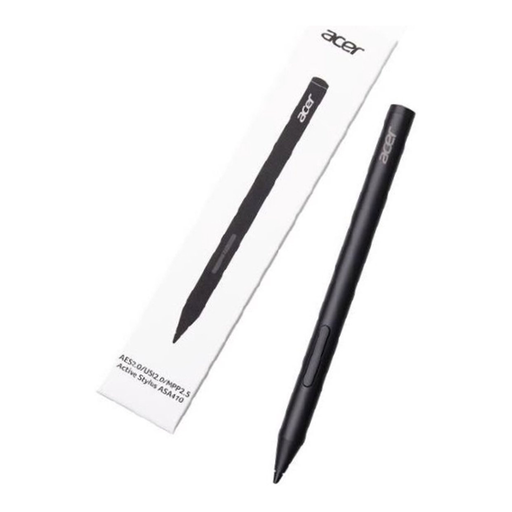
An option for drawing if your device supports AES 2.0, USI 2.0 or MPP 2.5.
The product information lists 4,096 pressure levels and a weight of 16.5 g. Check that your device is compatible with this pen.
 No image available
An option for drawing or sketching on a compatible capacitive screen.
The product information says it pairs via the companion app. Before buying, check that the pen and app work with your device.
No. Check your exact tablet model against the pen manufacturer’s compatibility list. According to STAEDTLER, the Noris digital requires an EMR screen.
If your pen and Adobe Fresco support pressure input, you can adjust the pressure curve in Adobe Fresco by going to App settings, Input and Adjust stylus pressure, then test it with a sketch.
According to STAEDTLER, the EMR pen reviewed here doesn’t need charging or pairing, and its nib can be replaced. Check that your screen is compatible before choosing the pen or replacement nibs.
For a faulty product, the retailer is your point of contact, according to the Dutch government. It distinguishes between statutory consumer rights and an additional manufacturer’s warranty, and notes that the Netherlands doesn’t have a fixed statutory two-year warranty period.
For distance purchases from a business, you generally have 14 days to change your mind, according to the Dutch government. This doesn’t automatically apply to every transaction; for example, the guidance mentioned doesn’t apply to a purchase from a private individual.