For a few number puzzles, a standard tablet—or even your current phone—will do, as long as the app and grid work well on it. You don’t necessarily need a powerful gaming tablet. Choose a compact model if portability and comfort when holding it matter most, or a larger screen if you’d like more room for the grid while seated. Test your chosen app offline beforehand, as not every app or feature works without a connection.
Who is this advice for?
Puzzler without a reliable connection
Wants to keep playing while waiting, without relying on the terminal’s Wi-Fi. The Google Play listing for Sudoku.com says that this Android app can be played offline; check that your own app and the features you want work offline.
Puzzler travelling light
Wants a tablet that’s easy to carry and hold, but with numbers and squares that are easy to read and tap. The Consumers’ Association lists simple games as a typical use for tablets.
Puzzler who prefers larger text
Would rather play seated on a larger grid and values a bigger screen over travelling as compactly as possible.
What should you consider when choosing?
Compact tablet
Choose this option: if you have little room in your luggage or often hold the tablet in your hand.
Trade-off: the grid and touch targets take up less space than they would on a larger screen.
Tablet around 11 inches
Choose this option: if you usually play while seated and want more room for the numbers and squares.
Trade-off: a larger device is less comfortable to hold in one hand for a long time.
Your current smartphone
Choose this option: if you only do a quick puzzle now and then, and can read and use the grid comfortably on your phone.
Trade-off: a tablet may offer more room if the numbers or touch targets are too small.
| What to consider |
What should you look for? |
Who is this most important for? |
| Offline play |
Check that the app is available for the operating system, then test your chosen puzzle in advance with Wi-Fi and mobile data switched off. |
If I don’t want to rely on a connection while waiting, I want to be able to open my chosen puzzle offline too. Around 27% of consumers give offline play top priority. |
| Portability and comfort when holding it |
Compare the size and weight of the exact model, and try tapping the grid to see if it feels comfortable. |
With limited room in my luggage, I want a tablet that’s easy to carry and hold. Around 27% of consumers prioritise a compact device that’s easy to take with them. |
| Grid readability |
Try the puzzle on both a compact and a larger screen; don’t judge ease of use by resolution or refresh rate alone. |
If I mainly play while seated, I want to be able to see and use the numbers and squares clearly. Around 20% of consumers put a clearly readable grid top of their list. |
| Cost for simple use |
Try your current phone or tablet first, then check app availability and the screen size you want. |
For quick puzzles, I don’t want to buy a more advanced device than I need. Around 13% of consumers mainly want to avoid an unnecessary purchase. |
| Battery life |
Compare measured battery life where available and charge the device before setting off; capacity in mAh isn’t the same as playing time. |
When I have a long wait, I’d ideally like to keep playing without having to recharge. Around 13% of consumers give this top priority. |
Common buying mistakes
-
Assuming number puzzles need a powerful gaming tablet
The Consumers’ Association lists simple games as a typical use for tablets. The ‘gaming’ label alone doesn’t prove that your puzzle needs extra performance.
First, check that your chosen app works and that the grid is comfortable to use. Then compare other features.
-
Assuming every puzzle app works offline
The offline claim applies to the specific Android app Sudoku.com; it doesn’t guarantee that other apps or features will work offline.
Install your chosen app in advance and test the puzzle you want to play with Wi-Fi and mobile data switched off.
-
Assuming a similarly named model has the same specifications
Models with similar names can have different specifications; for example, features of the Galaxy Tab A11+ don’t automatically apply to the Galaxy Tab A11.
Check the full model code and specification against the manufacturer’s information before deciding what to buy.
Relevant brands for comparison
The specifications mentioned apply to the models and versions described. They aren’t an independent assessment of puzzle comfort or battery life.
Samsung
The Galaxy Tab A11 is a compact option; the A11+ is a separate, larger range, not an interchangeable version.
- Samsung Netherlands specifies an 8.7-inch screen, 1340 × 800 pixels and 90 Hz for the Galaxy Tab A11.
- A 90 Hz refresh rate doesn’t prove there’s an advantage for a static puzzle grid. Don’t apply A11+ specifications to the A11.
Apple
The iPad mini is suited to compact travel; the iPad (A16) has a larger screen for playing from a seat.
- For the Wi-Fi version of the iPad mini, Apple specifies an 8.3-inch screen and a weight of 293 grams. For the Wi-Fi version of the iPad (A16), Apple lists an 11-inch-class screen and a weight of 477 grams.
- These product specifications aren’t an independent test of puzzle comfort or battery life.
Lenovo
The Dutch Tab M11 version described here offers a larger Android screen for anyone who prefers a roomier grid.
- For the version with 4 GB of RAM and 128 GB of storage, Lenovo lists an 11-inch IPS screen with a resolution of 1920 × 1200 pixels and a battery capacity of 7040 mAh.
- That battery capacity doesn’t indicate a specific playing time. Features and included accessories may vary by version.
Joybuy tablets for number puzzles
This selection of Joybuy products includes compact tablets and models with larger screens, for puzzlers weighing up what portability and grid space mean for them.
 No image available
Samsung Galaxy Tab A11 X135, 64GB, Silver
A compact option if you want to take a smaller screen with you for puzzles while you wait.
The screen measures 8.7 inches, with a resolution of 1340 × 800 pixels; the tablet weighs 337 g.
View at Joybuy
 No image available
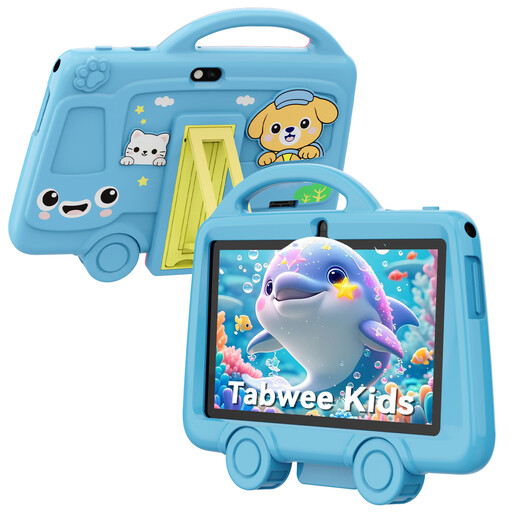
TABWEE K8 Kids’ Tablet, 7 inch, 2GB RAM, 32GB storage
The compact size may suit you if you want a tablet that’s easy to carry; check that the smaller puzzle grid is comfortable to read and use.
The 7-inch IPS screen has a resolution of 1024 × 600 pixels. The title lists a 3000 mAh battery and a weight of 285 grams. The product warning advises against using it while walking.
View at Joybuy
 No image available
Samsung Galaxy Tab A11 Plus, 11 inch, 128GB, Wi-Fi, grey
A larger screen may suit you if you usually do puzzles while seated and want more room for the grid.
The product title lists an 11-inch screen, 128GB of storage and Wi-Fi. The A11+ is a different version from the compact Galaxy Tab A11.
View at Joybuy
 No image available
Lenovo IdeaTab, Dimensity 6300, 11 inch, 8GB RAM, 128GB storage
A larger screen for anyone who values extra room for numbers and squares while playing from a seat.
The product title lists an 11-inch IPS screen, 90 Hz, 500 nits, Android 15 and 8GB RAM with 128GB of storage. According to the product description, a charger isn’t included as standard and must be bought separately.
View at Joybuy
 No image available
HONOR Pad 10, 12.1 inch, 2.5K, 8GB RAM, 256GB storage
The larger screen suits anyone who wants extra room for the puzzle grid; consider whether the size will work with your luggage and seat.
The product title lists a 2.5K screen with 120 Hz, a 10100 mAh battery and a Snapdragon 7 Gen 3. The product description mentions Google Play services. The product warning advises against using it while walking.
View at Joybuy
Frequently asked questions
Does a number puzzle app need internet access?
Not always. The Google Play listing for Sudoku.com says that this Android app works offline. Check the app and features you want to use, and test them in advance without a connection.
How do I get a tablet ready to use at the ferry terminal?
Install and open your chosen app in advance, test a puzzle without a connection and charge the tablet. Don’t treat battery capacity in mAh as a promise of a particular number of hours of play.
What if a tablet bought online isn’t suitable or breaks too soon?
For a product bought online, the statutory cooling-off period ends 14 days after delivery, according to ACM ConsuWijzer. If the product breaks during normal use sooner than you could reasonably expect, the seller is responsible for providing an appropriate solution, according to ACM ConsuWijzer.
Does a tablet in the Netherlands need an energy label?
The European Commission lists energy labelling and ecodesign rules for slate tablets placed on the EU market from 20 June 2025, with exceptions for certain product categories. The rules therefore depend on the product and when it is placed on the market.


