
Puzzle fan with limited luggage space
Wants a tablet that’s easy to carry and comfortable to hold; screen size and weight matter more than extra workspace. The Consumers’ Association describes smaller tablets as handy for travelling.


A compact tablet is a better fit if you’re short on luggage space or often hold your tablet; a larger screen gives you more room for numbers and input boxes. Also check whether your particular puzzle app works without an internet connection, how much battery life you need and whether the app is available for the tablet’s operating system.
Wants a tablet that’s easy to carry and comfortable to hold; screen size and weight matter more than extra workspace. The Consumers’ Association describes smaller tablets as handy for travelling.
Wants numbers and input boxes to be easy to see, for example at an airport table, and is happy to use a larger device. The Consumers’ Association describes small tablets as compact for travelling; Apple and Lenovo offer researched models with an 11-inch screen.
Wants to use their chosen app even without a reliable connection, so checks app availability, offline functionality and the operating system. The Consumers’ Association highlights points to consider when switching operating systems; Apple Support explains how Airplane Mode works on iPad.
Choose this option: if you often hold your tablet or have limited space in your bag; the Consumers’ Association says small tablets are handy for travelling.
Bear in mind: a smaller screen may leave less room for the puzzle grid and input boxes.
Choose this option: if you prefer to see numbers and input boxes more clearly, for example when using your tablet on a table.
Bear in mind: its larger size takes up more space when you carry and use it.
| What to consider | What to look for when buying | Best for |
|---|---|---|
| Puzzling without a connection | Check that the app is available for the operating system and test your chosen puzzles offline before you leave. | If I don’t want to rely on Wi-Fi while I’m waiting, I test my own app without a connection; around 25% of consumers prioritise offline use. |
| Carrying and holding | Compare the dimensions and weight of the exact version, including any case. | If I have limited space in my bag or often hold my tablet, I prioritise portability; around 25% of consumers choose mainly based on how easy it is to carry and hold. |
| Grid readability | View your chosen app on the screen size you’re considering and compare the resolution and brightness of each version. | If I prefer numbers and input boxes to be easy to see, screen space matters more than choosing the smallest possible size; around 19% of consumers prioritise a grid that’s easy to read. |
| Battery life while waiting | Compare battery life using the same test conditions, where available; don’t estimate playing time directly from mAh or video-streaming figures. | When I have a long wait, I don’t want to keep looking for a socket; around 19% of consumers prioritise use between charges. |
| Apps and charging accessories | Check that your app is available for the operating system you’ve chosen and whether the required power adapter is included. | If I want to keep using my existing puzzle app and need a suitable charger, I check both before I leave; around 12% of consumers prioritise keeping their apps and having the right charging accessories. |
Airplane Mode can switch off mobile data and Wi-Fi; the tablet specifications won’t tell you whether a particular app and your chosen puzzles are available offline.
Install and open your chosen app before you leave, then test the puzzles you want to play without a connection.
A figure in mAh or a manufacturer’s quoted video-streaming time won’t tell you how long your puzzle app will run.
Where possible, compare battery life using the same test conditions and bear brightness and app use in mind.
A larger screen gives you more room, but a compact tablet may be more convenient if you’re holding it while travelling or have limited luggage space.
Compare the dimensions and weight of the exact version, and view the puzzle grid on a similar-sized screen.
A paid app won’t automatically transfer when you switch between iPadOS and Android. Xiaomi states that the REDMI Pad SE 8.7 does not come with a power adapter.
Check that your puzzle app is available for the operating system you’ve chosen, and check the box contents for the exact version.
The details given apply to specific tablet ranges and versions. Before choosing, check the variant, app compatibility and any included accessories.
The Galaxy Tab A11 is a compact range with a researched 8.7-inch Wi-Fi version.
The Tab One is a compact range; the Idea Tab is a separate series with a researched 11-inch version.
The iPad (A16) is an 11-inch option if you want to use your chosen puzzle app on iPadOS.
The REDMI Pad SE 8.7 is a compact Android option for comparing size, storage and charging accessories.
This selection of Joybuy products includes compact Android tablets and models with larger screens, so you can compare dimensions, operating systems and storage for puzzle apps.
 No image available
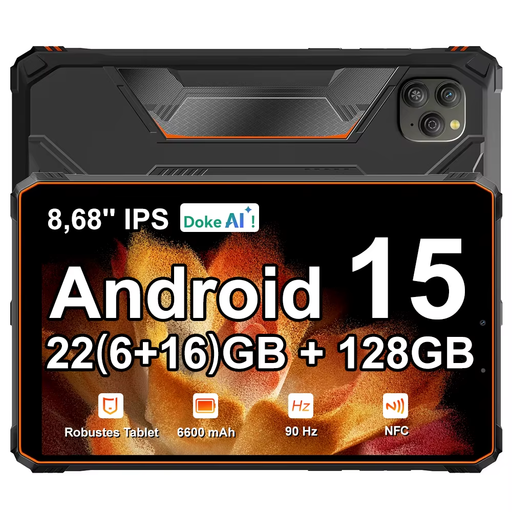
With its 8.68-inch screen, this version is worth comparing if you’re looking for a compact tablet.
Joybuy lists 128 GB of storage, Android 15 and a 90 Hz IPS screen.
 No image available
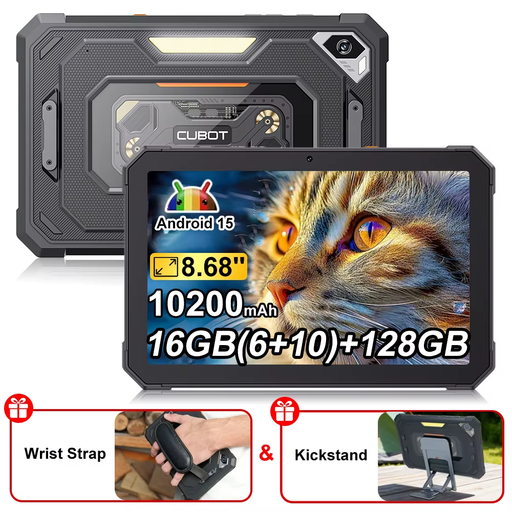
With an 8.68-inch screen, this model is worth comparing if you’re looking for a compact tablet.
Joybuy lists 128 GB of storage, Android 15 and a 90 Hz screen.
 No image available
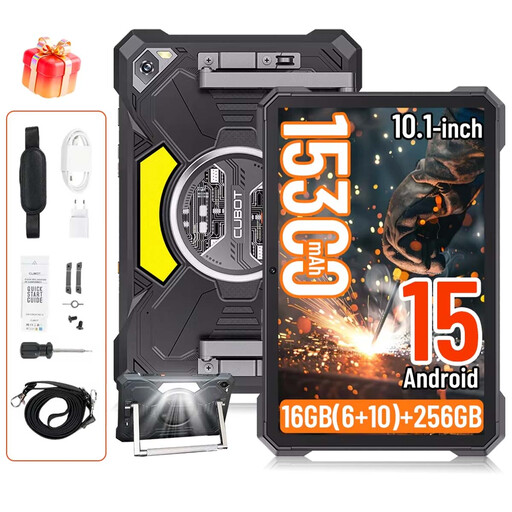
The 10.1-inch screen is worth considering if you want more space than a compact tablet offers.
Joybuy lists 256 GB of storage, Android 15 and a 90 Hz screen.
 No image available
With its 11.1-inch screen, this model is worth comparing if you’re looking for more room for your puzzle grid.
Joybuy lists 256 GB of storage, Android 15 and a 3.2K touchscreen with a 144 Hz refresh rate; the product title also mentions a Tab Pen Pro.
 No image available
With its 13.4-inch screen, this model is worth comparing if you want a larger puzzle grid.
Joybuy lists 128 GB of storage and Android 16; the product title also mentions an included Folio Case.
Not just for sudoku: the Consumers’ Association considers simple games to be normal tablet use. Check that your app is available for the operating system you’ve chosen and works well on the screen size you’re considering.
Install and open the app before you leave, then test the puzzles you want to play without a connection. Apple Support says that Airplane Mode on an iPad switches off mobile data and Wi-Fi; check with your airline whether you’re allowed to use connections on board again.
The Inspectorate for the Environment and Transport allows lithium batteries in devices and spare lithium batteries, such as power banks, in hand luggage subject to certain conditions. Damaged, faulty or recalled batteries or devices are not allowed. For batteries or power banks rated between 100 and 160 Wh, the inspectorate says you need the airline’s approval; also check the rules for your route.
You’re entitled to a product that meets the expectations you can reasonably have of it. According to the Dutch Government, the Netherlands has no fixed statutory warranty period; what’s reasonable depends, among other things, on the product and the information provided at the time of sale. If something goes wrong, contact the seller first.
According to the European Commission, energy labelling rules apply to slate tablets placed on the EU market from 20 June 2025. The stated usage time is based on standardised test conditions; your puzzle app may perform differently due to factors including brightness and network use. Check whether the label applies to the version you’re looking at.