First, choose a tablet that runs your existing newsletter software and documents. Then decide whether you mainly need a keyboard, more screen space or mobile internet that works independently. An iPadOS or Android tablet may suit you if there’s an app that meets your needs, while Windows is worth considering if you need desktop software. Download any files you want to edit offline in advance, and check that the keyboard you choose fits your exact model.
Who is this choice relevant to?
Newsletter editor on the move
You edit text and layout in different places. Check that your existing editor and files work with the tablet’s operating system; Consumentenbond and Microsoft Support explain why your software and offline workflow matter.
Reporter in the field
You gather material during a trip and want to prepare files even when you’re offline. If you need to sync while you’re out, a model with mobile data may be worth considering; Samsung Netherlands lists a 5G version of the Galaxy Tab S10 FE.
Layout designer who prefers typing
You spend longer working on text and page layouts, so you’ll need to weigh screen space against portability and a suitable keyboard. Consumentenbond, Microsoft and Apple outline points to consider when choosing a word-processing setup and keyboard.
What should you look for when choosing?
First, check that your newsletter editor and files work with the operating system you’ve chosen. Then consider how you prefer to type, whether you need internet access while you’re out, and the size of the complete setup.
| What to consider |
What should you check? |
Who is this important for? |
| Editor and layout |
Test your template, fonts, images, export and editing tools in the app you plan to use. |
I want to keep using my existing newsletter files and layouts. Around 26% of consumers prioritise compatibility with their editor and layouts. |
| Typing comfort |
Check that the keyboard is designed for your exact model and find out what comes with the tablet. |
If I need to edit longer pieces of text, I want to know whether a compatible physical keyboard will support my work. Around 26% of consumers give typing comfort top priority. |
| Connectivity and working offline |
Choose between Wi-Fi and a model with mobile data; download any documents you need before going offline. |
If the Wi-Fi drops out at my location, I want to carry on working and sync later. Around 21% of consumers prioritise connectivity and the ability to work offline without interruption. |
| Screen and portability |
View your own newsletter on the screen and consider the size of the tablet with its accessories. |
I want a clear view of the page, but I also need to take the tablet with me on the trip. Around 16% of consumers focus on the trade-off between screen size and portability. |
| Complete setup |
Check which accessories are included with each version and whether you need a separate data connection. |
I want to know in advance what I’ll need to work on the move, not just which tablet model to choose. Around 11% of consumers focus mainly on getting a complete, ready-to-use setup. |
Common mistakes
-
Assuming a Wi-Fi tablet has its own mobile data connection
Editing offline doesn’t mean you can send or sync without a connection.
Check the connectivity option and download any documents you need before going offline.
-
Comparing only the tablet and forgetting the keyboard
A keyboard designed for a different model size may not work with your chosen tablet.
Check that it’s compatible with your exact model and whether it’s included in the box.
-
Assuming a large screen will replace your desktop workflow
Consumentenbond notes that word processing and more demanding software may require a different approach from using a tablet. A larger screen doesn’t guarantee that your newsletter software has all the features you need.
Before choosing, test a real newsletter file in the app you plan to use, including its layout and export.
Brands to compare
Samsung
The Galaxy Tab S10 FE range includes a 10.9-inch 5G version for anyone considering mobile data while out and about.
- Samsung Netherlands lists 5G and S Pen support for model SM-X526BZAREUB.
- Check separately that your newsletter app works, and choose a keyboard and data plan to suit how you’ll use it.
Apple
The 11-inch iPad Air with M4 is an iPadOS option if your editor works on iPad.
- Apple lists support for Magic Keyboard.
- The keyboard is a separate purchase. The Wi-Fi version doesn’t have its own mobile data connection; Apple also offers a Wi-Fi + Cellular version.
Microsoft
The Surface Pro 12-inch, 1st Edition, is a Windows 2-in-1 option if your newsletter work requires desktop software.
- Microsoft lists a keyboard for this edition.
- The keyboard is sold separately. Microsoft says the Surface Pro 13-inch keyboards mentioned aren’t compatible; also check that your software runs on the configuration you choose.
Lenovo
According to Lenovo, the Idea Tab Pro has a 12.7-inch screen and supports a connectable Keyboard Pack.
- The larger screen may be useful if you want more room to view your page layout.
- Lenovo says the keyboard pack’s availability varies by country or region. Consider the size of the complete setup and how you’ll carry it.
Tablets at Joybuy
This selection includes tablets for editing newsletters on the move, with iPadOS and Android models and a range of connectivity options. Check that your own editor works on each device and that the accessories suit the way you work.
 No image available
Apple 11-inch iPad Air (M4), Wi-Fi, 256 GB, Space Grey
Suited to your newsletter work if your editor runs on iPadOS.
11-inch screen; Wi-Fi version without its own mobile data connection. Magic Keyboard support is listed; the keyboard is a separate purchase.
View at Joybuy
 No image available
REDMI Pad 2 Pro 5G, Graphite Grey, 8 GB RAM, 256 GB storage
The 5G version is an option if you want to use mobile internet independently while out and about; check that your newsletter editor works on this tablet.
The product name lists 8 GB RAM and 256 GB storage.
View at Joybuy
 No image available
TECLAST P50, 11-inch Android 16 tablet
An Android option if your newsletter editor runs on Android and you need a mobile connection while you’re out.
The product name lists 11 inches, 128 GB ROM and Dual SIM 4G LTE.
View at Joybuy
 No image available
DOOGEE Tab G6 Plus, Android 15, 11-inch
May suit an Android workflow if your editor runs on Android; check that the app supports the features you need for your existing newsletter files.
The product name lists 256 GB ROM and a SIM card slot; the product description mentions 4G.
View at Joybuy
 No image available
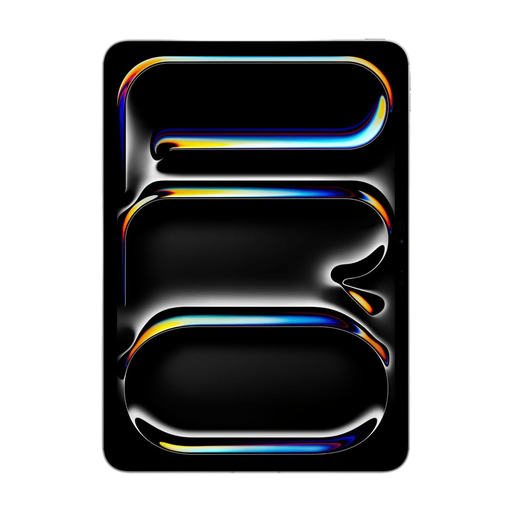
Apple 11-inch iPad Pro, Wi-Fi + Cellular, 256 GB, Silver
An iPadOS option with mobile connectivity if your editor works on iPad and you want to get online independently while you’re out.
The product name lists Wi-Fi + Cellular and 256 GB. The product description mentions 5G and Magic Keyboard support; the keyboard is sold separately.
View at Joybuy
Frequently asked questions
Can you work on your newsletter without internet during your trip?
With Word for iPad and Android tablets, you can edit supported documents offline if you’ve opened and downloaded the cloud files you need while online. Changes sync when you reconnect; if you use another newsletter editor, check its own offline features.
Which keyboard fits your tablet?
Choose a keyboard designed for your exact tablet model. Microsoft says the Surface Pro 12-inch, 1st Edition, doesn’t work with the Surface Pro 13-inch keyboards mentioned; Magic Keyboard is a separate option for the iPad Air.
Do you need a tablet with mobile data?
It depends on what you need to do online during your trip. Files downloaded in advance may let you work offline; if you want to sync independently or work online without Wi-Fi, check that the version you choose supports mobile data.


