
Reading maps at a table
You want to compare neighbourhood maps, legends and multiple layers, so screen space is a key consideration. The Climate Impact Atlas provides neighbourhood information you can use to compare areas.


If you’ll mainly be working at a table, choose a tablet with enough screen space to compare map layers and legends. If you’ll be moving between locations, portability matters more. Also consider whether you need live maps, prepared offline files or annotation tools. This will determine whether you need mobile data, extra storage or a compatible stylus. A larger screen is harder to carry around, and mobile internet requires a data plan.
You want to compare neighbourhood maps, legends and multiple layers, so screen space is a key consideration. The Climate Impact Atlas provides neighbourhood information you can use to compare areas.
You’ll be moving between locations and need to decide whether you’ll need live access, want to prepare map files in advance, or need both options. QField documentation describes a workflow involving project files transferred locally.
You want to record observations on maps or in notes. Check which app you’ll be using, whether a stylus is compatible and what’s included with the version you choose.
First, decide how you’ll access the maps during the workshop. Screen space, connectivity, annotation and use after the weekend are separate considerations.
| What to consider | What to look for | Who might prioritise it? |
|---|---|---|
| Reading maps and legends | Try the map viewer you’ll be using on a screen of the intended size. Don’t assume that the stated brightness guarantees readability in direct sunlight. | If I want to compare map layers and legends at the same time, I’ll check that labels are easy to read on screen. Readability is the top priority for around 33% of consumers. |
| Access without Wi-Fi | Ask which viewer or app will be used, whether files will be available in advance and whether the workshop venues have Wi-Fi. | When I’m walking between locations, I want to know whether I can open live maps or need to bring files with me. Access without reliable Wi-Fi is the top priority for around 27% of consumers. |
| Recording observations | Check whether the required app supports annotations, which stylus is compatible and whether it’s included with the version you choose. | If I want to add notes to a map, I’ll first check the app and which stylus works with the tablet. Annotation is the top priority for around 20% of consumers. |
| Using the tablet after the workshop | Include any accessories you need, a possible data plan, the update policy and repair information in your comparison. | If I want to keep using the tablet after the weekend, I’ll factor in accessories, connectivity and support. Cost and long-term usability are decisive for around 20% of consumers. |
A web map isn’t automatically available offline. To use QField offline, the project and the map files you need must be saved locally in advance.
Ask the organiser which map source and workflow will be used, then test the complete project offline before you go.
Transferring and testing project files takes time to prepare.
A larger screen gives you more room for the map and legend, but it’s less convenient to carry around. A stated brightness rating doesn’t prove that a screen will be easy to read in direct sunlight.
Try the map, labels and legend on the tablet you’re considering, ideally in similar lighting conditions.
Stylus compatibility and included accessories can vary by model and version.
Check the exact product code, compatible stylus and listed package contents.
You may need to buy a suitable stylus or charger separately, so check what’s included with the version you choose.
These brands offer different screen sizes, connectivity options and styluses. The features listed apply to the specific versions mentioned.
The iPad (A16) is worth considering if you’re looking for a tablet in the 11-inch class and want to use a specific Apple Pencil.
The Galaxy Tab S10 FE 5G is worth considering if you’re interested in adding notes to maps and using a mobile connection.
The Idea Tab Pro is an option if you mainly work at a table and want more room for map layers and notes.
The Redmi Pad 2 is a Wi-Fi option for anyone who mainly reads maps somewhere with an internet connection.
These product options are suited to reading maps on the move, accessing them via a mobile connection and recording observations. Check whether the workshop app and your preferred workflow are supported by the specific version you choose.
 No image available
An option for viewing maps between locations if mobile data is available.
The product title lists a 10.36-inch HD screen, dual-SIM 4G, Android 13 and a 22,000 mAh battery. You’ll also need a data plan or prepaid connection for mobile internet.
 No image available
A tablet option for reading maps. Check that the connection you choose suits the workshop venues.
The product title lists 5G, 8 GB RAM and 256 GB ROM.
 No image available
Worth considering if you mainly want to write down observations. First check that the screen and workshop app suit the way you use maps.
The product title lists an 8.2-inch E-Ink screen and a stylus. Check exactly what’s included with the version you choose.
 No image available
Worth considering if you need a larger screen and mobile access. You’ll need a data plan or prepaid connection for mobile internet.
The product title lists an 11-inch IPS screen, dual-SIM 4G LTE and 128 GB ROM. It also lists 32 GB RAM (6 GB + 26 GB virtual).
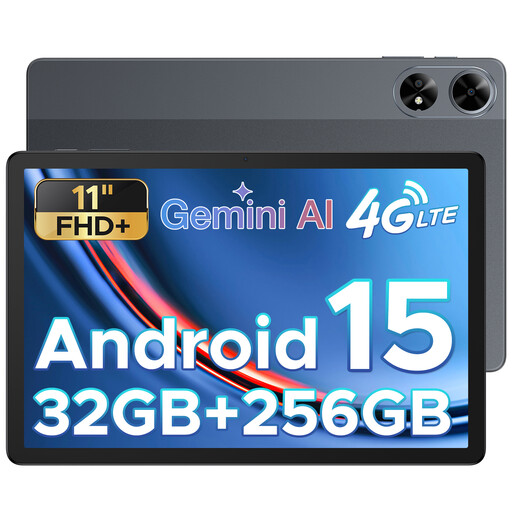 No image available
An option for viewing maps on a tablet. Check that the workshop app works on the version you choose.
The product title lists an 11-inch FHD+ screen, a SIM card slot and 32 GB RAM with 256 GB ROM.
An online map viewer isn’t automatically available offline. If the organiser provides a QGIS project with the map files you need, you can prepare it for QField in advance and transfer it locally. Test the entire project without a network connection before you leave.
As well as a compatible tablet, you’ll need a data plan or prepaid connection for mobile internet. If you’re only using the workshop’s Wi-Fi or offline files prepared in advance, you won’t need mobile data for that setup.
Ask which viewer or app and which files will be used. Open a sample map and try the annotation you want to make. Then check that the stylus is compatible with the exact tablet version and that it’s included.
According to ACM ConsuWijzer, for an ordinary online product purchase you generally have a statutory cooling-off period of up to 14 days after delivery, subject to applicable exceptions. With normal use, you’re also entitled to a product that meets what you could reasonably expect. The retailer is your point of contact for your statutory guarantee.
The European Commission states that EU energy labelling rules have applied to new slate tablets covered by the rules since 20 June 2025. Check the product category and label for the specific version. The Commission distinguishes this category from certain tablet computers.