Tablets at Joybuy
These tablets offer different screen sizes, connectivity options and ways to enter data. Always check app compatibility and offline functionality for your membership management needs.
 No image available
TECLAST P50 11-inch Android 16 tablet, 128 GB
May suit you if you’re looking for an Android tablet with mobile data; test separately whether the membership management app works offline.
The product title lists an 11-inch screen, 4G LTE, dual SIM and 128 GB of storage.
The title lists 32 GB of RAM as 6 GB RAM plus 26 GB of virtual memory.
View at Joybuy
 No image available
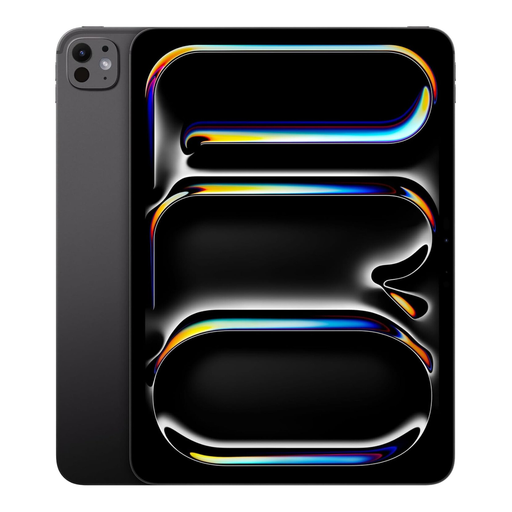
Apple 11-inch iPad Pro Wi‑Fi + Cellular, 1 TB (2022)
Suited to anyone looking for an iPadOS model with mobile data; check whether your membership management app supports offline use.
The product title lists an 11-inch screen, Wi‑Fi + Cellular, 1 TB of storage and the colour Space Black.
View at Joybuy
 No image available
Lenovo Idea Tab, 11 inches, Wi‑Fi, 256 GB
May suit you if you’re looking for an Android tablet with a stylus for viewing records and making quick corrections.
The product information lists Android 15, 8 GB of RAM, 256 GB of storage and an included Tab Pen.
According to the product description, the charger must be purchased separately.
View at Joybuy
 No image available
TECLAST P50TCase 11-inch Android 16 tablet, 128 GB
May suit you if you’re looking for an Android tablet for work on the go and Wi‑Fi access is enough; test the app’s offline functionality.
The product title lists an 11-inch screen, 128 GB of storage and 5 GHz Wi‑Fi.
The title lists 16 GB of RAM as 3 GB RAM plus 13 GB of virtual memory.
View at Joybuy
 No image available
Teclast P33 Case, 10.1 inches, 64 GB
May suit you if you regularly enter text while travelling and want a tablet with a keyboard; check that the included keyboard layout works for you.
The product title lists a 10.1-inch screen, 64 GB of storage and an English Bluetooth keyboard set.
The title lists 9 GB of RAM as 3 GB RAM plus 6 GB of virtual expansion.
View at Joybuy
Frequently asked questions
Can I edit member data without an internet connection?
That depends on the membership management app and the files. Microsoft Support recommends downloading the mobile Office files you need in advance and opening them while online; changes can sync later. Test this with your own membership management system, especially if other people may make changes at the same time.
Do I need a data subscription for a 5G tablet?
You’ll need a suitable pay-as-you-go data bundle or subscription to use mobile internet without Wi‑Fi. A Wi‑Fi tablet can also connect through a phone’s hotspot; check whether that works for the way you use it.
Do I need a keyboard to manage membership records?
Not necessarily for looking up information or making quick corrections. For extended typing, the Consumers’ Association recommends a separate keyboard or a laptop; check that the keyboard is compatible with the exact tablet model and included.
Can I take member data on my tablet when travelling by train?
Using a tablet on the train doesn’t in itself determine whether the processing is lawful. If an organisation processes personal data, it must establish an applicable lawful basis under the GDPR and protect the data appropriately, among other things. The right approach depends on the processing and the organisation’s policies; choosing a particular tablet brand doesn’t automatically make it GDPR-compliant.
What should the organisation do if a tablet containing member data is lost?
Report the loss immediately in line with the organisation’s incident response process. The Dutch Data Protection Authority says a data breach may need to be reported to the Authority and sometimes to the people affected; whether that’s necessary in a particular case depends on the incident assessment.


