
Reader who holds their tablet
You mainly read continuous text and want a device that’s easy to carry and hold. Compare compact models by screen size and stated weight.


A compact tablet is a good fit for short stories that you usually read in your hand. Choose a larger screen if you also read PDFs, illustrated stories or other documents. If you read almost exclusively e-books and rarely use other apps, it’s worth comparing an e-reader too. For borrowed stories, check availability for each title and, if you use the online Library app, check its current app requirements.
You mainly read continuous text and want a device that’s easy to carry and hold. Compare compact models by screen size and stated weight.
You read PDFs or illustrated pages as well as short stories. In that case, more screen space may matter more than the smallest size.
You want to borrow stories through the online Library. Check that the title is available, your membership is valid and your app meets the latest requirements.
Choose this if: you usually read short texts in your hand and also want to use everyday tablet apps.
The trade-off: a compact screen gives you less room for pages with a fixed layout. The Consumentenbond also points out that tablets can be more reflective and need charging more often than e-readers.
Choose this if: you want iPadOS and a small colour screen is important to you.
The trade-off: consider whether the extra features are useful for the way you read; an iPad also has a backlit screen, not e-ink.
Choose this if: you regularly read PDFs, illustrated texts or documents with a fixed layout as well as stories.
The trade-off: a larger model may be less comfortable to hold for a long time in one hand. Compare the stated weight of the exact model.
Choose this if: you read almost exclusively standard e-books and have little need for colour, PDFs or other tablet apps.
The trade-off: for e-books from the online Library, check that the e-reader supports the required file formats and Adobe DRM. Not every title is available for e-readers.
| What to consider | What to check before buying | Who should pay particular attention |
|---|---|---|
| Portability | Compare the screen diagonal and stated weight of the exact model; if possible, check whether the text size works for you on the smaller screen. | If I mainly read continuous text in my hand, I want a tablet that’s easy to hold. Around 33% of consumers prioritise a device that’s easy to handle. |
| Access to borrowed stories | Check the title page, your membership and the latest requirements for the app you plan to use. The online Library app help lists Android 10 or iOS 16 as the minimum for the current versions shown there. | If I want to read a borrowed story, I want to know whether both the title and the app are available on the device. Around 27% of consumers prioritise access to library stories. |
| PDFs and illustrations | Weigh the benefit of extra screen space against the stated weight; if possible, try viewing your own documents on the device. | If I also read PDFs or illustrated pages, I want to be able to see the layout clearly. Around 20% of consumers prioritise how PDFs and images are displayed. |
| Versatility | Decide which other apps you actually use and compare that need with what an e-reader offers. | I don’t want to choose features I’ll hardly use; I want to know which reading option suits the way I use my device. Around 20% of consumers prioritise versatility over an e-reader. |
Not every e-book is available, and the available reading options may vary from title to title.
Before buying, check the title you want and the listed reading options on the information page for that e-book in the online Library.
A larger device gives you more room for documents with a fixed layout, but may be less comfortable to hold for a long time. Stated weights are specifications, not a comfort test.
Choose a screen size to suit the texts you read and, if possible, try holding the device in your usual reading position.
A larger device may be less practical to hold for extended periods.
According to ACM ConsuWijzer, the legal guarantee in the Netherlands depends on what you could reasonably expect from the product; it isn’t automatically limited to two years.
Keep your proof of purchase and contact the seller if the product develops a fault too soon.
The Galaxy Tab A11 Wi-Fi model reviewed is a compact Android tablet with an 8.7-inch screen.
The Tab One model reviewed, with 4 GB of RAM and 64 GB of storage, has an 8.7-inch screen.
The iPad mini with A17 Pro reviewed is a compact iPadOS option for those who also want to use other tablet apps.
The Redmi Pad 2 reviewed is a larger option for those who also read documents with a fixed layout.
This selection of Joybuy products includes compact tablets for reading stories in your hand, as well as larger models for those who also read PDFs or documents with a fixed layout.
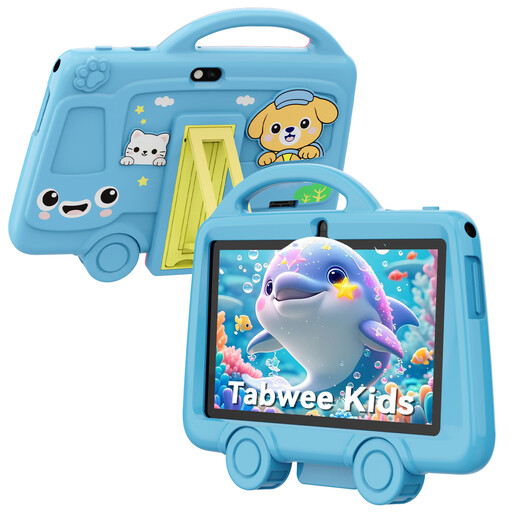 No image available
Its compact size and stated weight may make it suitable for reading in your hand; check beforehand that the library app you want works on this model.
Screen: 7 inch. Stated weight: 285 g.
The product name also lists a 3000 mAh battery; check the other features that matter for your needs.
 No image available
The 8.7-inch screen makes this a compact option for reading continuous stories; check the app requirements for this exact model.
Screen: 8.7 inch. Connection: Wi-Fi.
Memory: 4 GB RAM. Storage: 128 GB.
 No image available
The 8.7-inch size makes this a compact option for short stories; check the app requirements for the LTE model.
Screen: 8.7 inch. Connection: LTE.
Memory: 4 GB RAM. Storage: 64 GB.
 No image available
The 10.1-inch screen gives you more room than compact models for PDFs and documents with a fixed layout; bear in mind its larger size if you mainly read in your hand.
Screen: 10.1 inch. Memory: 4 GB RAM. Storage: 128 GB.
Connection: Wi-Fi 5 (802.11ac). Operating system: Android 14.
 No image available
The 11-inch screen gives you more room for documents with a fixed layout than a compact model; its larger size may be less comfortable if you read in your hand for a long time.
Screen: 11 inch. Memory: 8 GB RAM. Storage: 256 GB.
Connection: Wi-Fi 5 (802.11ac). Operating system: Android 15.
According to the online Library, you need a membership with your local library or a subscription to the online Library to borrow e-books. The terms of a local membership may vary.
The online Library app help lists Android 10 or iOS 16 as the minimum for the current app versions shown there. Check the latest requirements for the version you want to use.
The app help explains that you can open a menu for the font and background while reading. This option isn’t available for some books, often those with lots of illustrations.
The online Library lists a standard loan period of 21 days. If you borrow through a local library, check its terms and conditions.
According to ACM ConsuWijzer, if a product is faulty, you’re entitled to a legal guarantee and the seller must offer a solution if your claim is valid. The legal guarantee isn’t automatically limited to two years.