What should you look for when buying?
Start by choosing your main task, then test how you’ll do it: typing calls for a suitable keyboard set-up, annotating for a compatible pen, and working offline for preparation in the apps you use.
| What to consider | What should you check? | Who is this important for? |
|---|
| Typing and editing documents |
Check that the keyboard fits the exact version, then edit one of your own lesson documents in the school app you need. |
If I want to type up longer lessons or assignments on the train, I need a practical keyboard set-up and a document app. Around 33% of consumers give typing and editing top priority. |
| Working offline |
Make a file available locally in advance, then check that you can open and edit it without an internet connection. |
If I want to carry on working during a journey without a connection, I want to know in advance whether my files and apps work offline. Around 27% of consumers prioritise working without a connection or charging point. |
| Pen and screen size |
Check which pen works with the version, whether it’s included and whether the screen is manageable from your seat. |
If I want to annotate teaching materials by hand, I’m looking for a practical pen and a screen I can manage on the go. Around 20% of consumers prioritise annotating and portability. |
| Complete work set-up |
Compare the exact version with the accessories you need, and check what’s actually in the box. |
If I want to use my tablet with a pen or keyboard, I want to know in advance which components suit my way of working and which I’ll need to buy separately. Around 20% of consumers focus mainly on what’s included in the complete work set-up. |
Joybuy tablets for lesson preparation
These tablets are suited to reading, typing or annotating teaching materials; check for each model that the apps and accessories you need suit the way you work.
 No image available
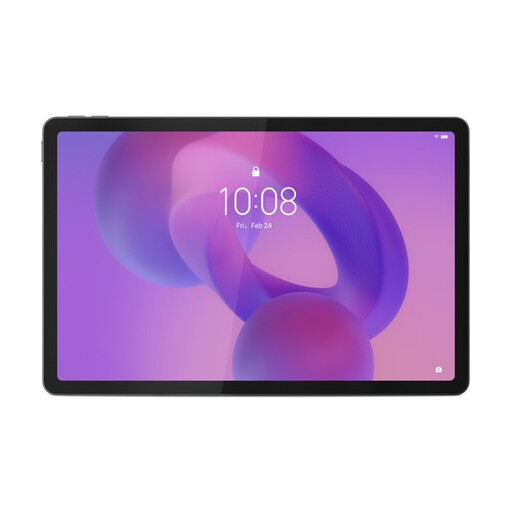
Lenovo Idea Tab Pro TB373FU, 256 GB
An option for reading teaching materials on a larger screen and making notes with the included Tab Pen Plus.
12.7-inch 3K screen; 256 GB storage; 8 GB RAM; Wi-Fi 6E; stated weight 620 g.
Joybuy
 No image available
HONOR Pad X8b, 128 GB, Space Grey
An 11-inch tablet for viewing teaching materials; check whether the apps you need work offline.
11-inch screen; 128 GB storage; 10,100 mAh battery capacity; stated weight 499 g. Battery capacity alone doesn’t indicate battery life.
Joybuy
 No image available
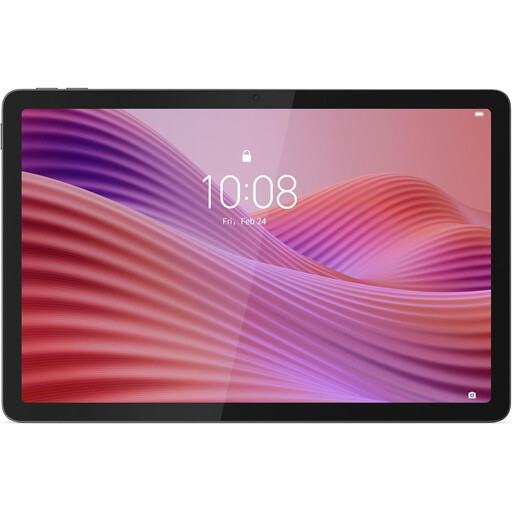
Lenovo Tab MediaTek, 128 GB
A tablet for viewing lesson documents; the title lists Android 14.
10.1-inch IPS screen; 1920 × 1200 resolution; 128 GB storage; microSD expansion; stated weight 425 g. Includes a protective case with stand.
Joybuy
 No image available
Lenovo Idea Tab Plus Wi-Fi, 256 GB, with pen
An option for adding handwritten notes to teaching materials, with a Lenovo Pen included.
12.1-inch 2.5K screen; 8 GB RAM; 256 GB storage.
Joybuy
 No image available
Apple 11-inch iPad Air (M4), Wi-Fi, 256 GB
An 11-inch option for anyone who wants to annotate teaching materials; Apple lists support for Apple Pencil Pro and Apple Pencil (USB-C).
Wi-Fi version; 256 GB storage. Check which pen and keyboard suit the combination you want.
Joybuy
Frequently asked questions
Can I count on Wi-Fi and a power socket on every train?
No, it varies by train and route. NS says free Wi-Fi is available on almost all Intercity trains; facilities on Sprinter trains may vary. So make files available offline in advance and check the information for your journey.
Can I edit a lesson document offline?
That depends on the app and the file. Microsoft says a cloud file in Word must have been opened online at least once before you can work on it offline. Test your own school workflow in advance, then check that changes sync when you reconnect.
What about pupil data on my tablet on the train?
Follow your school’s policy when processing pupil data. The Dutch Data Protection Authority says schools are responsible for taking appropriate technical and organisational measures to protect data; check which rules apply to devices, access and storage.
Does Dutch policy on mobile devices ban preparing lessons on a tablet?
National guidance concerns the non-educational use of mobile devices in the classroom and does not prohibit a teacher from preparing lessons on a tablet on the train. Your school’s rules on devices and data may still apply.
What are my rights if a tablet I bought online isn’t suitable?
For a purchase made by a consumer in the Netherlands, the seller is responsible if a product doesn’t meet what you could reasonably expect. Online purchases generally come with a 14-day cooling-off period after delivery; check which exceptions and returns conditions apply to your purchase.


