What should you look for when choosing?
First, check which school software you need and whether there are any device rules. Then decide whether typing, offline access or annotating is most important for your lesson preparation.
| What to consider |
What should you check? |
Who is this relevant for? |
| Typing longer documents |
Check keyboard compatibility, which accessories are included and how the tablet sits on a table. Apple Netherlands describes Magic Keyboard Folio support for the 11-inch iPad (A16); Microsoft mentions an adjustable stand for the Surface Pro. |
If I’m writing longer lesson plans at a hotel desk, I want to type comfortably without constantly touching the screen. Around 28% of consumers give priority to comfortable typing for extended periods. |
| School software and device rules |
Ask which apps, file features and accounts are required, and test a typical lesson plan. If you handle pupil data, follow your school’s security measures and code of conduct; the Dutch Data Protection Authority and Kennisnet explain why this matters. |
If my school requires a specific app or managed environment, I want to know in advance whether it works on the tablet and is allowed. Around 22% of consumers prioritise software compatibility and device policies. |
| Offline access |
Make files available while you’re online, then test whether you can open and edit them without a connection and sync them later. Microsoft Support and Google Docs Editors Help explain the offline options available in their document apps. |
If I want to carry on working when the hotel Wi-Fi drops out, I need to be able to open my lesson plan and sync changes later. Around 22% of consumers give offline access top priority. |
| Annotating with a pen |
Check which pen model works with the tablet, whether it’s included in the box and whether the app you use saves your annotations. Apple Netherlands lists compatible Pencil models for the iPad (A16); Samsung Netherlands describes S Pen support for the Galaxy Tab S10 FE. |
If I add comments to PDFs or sketch out explanations, I want a pen that works with my exact tablet and document app. Around 17% of consumers prioritise handwritten annotations. |
| Complete work setup |
Check what comes with the version you’ve chosen and which keyboard or pen accessories are available separately. Xiaomi Netherlands says the Focus Keyboard for the Pad 7/7 Pro is sold separately; Microsoft lists the Surface keyboard and Slim Pen as separate purchases. |
If I want to use the tablet for typing or annotating straight away, I need to know which parts I still need and what keyboard layout I’ll get. Around 11% of consumers give the complete work setup top priority. |
Tablets at Joybuy
This selection of Joybuy products is aimed at lesson preparation, with options for typing, viewing documents and annotating with a pen.
 No image available
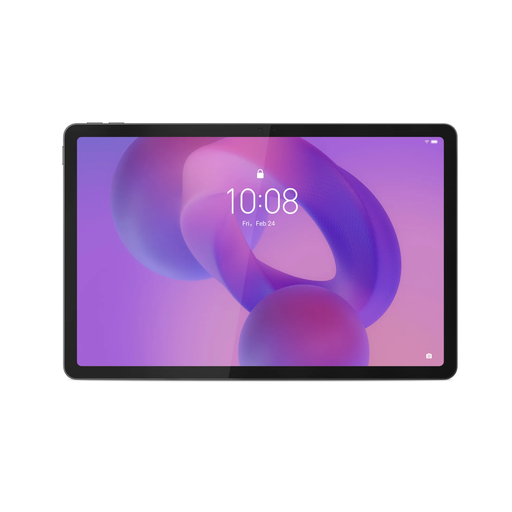
Lenovo IdeaTab, MediaTek Dimensity 6300, 8 GB, 128 GB
An option for viewing teaching materials and annotating them with the included Lenovo Tab Pen.
11-inch screen; 8 GB RAM and 128 GB storage. Charger not included.
View at Joybuy
 No image available
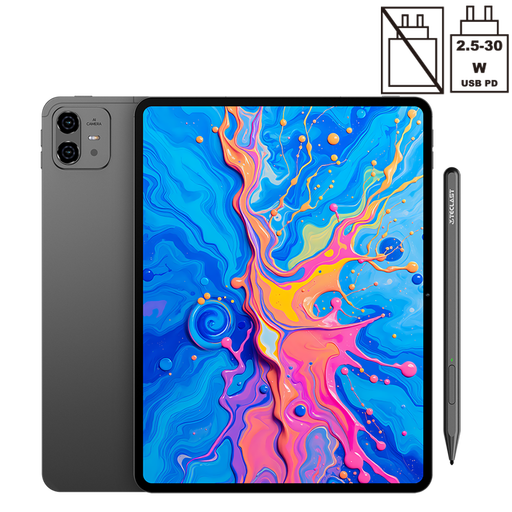
TECLAST ArtPad Pro, 12.7-inch, 2K, 256 GB
An option for viewing teaching materials on screen and annotating them with the included stylus.
12.7-inch 2K screen, 8 GB RAM with 12 GB virtual expansion and 256 GB storage.
View at Joybuy
 No image available
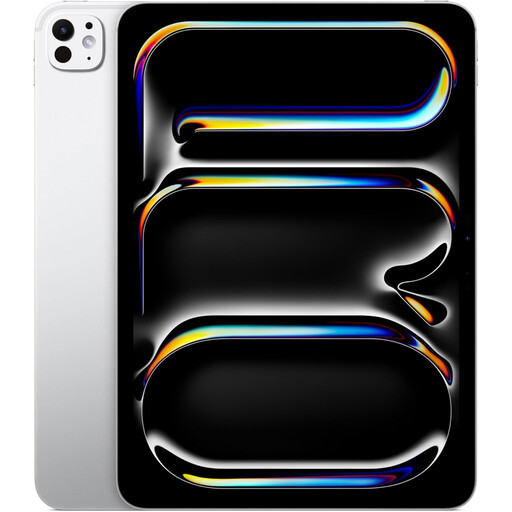
Apple iPad Pro M5 (2025), 11-inch, 2 TB, Wi-Fi, silver
An option for typing lesson plans or making handwritten notes; the product information lists support for Magic Keyboard and Apple Pencil.
11-inch version with 2 TB storage and Wi-Fi.
View at Joybuy
 No image available
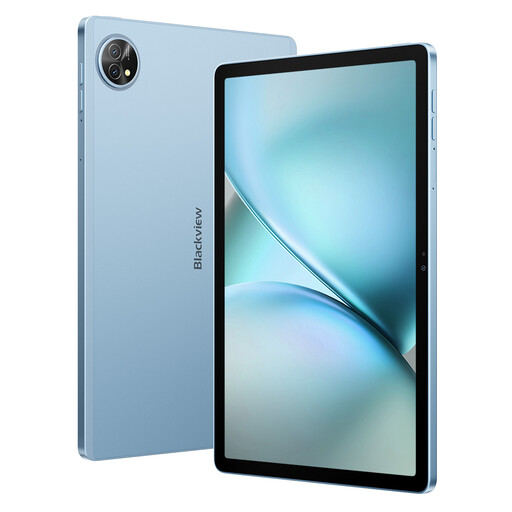
Blackview Zeno 10, 11-inch, 2K, with keyboard and stylus
A bundle option for typing and annotating, listed with a keyboard and stylus.
The product information says the tablet is not waterproof and warns that the stylus tip may scratch the screen; a screen protector is recommended.
View at Joybuy
 No image available
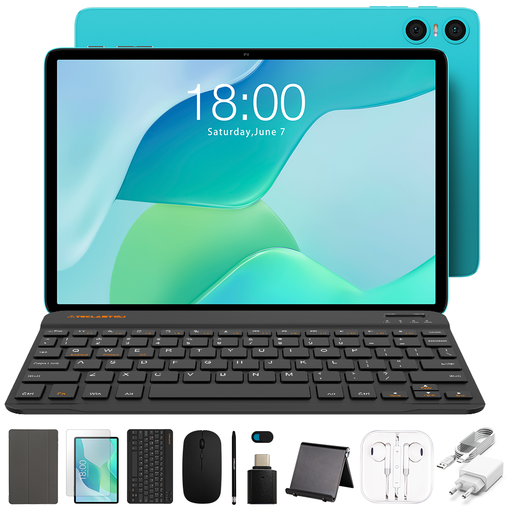
Teclast P33 Case, 10.1-inch, 64 GB
A bundle option for typing and handwritten notes; the listed set includes a keyboard, stand and stylus.
64 GB storage and 3 GB RAM with 6 GB virtual expansion. The Bluetooth keyboard has an English layout.
View at Joybuy
Frequently asked questions
Can I edit lesson plans without hotel Wi-Fi?
Yes, if you make the files available offline in advance and the app you use supports it. Microsoft Support explains how to work offline with mobile Office files after opening them online; Google Docs Editors Help lets you make files available offline in Docs, Sheets and Slides. Test that you can open and edit them without a connection, then check that your changes sync later.
Does a pen or keyboard come as standard?
It varies by tablet and version. Xiaomi Netherlands says the Focus Keyboard for Pad 7/7 Pro is sold separately; Microsoft says the Surface keyboard and Slim Pen are sold separately. Check the contents of the exact product version before choosing.
Can I handle pupil data on a personal tablet in a hotel?
You can’t determine this from the tablet model alone: ask your school which devices, accounts, storage and connections are allowed. The Dutch Data Protection Authority says schools must be able to demonstrate that they have appropriate technical and organisational measures in place for pupil data; Kennisnet explains how staff rules can be set out in a code of conduct.
What guarantee applies when I buy as a consumer in the Netherlands?
According to the Dutch Government, when you buy a product you’re entitled to receive one that works properly under the statutory guarantee. A manufacturer’s guarantee, seller’s guarantee or additional guarantee may also apply; these don’t replace your statutory rights.


