If you want to use study apps and documents as well as handwritten lecture notes, a standard tablet with a compatible stylus could be a good choice. Just check whether the stylus is included with the exact version you’re buying. If your main priorities are writing and reading PDFs, a paper-like note-taking tablet may suit you, but bear in mind its lighting and the conditions for syncing and using features offline.
Who is this guide for?
For anyone who writes notes by hand
You want to write with a compatible stylus during or after lectures and keep your notes organised. Apple Netherlands lists two supported generations of Pencil for the 11-inch iPad (A16), while Samsung Netherlands lists the S Pen for the Galaxy Tab S10 Lite. Check compatibility and what’s in the box for each version.
For anyone working with study materials
You view lecture materials and work on your notes in a hotel room, possibly without a reliable internet connection. Apple Support says notes can be stored on the device, while reMarkable Support states that notes are stored locally on its paper tablet. Check how your files and syncing are set up in advance.
For anyone who wants a calm writing and reading experience
You prioritise writing and reading over standard tablet apps. reMarkable’s official comparison says that the Paper Pure has a monochrome screen and no built-in reading light, so you may need external lighting when the room is dim.
What should you look for when choosing?
Standard iPad
A good fit if: you need the iPad apps required for your studies as well as a way to take lecture notes.
Bear in mind: Apple Netherlands lists support for Apple Pencil (USB-C) and Apple Pencil (1st generation), but the items listed in the box do not include a Pencil.
Android tablet with a stylus
A good fit if: you want to write, view documents and use study apps on one device.
Bear in mind: Samsung lists the S Pen for the Galaxy Tab S10 Lite. Lenovo also states that the pen is optional and sold separately with one Idea Tab version.
Paper-like note-taking tablet
A good fit if: writing and reading PDFs are your main tasks, and you don’t need standard study apps on the same device.
Bear in mind: according to the manufacturer, the reMarkable Paper Pure has no reading light, and syncing and handwriting conversion are subject to certain conditions.
| What to consider |
What to check before buying |
Who is this most relevant to? |
| Writing with the right stylus |
Check the full model name, stylus compatibility and the contents of the specific pack you’ve chosen. |
If I write by hand during lectures, I want to know whether the right stylus is included with this exact version. Around 33% of consumers prioritise writing with the right stylus. |
| Files without hotel Wi-Fi |
Save sample files locally and check in advance which files and features work offline. |
If the hotel connection drops, I still want to be able to open my lecture materials and notes. Around 27% of consumers prioritise offline access to study files. |
| Calm reading and writing |
Check that the screen type suits your study materials and that you have enough light. |
If I mainly want to read and write, I don’t want to rely on features I don’t need. Around 20% of consumers prioritise a calm note-taking and reading experience. |
| The total cost of your setup |
Consider the exact bundle, any stylus you may need and the syncing features you want. |
When weighing up a purchase, I want to know what I’ll need to write and keep my files. Around 20% of consumers look at the total cost of their note-taking setup first. |
What to check before you buy
-
Stylus support doesn’t automatically mean one is included
The packaging information for the iPad we looked at doesn’t list a Pencil. The Lenovo Idea Tab page we checked includes ‘Pen’ in the bundle name, but also says the pen is optional and sold separately.
For the exact version you’re considering, check both the list of compatible styluses and the written list of items in the box.
-
Not every cloud or conversion feature works offline
According to reMarkable, notes remain stored locally, but cloud syncing is limited without Connect. The handwriting conversion feature described requires Wi-Fi and a signed-in account.
Before you travel, try opening, finding and later syncing your own files without an internet connection.
-
A paper-like screen doesn’t automatically have a reading light
The official product comparison says the reMarkable Paper Pure has no built-in reading light.
If you’ll be working in the evening, consider the room’s lighting and make sure you have enough external light if needed.
Brands worth considering
Apple
The 11-inch iPad (A16) sold in the Netherlands is a standard tablet for anyone who wants to write with Apple Pencil and also needs iPad apps.
- Apple Netherlands lists support for Apple Pencil (USB-C) and Apple Pencil (1st generation).
- The items listed in the box don’t include a Pencil; check which stylus is compatible with your version and what’s included.
Samsung
The Galaxy Tab S10 Lite is an Android option for study notes with an S Pen. The version listed in the Netherlands is SM-X400NZAREUB, grey, 128 GB and Wi-Fi.
- Samsung lists writing with the S Pen and a 10.9-inch screen as features of this model.
- These are the manufacturer’s specifications and descriptions, not an independent assessment of writing comfort.
Lenovo
The Idea Tab is an Android alternative with note-taking apps listed by Lenovo and support for the Lenovo Tab Pen.
- The Dutch product page we checked lists an 11-inch screen and 256 GB of storage for version ZAFR0963SE.
- The page says the pen is optional and sold separately, despite ‘Pen’ appearing in the bundle name. Check the contents of the box for the version you choose.
reMarkable
The Paper Pure is a paper-like option for anyone who mainly wants to use handwritten notes and documents on a monochrome device.
- According to reMarkable, the Paper Pure comes with a Marker.
- The official comparison says it has no reading light. Cloud syncing is limited without Connect, and the handwriting conversion feature described requires Wi-Fi and a signed-in account.
Tablets at Joybuy
These tablet options are designed for viewing and working on lecture materials. Check that each model’s stylus, offline features and storage suit the way you work.
 Image unavailable
Lenovo Yoga Tab ZAG60028PL, 256 GB, Tab Pen Pro
The listed Tab Pen Pro and storage make this model worth considering for handwritten notes and study files.
11.1-inch touchscreen; 256 GB storage; 12 GB RAM; Android 15; Tab Pen Pro included according to the product information.
View at Joybuy
 Image unavailable
Lenovo Idea Tab Plus Wi-Fi, 12.1 inches, 256 GB, with pen
The product information mentions a pen for taking notes and annotating documents, so this model is worth a look if you want to do both on one tablet.
12.1-inch screen; 2.5K; 8 GB RAM; 256 GB storage; pen listed with this version.
View at Joybuy
 Image unavailable
Lenovo Tab One, 8.7 inches, Wi-Fi, 128 GB, Luna Grey
The product information mentions reading and light productivity, so consider this model mainly for opening saved study files.
8.7-inch touchscreen; 128 GB storage; 4 GB RAM; Wi-Fi version. According to the product information, this version has no SIM slot.
View at Joybuy
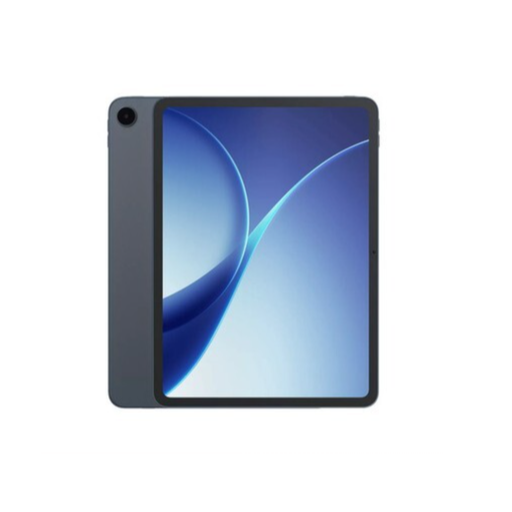 Image unavailable
OPPO Pad 5
The product information mentions documents, apps and productivity, which may suit viewing and working on lecture materials.
8 GB RAM; 128 GB storage; Wi-Fi-only model.
View at Joybuy
 Image unavailable
Lenovo Idea Tab, MediaTek Dimensity 6300, 8 GB, 128 GB
The product information lists a Tab Pen for writing and 128 GB of storage for study files; check which charger is included with this version, too.
11-inch IPS screen; 90 Hz; Android 15; 8 GB RAM; 128 GB storage, expandable with microSD; Tab Pen listed in the product information. Charger not included.
View at Joybuy
Frequently asked questions
Can I use my notes in a hotel room without Wi-Fi?
Yes, provided you’ve made the files and features you need available offline in advance. Apple says notes can be stored on the device, while reMarkable says notes remain stored locally without Connect. Before you leave, check that your lecture notes and PDFs open, then reconnect and make sure any changes have synced.
Can a reMarkable convert my handwriting to text without hotel Wi-Fi?
Not with the handwriting conversion feature described by reMarkable. The device needs to be connected to Wi-Fi, and you must be signed in to a reMarkable account.
Will I need a desk lamp to use the Paper Pure in the evening?
You’ll need external lighting if there isn’t enough ambient light, as the official product comparison says the Paper Pure has no built-in reading light.
Is a manufacturer’s warranty the same as my statutory rights when buying in the Netherlands?
No. According to the Government of the Netherlands, a manufacturer’s or seller’s warranty is in addition to your statutory rights. The Netherlands has no fixed statutory warranty period for all products; if a product is faulty, contact the seller.
Do I have a cooling-off period when buying a tablet online from a business?
According to the Government of the Netherlands, consumers generally have 14 days to change their minds when buying remotely. Check the terms of the specific purchase; under this guidance, an online purchase from a private seller does not count as a distance sale from a business.


