
Reader who holds the tablet
You read continuous text in bed and want to switch between reading and everyday tablet apps. Size and weight matter; a larger screen can be more comfortable if you support the device.


Choose a compact tablet if you mainly read continuous text and hold the device in bed. For PDFs with fixed page layouts and exercises, a larger screen gives you more room, but it also means more weight. Before you buy, check whether you can select and translate words in your own book and reading app. If you read almost exclusively standard e-books, an e-reader could also suit you, although dictionaries don’t work with every file.
You read continuous text in bed and want to switch between reading and everyday tablet apps. Size and weight matter; a larger screen can be more comfortable if you support the device.
You often pause while reading to look up or translate words. What matters most is whether word selection works in your book and reading app, not just whether the device has a dictionary function.
Your language textbook has fixed page layouts, exercises or images. In that case, being able to view a full page and zoom in easily may matter more than choosing the smallest device.
| What to consider | What should you check? | Who should pay particular attention? |
|---|---|---|
| Size and weight | Compare the screen diagonal and weight of the exact model. Check whether you can read a whole lesson page without constantly zooming in. | If I hold the tablet in bed, I want it to be a comfortable size to handle. Consumers who prioritise portability make up around 29% of people with this reading need. |
| Selecting and translating words | Open your book in the app you plan to use and try selecting and looking up a word. Also check that the app supports your file format. | If I often look up words while reading, I want this to work in my own book and app. Consumers who prioritise looking up words make up around 29%. |
| Comfort for evening reading | Try the brightness and reading settings in the room where you read. For long reading sessions, you could also compare an e-reader. | If I read just before going to sleep, I want to find a screen setting that keeps the text comfortable to read. Consumers who prioritise comfortable evening reading make up around 21%. |
| PDF pages | View an actual page on the screen size you’re considering, and check whether highlighting and word selection work in your app. | If my language textbook has fixed page layouts or exercises, I want to be able to view the material clearly. Consumers who prioritise space for PDF pages make up around 21%. |
A compact LCD tablet is a better fit for continuous text that you read while holding the device. A larger screen gives you more room for a PDF page, but may be heavier. Apple lists the Wi‑Fi iPad mini (A17 Pro) as having an 8.3-inch screen and weighing 293 grams, compared with 477 grams for the 11-inch Wi‑Fi iPad (A16). These are specifications, not measurements of reading comfort. The Consumers’ Association recommends a tablet if you read a lot of PDFs; you should also check how your own textbook looks on the screen you’re considering.
The Kobo Clara BW is an e-reader option if you mainly read standard e-books. Kobo says this model supports ComfortLight PRO and word translation, but warns that the dictionary may not work with PDFs, library books or some free e-books. So try your own file before relying on this feature.
Selecting words can be important when using a language textbook, but Kobo lists exceptions for its dictionary function.
Before buying, try a sample from your own edition and select an unfamiliar word.
You may need a different reading app or digital edition.
PDFs with fixed page layouts can be difficult to read on a small screen. The Consumers’ Association recommends a tablet for reading lots of PDFs; even then, the page layout determines how much screen space you need.
View the same lesson page on the screen size you’re considering and weigh up page space against portability.
If fixed PDF pages aren’t comfortable to read, you may need a larger device.
Samsung lists two speakers for the Galaxy Tab A11, while a Joybuy description found for the product lists four. The information doesn’t match.
Check the full model number and relevant specifications with the manufacturer before choosing a version.
The iPad mini (A17 Pro) is a compact LCD tablet, while the 11-inch iPad (A16) offers more space for pages.
The Galaxy Tab A11 is a compact 8.7-inch Android tablet for reading and everyday tablet apps.
The Tab M9 is a 9-inch Android tablet that sits between a very compact model and a larger screen.
The Clara BW is an e-reader for people who mainly read continuous-text e-books, rather than a general-purpose tablet.
These products include compact tablets to hold in bed and larger tablets with more space for a lesson page.
 No image available
The listed 8.7-inch screen and weight of 337 grams make this a good fit for the compact reading option. Consider whether your language textbook’s pages will be comfortable to read at this size.
Screen: 8.7 inches. Weight: 337 g.
 No image available
The 10.1-inch screen gives you a larger area for viewing a lesson page. Compare the size with how you plan to use the tablet in bed.
Screen: 10.1 inches. Memory: 3 GB RAM plus 13 GB virtual memory; storage: 128 GB. The product name lists Android 16.
 No image available
The 10.1-inch screen could suit you if you want more room for a lesson page and can support the tablet while reading.
Memory: 3 GB RAM plus 6 GB virtual memory; storage: 64 GB. The product name lists a case, Bluetooth keyboard and stand.
 No image available
The listed 11-inch screen is worth comparing if you’re looking for more room for PDF pages than a compact tablet offers.
Screen: 11 inches. Memory: 6 GB RAM; storage: 128 GB. The product name lists LTE; the description mentions Android 15.
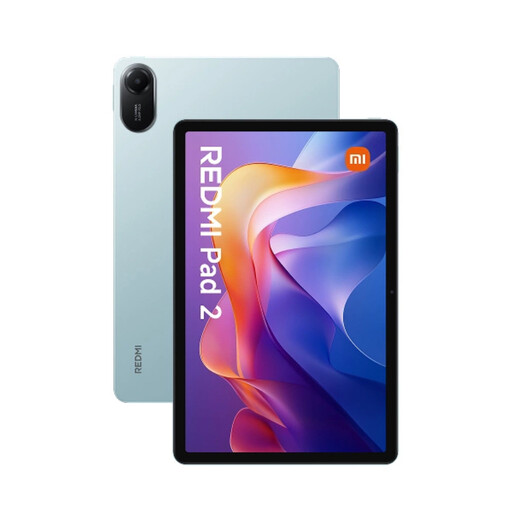 No image available
The 11-inch screen gives you room to view a lesson page. The listed weight is also worth considering if you plan to hold the tablet in bed or support it while reading.
Screen: 11 inches, 2560 × 1600 pixels. Weight: 516 g.
No, don’t assume it will. Kobo warns that the dictionary function may not work with PDFs, library books and some free e-books. Test your file and language pair in the reading app you plan to use.
Google Play Books explains how to upload EPUB and PDF files. According to Google, you need to enable the relevant setting to upload a PDF on Android. Then check that the reading features you want work with your file.
Keep the device and charger clear of bedding and follow the manufacturer’s safety instructions. The Dutch Fire Service warns of the risks of incorrectly charging devices with lithium-ion batteries, including tablets. Don’t use a damaged charger either.
For online purchases from a business, you generally have a 14-day cooling-off period, according to the Dutch government. You’re also entitled to a product that is fit for purpose; the Netherlands has no fixed statutory warranty period of exactly two years. Contact the seller if there’s a fault.