
Writing on the go
You want to type more than a few sentences in a café and are looking for a stable set-up with a tablet, stand and physical keyboard. The Consumentenbond points out that a separate keyboard can be useful for longer typing sessions.


Start by choosing a document app that lets you write your letter and share it in the required format. Then check whether a suitable keyboard, a stand and a screen that's comfortable to read from work well together for your needs. A compact tablet is handy to take with you, but a laptop may be more practical for longer texts or if you need desktop software, as the Consumentenbond points out.
You want to type more than a few sentences in a café and are looking for a stable set-up with a tablet, stand and physical keyboard. The Consumentenbond points out that a separate keyboard can be useful for longer typing sessions.
You want to format your letter, share it in the required file format and perhaps refer to your CV as well. The features of the document app are therefore an important part of your decision.
You often take your device with you and weigh up the extra screen space against the size and weight of the tablet and its accessories.
Start with the document app and the file format you need. Then check whether the keyboard and tablet make a practical set-up for your café visit.
| What to consider | What should you check? | Who is this important for? |
|---|---|---|
| Comfortable typing | Check exact model compatibility, the keyboard layout, the stand and whether the keyboard is included. | If I want to write longer pieces, I need to know whether the complete set-up is comfortable and suits the way I type. Around 29% of consumers say comfortable typing is their top priority. |
| Creating and sharing your letter | Test your document app with a sample letter: open, edit, save and share it in the format requested by the recipient. | If I want to make changes to my letter and send it in the required format, the app needs to suit that workflow. Around 23% of consumers put document handling first. |
| Portability and screen | Look at the size and weight of the complete set-up, and check whether the screen is comfortable to read at your usual viewing distance. | If I often take the tablet with me, I want to weigh up the screen space against the size and weight of the keyboard and case. Portability is the top priority for around 18% of consumers. |
| Complete keyboard set | Check which accessories come with the version or bundle you’ve chosen and which ones you still need. | If I’m choosing a tablet mainly for typing, I want to know in advance whether the version I’ve chosen includes all the essentials. Around 18% of consumers make having a complete writing set their top priority. |
| Connection privacy | Decide whether you can use mobile data through a phone hotspot or how you want to protect yourself when using public Wi-Fi. Veiliginternetten.nl suggests mobile data through a hotspot as an alternative to public Wi-Fi. | If I’m sending personal information, I want to choose my connection carefully. This is the most important factor for around 12% of consumers. |
A keyboard matters too when you’re writing longer texts. So a version without the accessory you need may not give you the set-up you’re looking for.
Compare complete configurations and check what’s included in the bundle you’ve chosen.
You may need to buy a suitable keyboard or the case you want separately.
Keyboards may be compatible only with specific tablet models. The layout may also differ from the one you want to use.
Check the full tablet model, accessory model and preferred keyboard layout.
You may need to replace an accessory that isn’t compatible with your chosen tablet.
How suitable it is depends on the document app, the way you work and any software you need. The Consumentenbond notes that a laptop may be more convenient for word processing.
Draft a sample letter and test editing, saving and sharing it before you decide.
Apple lists a Magic Keyboard Folio for iPad (A16), for anyone who wants to use iPadOS with a keyboard and trackpad.
Samsung lists a Book Cover Keyboard for models including the Galaxy Tab S10 FE.
Lenovo describes an Idea Tab bundle that includes a folio keyboard.
Xiaomi lists the Focus Keyboard as compatible with the Pad 7 and Pad 7 Pro.
These Joybuy tablets could be a starting point for working with documents. Check each version to see which document app and any accessories suit the way you write.
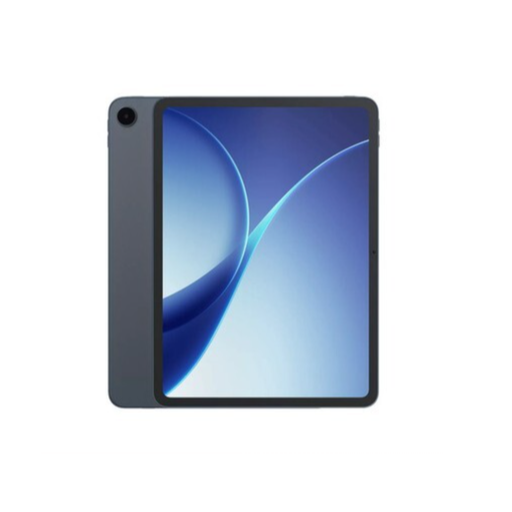 No image available
A tablet to consider if you’re looking for a device for working with documents. Check whether your preferred document app is available and how you’d like to use a keyboard.
 No image available
An option to explore if handwritten notes are part of your preparation. The product information lists a stylus and handwriting-to-text conversion.
According to the product name, this model has an 8.2-inch E Ink screen. Check that it suits your document app and preferred way of editing text.
 No image available
An option to explore if you want mobile internet on your tablet. Check which connection and data plan suit the way you use it.
The product name lists an 11-inch IPS screen, 32 GB RAM (6 GB + 26 GB virtual), 128 GB ROM, 90 Hz, 4G LTE and dual SIM.
 No image available
An option to consider if you’d like to use a stylus as well as type. Think about whether the screen size suits the way you carry your tablet.
The product name lists 20 GB RAM (8 GB + 12 GB virtual), 256 GB storage and an included stylus.
 No image available
An option to explore if you’re looking for an iPad for working with documents and want to use a compatible keyboard. Check that accessories are compatible with this version.
The product name lists an 11-inch screen, 1 TB storage, Wi-Fi and a silver finish. The product information mentions support for Magic Keyboard.
Yes. Microsoft explains how to save Word documents as PDFs on mobile devices. Test the feature in the app and on the device you plan to use, and check the final formatting.
Choose your connection carefully. Veiliginternetten.nl suggests using mobile data through a phone hotspot or a VPN as an alternative to public Wi-Fi. Before sending, check that your chosen connection is active.
According to the Dutch government, a 14-day cooling-off period applies to many qualifying distance purchases by consumers. Exceptions and the identity of the seller may be relevant. Consumer rights also apply to faulty products; the Dutch government explains, among other things, the seller’s burden of proof for a fault that appears in the first year.
The European Commission states that the labelling rules have applied since 20 June 2025 to slate tablets covered by the scheme and placed on the EU market. They don’t apply to every tablet computer, so first check whether the product falls into that category.