
Floor plan reader
You want to see details and several areas of a home design at once, and are weighing up screen space against weight. The Consumentenbond lists size and portability as factors to consider.


Start with the file you need to review and decide whether you just need to view it or make comments too. A larger screen gives you more room for floor plans, but it is heavier. Also check that the right stylus and software features are available, and use neutral screen settings when colour matters.
You want to see details and several areas of a home design at once, and are weighing up screen space against weight. The Consumentenbond lists size and portability as factors to consider.
You write or sketch comments on drawings. So check that the stylus is compatible and included with the exact model you are considering. Samsung, Lenovo and Apple set out different stylus and bundle conditions.
You work with CAD files and need to check which mobile features are available with your account and software. Autodesk describes different ways to access DWG files.
Start with the file and the tasks you need to carry out. Then compare screen size, stylus support and evening display settings.
| What to consider | What to look for | Especially useful for |
|---|---|---|
| Viewing drawings | Compare the screen size, resolution and weight of the exact model. If possible, view a representative drawing on the device you are considering. | If I want to see a floor plan at a glance without constantly zooming in and out, screen space matters to me. Around 26% of consumers put an overview first. |
| Stylus annotations | Check stylus compatibility for the full model number, what is included in the box and the features available in your annotation app. | If I want to make notes directly on a design, I want to know in advance which stylus and app will let me do that. Around 21% of consumers prioritise stylus annotations. |
| Files and software | Make a note of the file format, the tasks you want to carry out and the app or account access you need. Also check whether you need synchronisation or offline access. | If my work file is a DWG, I first want to be sure I can open it and make the changes I need. Around 21% of consumers prioritise their file workflow. |
| Evening viewing | Check the brightness controls and colour settings. Use neutral settings to assess colours if colour accuracy matters. | When I view design details in the evening, I want to be able to adjust the screen without mistaking a colour shift for a feature of the design. Around 16% of consumers consider evening viewing most important. |
| Total cost | Compare the exact tablet and stylus models, and check whether your existing software access includes the features you need. | If I mainly read documents and make occasional notes, I do not want to pay for features I do not need. Around 16% of consumers put total cost first. |
A tablet may support certain styluses without including one in the box. Apple lists support for specific Pencil models for the iPad (A16), but only lists the iPad and USB-C cable as being included in the box.
Check the stylus, any adapter and the box contents for the exact model and bundle.
You may need to buy a compatible stylus or adapter separately.
Autodesk describes using DWG files on mobile and distinguishes between viewing and more advanced editing and annotation features.
Compare the tasks you need to carry out with the access included in your existing account, and test them with a representative file before choosing a tablet.
Apple says Night Shift changes the screen’s colour temperature. This means a warmer display is not a neutral starting point for colour-critical decisions.
Check design colours again using your preferred neutral screen settings.
The Dutch government says there is no fixed statutory warranty period in the Netherlands, and that the retailer is responsible for putting things right if a product is faulty.
Consider any manufacturer’s warranty or extended warranty alongside your legal rights, not as a replacement for them.
Apple offers iPads in different screen sizes, including an 11-inch iPad (A16) and a 13-inch iPad Air (M4).
The Galaxy Tab S10 FE is an Android option for anyone looking for a screen of around 11 inches and S Pen support.
The Dutch Tab M11 bundle reviewed combines an 11-inch screen with a stylus listed as part of the bundle.
The OnePlus Pad 3 is an Android option with a listed screen size of 13.2 inches.
Joybuy tablets for viewing home designs and making notes.
 No image available
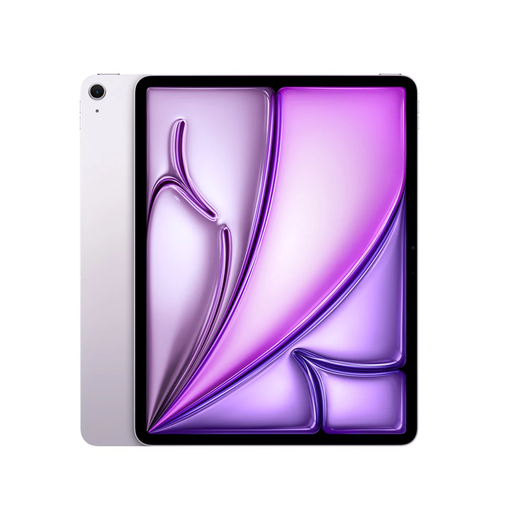
A 13-inch screen is an option if you want more room to view floor plans.
Screen: 13 inches. Chip: M4. Storage: 128 GB. Connectivity: Wi-Fi. Apple Pencil sold separately.
 No image available
This model offers the same listed 13-inch screen size for viewing drawings with more room to work.
Screen: 13 inches. Chip: M4. Storage: 128 GB. Connectivity: Wi-Fi. Apple Pencil sold separately.
 No image available
The listed 13.4-inch screen is an option for viewing home designs on a larger display.
Screen: 13.4 inches, 120 Hz. Operating system: Android 16. Storage: 128 GB. Memory listed: 6 GB RAM plus 14 GB virtual RAM.
 No image available
An 11-inch tablet is a more compact option for documents and handwritten notes.
Screen: 11-inch IPS, 90 Hz. Memory: 8 GB RAM. Storage: 128 GB. The product description lists a Lenovo Tab Pen; charger not included.
 No image available
The product description lists a T-Pen stylus for writing and drawing, making it a good fit if you want to add comments.
Screen: 12.7 inches, 2K. Storage: 256 GB. Memory listed: 8 GB RAM plus 12 GB virtual RAM. Operating system: Android 15. The description lists a stylus as included.
Do not choose based on screen size alone. Autodesk describes viewing and editing DWG files on mobile, but the features available depend on the access option you choose. Test the edits you need to make with a sample file of your own.
You can adjust the brightness and set up Night Shift under Display & Brightness. Turn off the warmer colour display, or check the setting again when you want to assess design colours neutrally.
No. Apple lists support for specific Pencil models for the iPad (A16), but the stated box contents include only the iPad and a USB-C cable. So check what is included with the exact model.
For distance purchases from a business, you are often entitled to a 14-day cooling-off period. You are also entitled to a product that is fit for purpose: the Dutch government says there is no fixed statutory warranty period in the Netherlands, and the retailer is the point of contact for putting things right if a product is faulty.