
People who write by hand regularly
You write by hand regularly and want to know whether the pen, screen space and way of organising your notes suit your workflow.


A writing-focused paper tablet is a good fit if handwritten notes and a dedicated writing workflow are your priorities. Choose an iPad or Android tablet if you also want to use your notes with other apps and documents. In either case, check exactly which pen is included, whether the screen size suits your table, and if there are any extra costs for accessories or syncing.
You write by hand regularly and want to know whether the pen, screen space and way of organising your notes suit your workflow.
You want to use handwritten notes alongside documents and other tablet apps. That makes the operating system and pen compatibility important.
You’re considering a paper tablet for a dedicated writing workflow and want to check whether its syncing options suit the way you use it.
First decide whether you mainly want to write or also need other apps and documents. Then compare the pen bundle, the features you’ll use and the screen size for your workspace.
Each row covers consumers who prioritise one of these considerations when choosing a tablet for field notes at the kitchen table.
| What to consider | What should you check? | Who is this important for? |
|---|---|---|
| Writing by hand | Check that the pen is compatible with the exact tablet version and that it’s actually included. | If I’m mainly writing field notes, I want to know whether I can get started straight away with the pen I’ve chosen. Around 36% of consumers put reliable handwriting first when buying. |
| Apps and documents | Check that the operating system supports the note-taking, document and other apps you want to use. | If you want to use notes alongside other apps and documents, check in advance that the tablet supports your preferred workflow. Around 29% of consumers prioritise this combination. |
| Complete writing setup | Factor in any pen you may need to buy separately, as well as the terms for the syncing features you want. | If I want to take the extra cost of a pen or services into account, I compare these alongside the tablet. This is the main buying concern for around 21% of consumers. |
| Screen and writing space | Compare the screen size and the tablet’s physical dimensions with the space available on your table. | If you want to set up a comfortable writing space, check in advance how much room the device will take up on your table. Around 14% of consumers prioritise this consideration. |
Compatibility and what’s in the box aren’t the same thing. Apple lists Pencil models that work with the iPad (A16), but doesn’t list a Pencil among the stated box contents. The Lenovo page we reviewed also gives conflicting information about the pen bundle.
Ask the retailer to confirm what’s included with the exact version before comparing writing setups.
A compatible pen may need to be bought separately.
According to reMarkable, Connect includes features such as unlimited cloud storage, syncing and handwriting search.
Decide which features you need and read the current subscription terms before factoring them into your choice.
The Connect features you want may involve recurring costs.
Samsung states that the Galaxy Tab S10 FE and S Pen are rated IP68 under laboratory conditions: immersion in fresh water up to 1.5 metres deep for up to 30 minutes. This isn’t a general guarantee against spills or improper cleaning.
Keep food and drink away from the ports and follow the care instructions for your chosen model.
The Galaxy Tab S10 FE is an Android tablet option for note-taking, with an S Pen and a 10.9-inch screen.
The iPad (A16) is an option if you want to combine handwritten notes with iPad apps.
The Idea Tab is an 11-inch Android range with pen support and note-taking software.
The Paper Pro is a writing-focused tablet for notes and annotations. According to reMarkable, it has an 11.8-inch colour screen and comes with a Marker.
This selection includes tablets and writing devices for handwritten notes, from versatile Android tablets with a pen to devices designed primarily for writing. Check which pen and features each model offers to make sure they suit the way you take notes.
 No image available
An Android tablet with a Lenovo Tab Pen Pro included, for taking notes and using Android apps.
The screen measures 11.1 inches; the product description lists Android 15 and 12 GB of LPDDR5X memory.
 No image available
A tablet with a Lenovo Pen included for handwritten notes and document annotations.
The product description lists a 12.1-inch screen and 256 GB of storage.
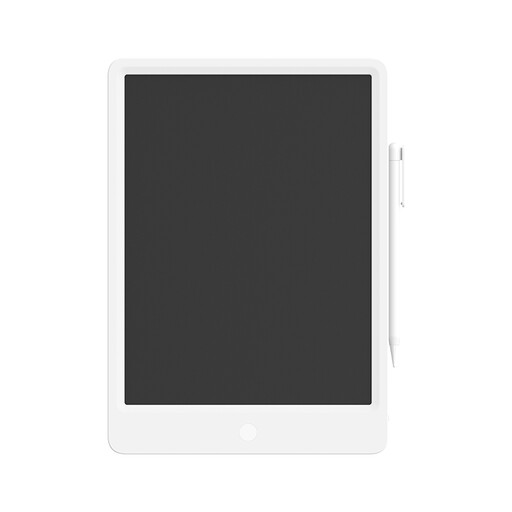 No image available
A writing device for quick handwritten notes, with a stylus included.
The screen measures 13.5 inches. Pressing the erase button clears the entire screen.
 No image available
An E Ink tablet for handwritten notes and reading and annotating PDF files.
The product description lists speech-to-text and conversion of handwritten notes into text.
 No image available
An Android tablet with an included pressure-sensitive T-Pen for note-taking and sketching.
The product description lists a 12.7-inch screen and 256 GB of storage.
No. Check both pen compatibility and what’s in the box for the exact version. Apple lists Pencil models supported by the iPad (A16), but doesn’t list a Pencil among the stated box contents. The Lenovo page we reviewed gives conflicting information about the pen bundle.
Follow the instructions for your chosen model. For its paper tablets, reMarkable advises disconnecting cables, switching off the device and wiping the screen with a soft, lint-free cloth that’s slightly damp. Don’t let moisture get into any openings.
According to ACM ConsuWijzer, the retailer must put things right if the product doesn’t perform as you could reasonably expect during normal use. A suitable solution could be a repair, replacement or refund; in the Netherlands, the statutory guarantee doesn’t have a fixed term of exactly two years.
Online purchases generally come with a statutory cooling-off period which, according to ACM ConsuWijzer, ends 14 days after delivery. Check the applicable terms and any exceptions for trying out and returning the product.
First consider what information you’re recording and who is responsible for processing it. For organisations that process personal data, the Dutch Data Protection Authority identifies security as an ongoing concern. Check your storage and syncing settings before recording sensitive information.