Tablets at Joybuy for typing and note-taking
These product picks suit two ways of working: typing with a keyboard and taking notes with a stylus. Check which accessories are included with each version and whether the dimensions suit how often you take the tablet with you.
 No image available
Lenovo IdeaTab MediaTek Dimensity 6300, 8 GB, 128 GB
An 11-inch tablet supplied with a Lenovo Tab Pen, for anyone who wants to take notes or sketch diagrams during discussions.
The title lists a 90 Hz, 500-nit IPS screen and Android 15. According to the product description, the charger is sold separately.
View at Joybuy
 No image available
Teclast P33, 10.1-inch, 64 GB, with keyboard and stylus
A bundle with a Bluetooth keyboard and stylus for anyone who wants to type and take notes during a group project.
The title lists 9 GB* RAM (3 GB + 6 GB virtual expansion), 64 GB storage and an English keyboard layout. Check whether the layout suits you.
View at Joybuy
 No image available
Lenovo Idea Tab Plus WiFi, 12.1-inch, 2.5K, 8 GB RAM, 256 GB, Rose
The title lists an included stylus, making it a good fit for handwritten notes and annotations.
According to the title, the tablet has a 12.1-inch 2.5K screen, 8 GB RAM and 256 GB storage. Its larger size is worth considering if you take the tablet with you often.
View at Joybuy
 No image available
Teclast ArtPad Pro, 12.7-inch, 2K, 256 GB, with stylus
The title lists an included stylus for sketching and handwritten notes.
According to the title, the tablet has a 12.7-inch 2K screen, 20 GB RAM (8 GB + 12 GB virtual) and 256 GB storage. Its larger size is worth considering if a compact option is important to you.
View at Joybuy
 No image available
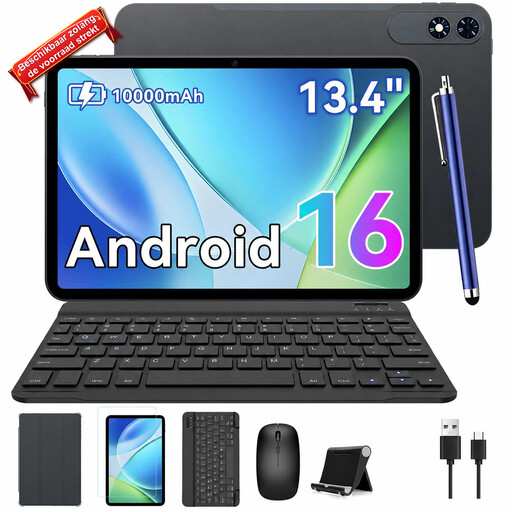
TABWEE T60Pro, 13.4-inch, 2K, with keyboard
The title lists a keyboard in the bundle, making this an option for anyone who does a lot of typing during group work.
The title lists Android 16 and a 13.4-inch 2K screen. Its large size gives you room to look at the screen together, but is worth considering if you take the tablet with you often.
View at Joybuy
Frequently asked questions
How can we work on the same project plan using different devices?
Agree on one place to store the document, give the right group members editing permissions and test editing together before you start in the library. Microsoft Support describes this feature in Word for the web; check that the service and accounts are available to your group.
Do I need to buy a stylus or keyboard for every tablet?
No, it depends on how you work and which version you choose. First decide whether you’ll mainly type or write by hand, then check model compatibility and what’s included in the box. Support for an accessory doesn’t automatically mean it’s included.
What can I do if my tablet doesn’t work properly after I buy it?
When you buy as a consumer in the Netherlands, you’re entitled to a product that works properly, and the seller is your point of contact if there’s a fault. The Dutch government states that there is no fixed general statutory warranty period of two years; a manufacturer’s warranty is separate from your statutory rights.
Can I return a tablet bought online?
In the Netherlands, distance sales contracts with a business generally come with a 14-day cooling-off period. The Dutch government distinguishes between buying from a business and buying online from a private seller; check which terms apply to your purchase.
Is USB-C compulsory, and does that mean a charger is always included?
EU rules on a common charging port have applied since 28 December 2024 to tablets within their scope. This doesn’t mean a power adapter is included, so check what comes in the box with your chosen model.


