If you mainly write long passages, look for a comfortable keyboard and a complete set-up. If you mostly read and annotate supporting documents, compare screen space, portability and stylus support. Before buying, test your application portal, document files and any Microsoft 365 licence: a larger screen or included stylus does not automatically make mobile software equivalent to desktop software.
Who is a tablet for grant applications suitable for?
Writing lengthy applications
You work on long passages of text and want to type comfortably. The Consumers’ Association (Consumentenbond) points out that a laptop may be more practical for word processing, so check whether a tablet with a keyboard suits the way you work.
Reviewing supporting documents
You read budgets and supporting evidence alongside your draft, and may want to make notes. Samsung describes S Pen support for the Galaxy Tab S10 FE series; check which stylus and accessories are included with the version you choose.
Using a desktop-based workflow
Your application process relies on specific Office features or other computer software. Microsoft says Office can be installed on a Surface Pro just as it would be on a regular computer. However, check that your chosen configuration supports the software you need.
What should you look for in a tablet for your grant application?
iPadOS tablet
A good fit if: the application apps you need work on iPadOS and you want a portable set-up for writing and reading.
Keep in mind: Apple does not list a stylus or keyboard among the items included with the iPad Air M4 reviewed here, so check the cost of a complete set-up.
Android tablet
A good fit if: your portal and document apps work well on Android and you want to choose how much screen space you need.
Keep in mind: Samsung lists a 10.9-inch screen for the Galaxy Tab S10 FE and a 13.1-inch screen for the FE+; check the accessories and mobile Office features included with each version.
Windows tablet
A good fit if: you need a desktop-based workflow for writing or submitting your application. Microsoft says Office can be installed on a Surface Pro just as it would be on a regular computer.
Keep in mind: the keyboard is optional with the Surface Pro configuration reviewed here. Tweakers notes that Windows may suit certain applications, but may be less convenient to use as a tablet alone.
| What to consider |
What should you check? |
Who is this important for? |
| Typing for long periods |
Check the keyboard layout, how it attaches and which items are included with the version you choose. |
If I’m writing lengthy applications, I want to type comfortably and know in advance what I need for my set-up. Around 31% of consumers put typing first. |
| Software compatibility |
Test the actual application portal and a representative document using your own account and licence. |
If my portal or document features are essential, I want to try them first with my own account and licence. Software compatibility is the top priority for around 25% of consumers. |
| Reading and annotating supporting documents |
Compare screen size and weight; check which stylus works with your chosen version and whether it is included. |
When I read budgets and supporting evidence alongside my text, I want enough screen space and a suitable stylus. Around 19% of consumers put reading and annotating at the top of their list. |
| Portability and desk space |
Consider the size and weight with the accessories you plan to use, and check whether you can work without a power socket. |
At a changing workspace, I want to be able to move my tablet easily, with any case and keyboard. Portability comes first for around 13% of consumers. |
| Working with confidential information |
Follow your organisation’s security policy and check documents for visible and hidden personal data before sharing them. |
If my application contains personal data, I want to restrict access to the right people and check the files before sending them. Around 12% of consumers prioritise working with confidential information. |
Common mistakes when choosing a tablet for grant applications
-
Assessing the tablet on its own
A tablet on its own does not automatically give you a complete set-up for writing. You may need to buy a keyboard or stylus separately.
Check what is in the box and which accessories suit the way you work.
-
Assuming a large screen means desktop software
Mobile Microsoft 365 features depend on factors including the device and subscription. A larger screen does not guarantee that your application document or portal will work as it does on a computer.
Try a representative document and the application portal with your own account before making a decision.
-
Sharing supporting documents without checking them
According to the Dutch Data Protection Authority (Autoriteit Persoonsgegevens), personal data can also be hidden in documents you share.
Check documents before sending them and, where applicable, follow your organisation’s procedures.
Brands to consider
Apple
According to Apple, the iPad Air M4 reviewed here is available with an 11- or 13-inch screen and suits a workflow based on iPadOS apps.
- Apple lists support for Apple Pencil Pro and Apple Pencil (USB-C).
- According to Apple, the listed box contents include the iPad and a USB-C cable, but not a stylus or keyboard. Check that your document workflow works on iPadOS.
Samsung
The Galaxy Tab S10 FE series offers an Android option for reading documents and making notes.
- Samsung lists a 10.9-inch screen for the Galaxy Tab S10 FE and a 13.1-inch screen for the FE+; the series supports the S Pen.
- Check which accessories are in the box for the specific version you choose.
Microsoft
Surface Pro is worth considering if a Windows and Office desktop workflow matters more to you than a tablet-focused interface.
- Microsoft says Office can be installed on Surface Pro just as it would be on a regular computer.
- The keyboard is optional with the 13-inch Surface Pro reviewed here. Tweakers notes that Windows may be less convenient to use as a tablet alone.
Lenovo
The Idea Tab Pro ZAE40020SE reviewed here is an Android option with a 12.7-inch screen and 256 GB of storage, according to Lenovo.
- Lenovo shows this version in a configuration that includes a stylus.
- Lenovo lists a wireless keyboard as an optional extra. Check which accessories are actually included with each bundle on offer.
OnePlus
The Pad 3 is a larger Android option for viewing documents on a spacious screen.
- OnePlus lists a 13.2-inch screen and support for viewing up to three apps.
- OnePlus also lists the Stylo 2 and Smart Keyboard. These are manufacturer specifications and claims, so check that your application workflow works with the configuration you choose.
Products at Joybuy for writing and working with documents
These Joybuy products include a Windows 2-in-1, tablets for typing and annotating, and a digital notebook. Check that the application software you need works with each model.
 Image unavailable
HP OmniBook 5 Flip 14-fp0250ndx 2-in-1, Intel Core 5 120U, 8 GB RAM, 512 GB SSD
This 14-inch 2-in-1 is an option if you want to type long passages and switch between laptop and tablet modes.
The product name lists a 2K touchscreen and Windows 11 Home. According to the product information, the stylus and USB-C charger are not included; a 45–100 W USB-C Power Delivery charger is recommended.
View at Joybuy
 Image unavailable
Lenovo Idea Tab Plus WiFi 12.1-inch 2.5K, 8 GB RAM, 256 GB storage, with stylus, Rose
A tablet supplied with a Lenovo Pen for reading documents and making notes.
The product name lists a 12.1-inch 2.5K screen, 8 GB RAM and 256 GB of storage.
View at Joybuy
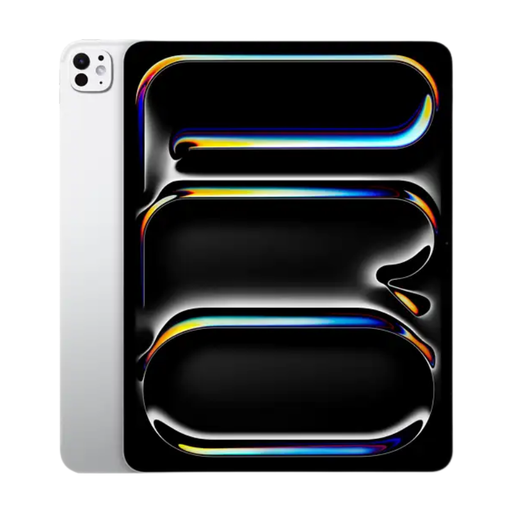 Image unavailable
Apple 11-inch iPad Pro Wi-Fi 256 GB, silver
This 11-inch iPad Pro is a tablet option for taking documents with you and reading them on the go. Check that the writing apps and portal you need work on it.
The product information says the Apple Pencil must be purchased separately.
View at Joybuy
 Image unavailable
iFLYTEK AINOTE 2 10.65-inch E-Ink tablet
This digital notebook is designed for reading, writing and organising notes. Check that its document-editing features suit your application workflow.
The product description lists transcription in 16 languages. It says an internet connection is required for speech-to-text.
View at Joybuy
 Image unavailable
Teclast P33 10.1-inch, 9GB* RAM (3GB + 6GB virtual expansion), 64 GB
The product name lists a Bluetooth keyboard, stand and case with this tablet, for anyone looking for a set-up with writing accessories.
The product name also lists an English keyboard layout, Bluetooth mouse and stylus. The stated 9 GB RAM consists of 3 GB RAM plus 6 GB of virtual expansion.
View at Joybuy
Frequently asked questions about tablets for grant applications
Can I complete my application in Word on any tablet?
Not without checking first. Microsoft says mobile editing features depend, among other things, on the device and type of Microsoft 365 subscription. Try your own document and the features you need before choosing a tablet. Microsoft says Office can be installed on Surface Pro just as it would be on a regular computer.
Are a stylus and keyboard always included?
No, it varies by model and version. Apple does not list a stylus or keyboard among the items included with the iPad Air reviewed here, and Microsoft lists the Surface keyboard as optional. Lenovo shows a stylus with the Idea Tab Pro version reviewed here; check what is included in the bundle you choose.
How can I handle application documents carefully in a shared workspace?
Restrict access to files, follow your organisation’s policy and check documents before sharing them if they contain personal data. The Dutch Data Protection Authority (Autoriteit Persoonsgegevens) points out that personal data can also be hidden in documents, and that organisations must decide on appropriate security measures.
What are my rights when buying online in the Netherlands?
For online purchases by consumers, there is often a 14-day cooling-off period, according to the Dutch government; exceptions may apply. ACM ConsuWijzer explains that statutory guarantees are in addition to any manufacturer’s warranty and depend on what you could reasonably expect from the product.


